Free Instagram content calendar template
Build a two- or four-week Instagram plan with editable post ideas for Reels, carousels and photos. Download your calendar as a CSV. No sign-up needed.
By Mellow · UpdatedMake room for your next posts
A starting template with three posts a week. Edit the ideas below. Building a new calendar replaces your edits; refreshing clears them. Download a copy to keep your work.
Choose a date to begin. No account needed.
What belongs in an Instagram content calendar?
A useful content calendar connects a date, a format and a reason to post. It should also leave room for your own idea, the media you need and the next step you want a reader to take. A calendar full of generic hooks is harder to use than six specific ideas you can actually make.
This free template puts three ideas in each seven-day window, starting on your chosen date. The mix rotates between teaching, showing your process, telling a story and making a clear invitation. It uses written prompts, not an AI service. Replace anything that does not fit your audience or available time.
An example for a small ceramics studio

- First slot, carousel: explain how to choose the right mug size, using photographs of your own pieces.
- Third day, Reel: show one handle being attached. Record the process you already do, then add a short explanation.
- Fifth day, photo: tell the story behind a glaze decision. Invite people to view the available collection if it is ready.
Each post has a different job. Keep the examples truthful: a customer result needs permission and evidence; a product invitation needs an actual available product. You can repeat the structure next week without repeating the content.
Turn the template into a publishing workflow
- Choose a date and describe what you make. Start with two weeks if four feels too crowded.
- Edit each idea until it names a specific story, example or piece of work. Remove slots you do not need after export.
- Download the CSV and open it in a spreadsheet. Add columns for your media file, caption, review status and next action.
- Prepare your actual drafts in Mellow. Use the visual grid and Plan to review them together before confirming any publication.
The CSV is a standalone planning sheet. It is not an automatic import into Mellow and it does not reserve publishing slots. Read the Instagram planning guide for the product workflow.
See a worked example: edit and download six post ideas
These are real browser captures of this free tool, made by Mellow on September 9, 2026. The ceramics studio and content are examples. This walkthrough used no Mellow account and published no posts. Open any screenshot in a new tab to see it at full size.
1. Choose the topic, date and planning window
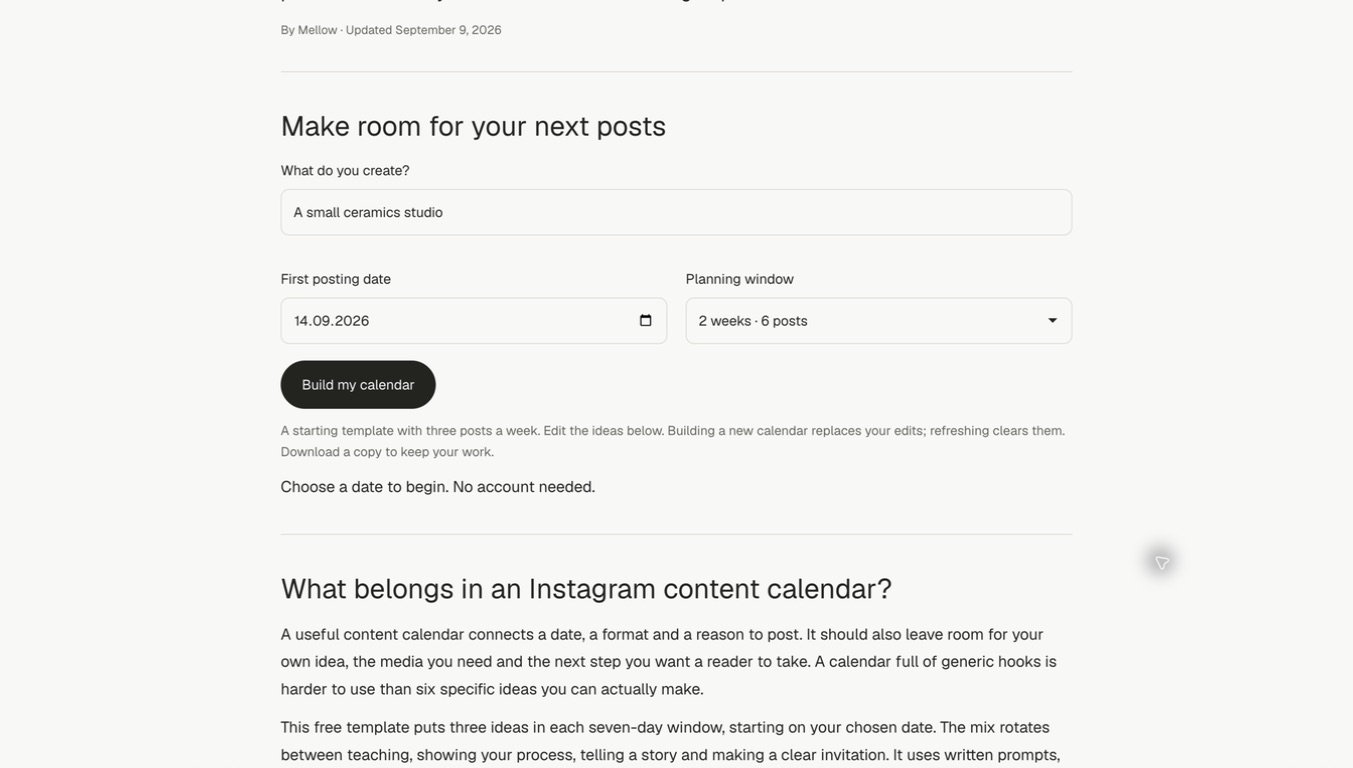
We entered “A small ceramics studio,” chose September 14, 2026 and kept the two-week window. Use your own starting date, then select Build my calendar. The date in this example is a planning choice, not a recommended posting time.
2. Replace each prompt with something you can make
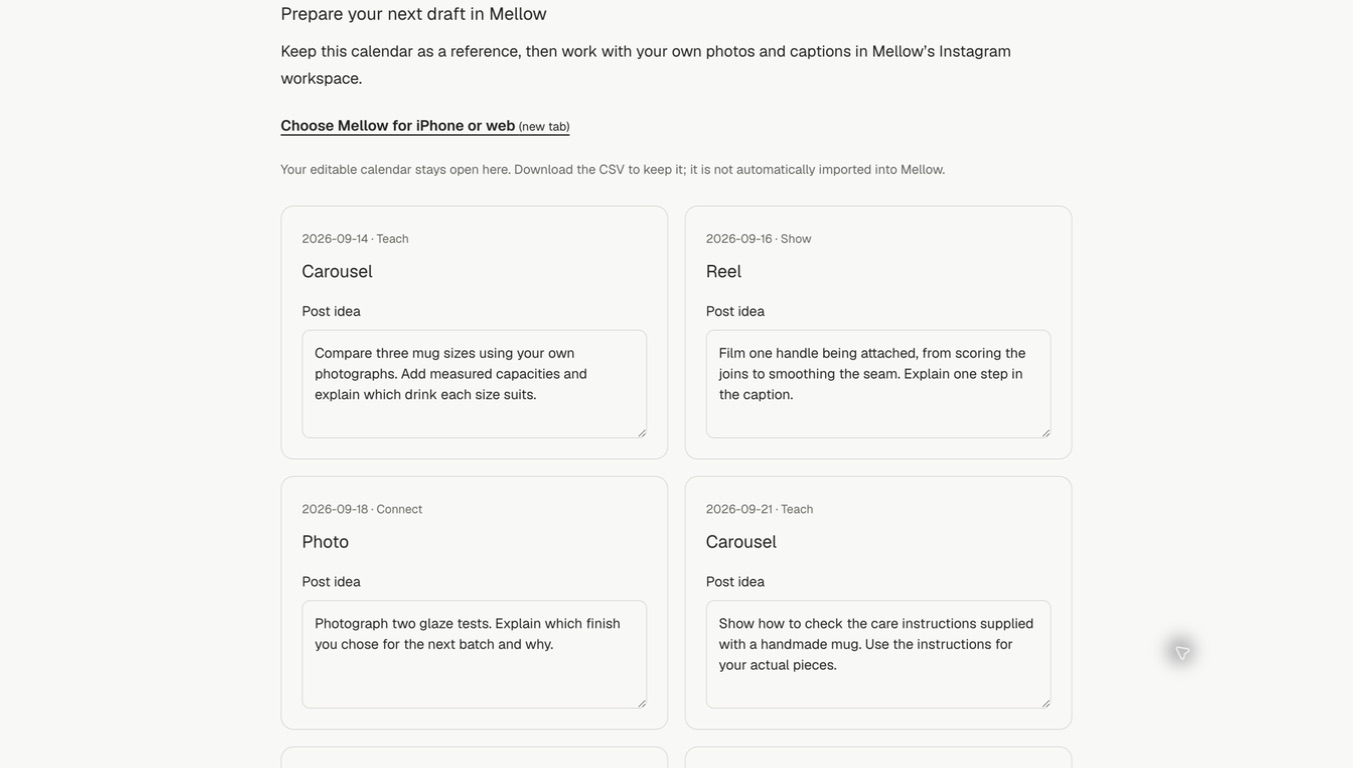
For the first carousel, we wrote a three-mug comparison brief calling for original photographs and measured capacities. The next Reel brief describes a handle-attachment sequence. We edited all six ideas directly in their cards; the dates and formats remained in place.
3. Download the edited version before leaving
Select Download editable CSV and save the file. The exported columns are Date, Format, Purpose and Idea. We opened the downloaded data and checked that all six edited ideas were retained. You can download this exact example CSV to inspect the result; replace its dates and ideas before using it.
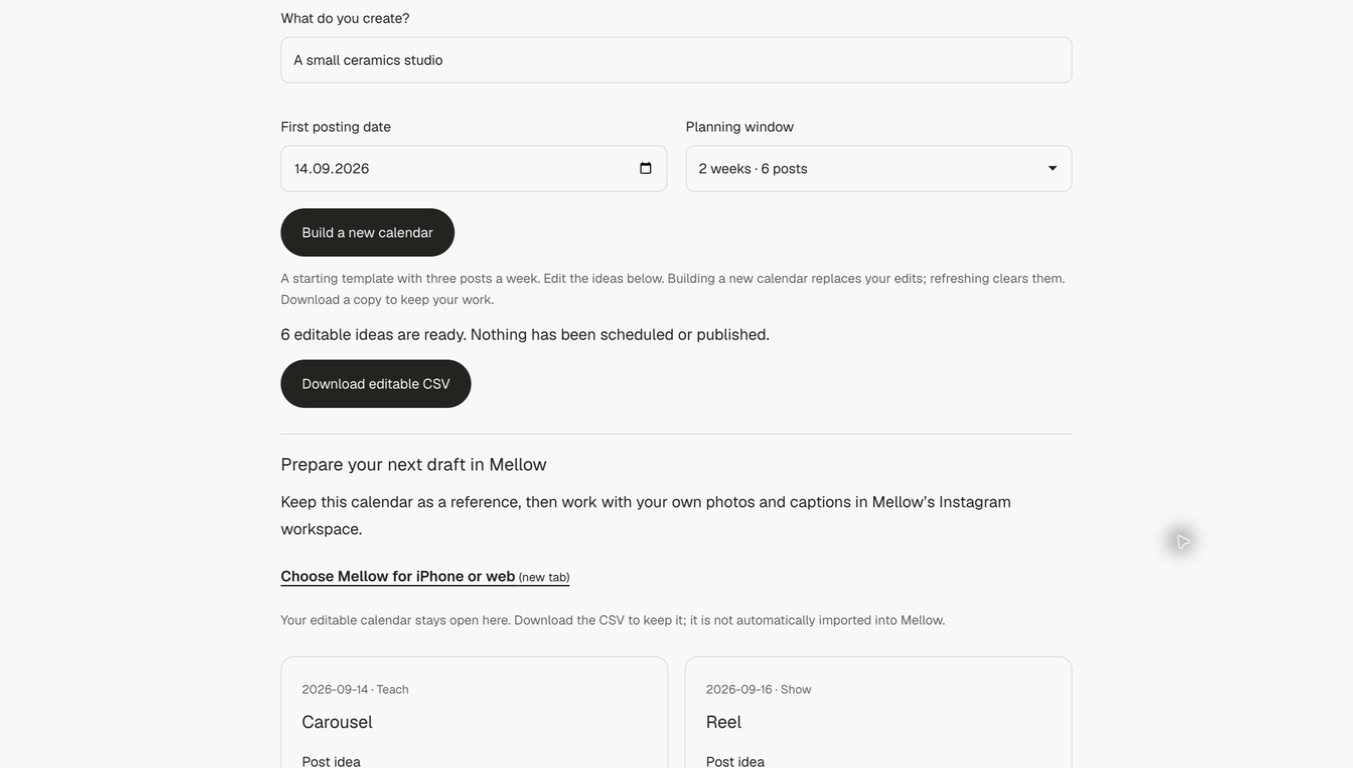
Keep your download: refreshing this page clears the edits, and Build a new calendar replaces them. Opening Mellow is a separate next step; the CSV does not automatically import, connect Instagram or schedule these posts.
Common questions
Is three posts a week the best frequency?
It is a manageable template, not a recommendation from Instagram or a growth guarantee. Choose a pace you can sustain and adjust it using your own results. Posting times are deliberately left open because this tool does not have your audience data.
Where is my calendar saved?
The fields and ideas stay in this browser page until you download them. They are not sent to a generation service or stored in a Mellow account. Normal site visit analytics may still apply; the tool does not include your topic or draft text in those events.
Can I use it for several networks?
You can adapt the exported sheet, but the format mix is designed for Instagram. For technical checks before cross-platform publishing, try the Mellow Hub post checker.