
Mellow HubPricing

BLOG

Follow every post until it is out, and fix what did not go

Posts shows every post by state. When a network refuses one, Hub tries again, says why in plain words and lets you send it once more.

← All steps · Step 6 of 10

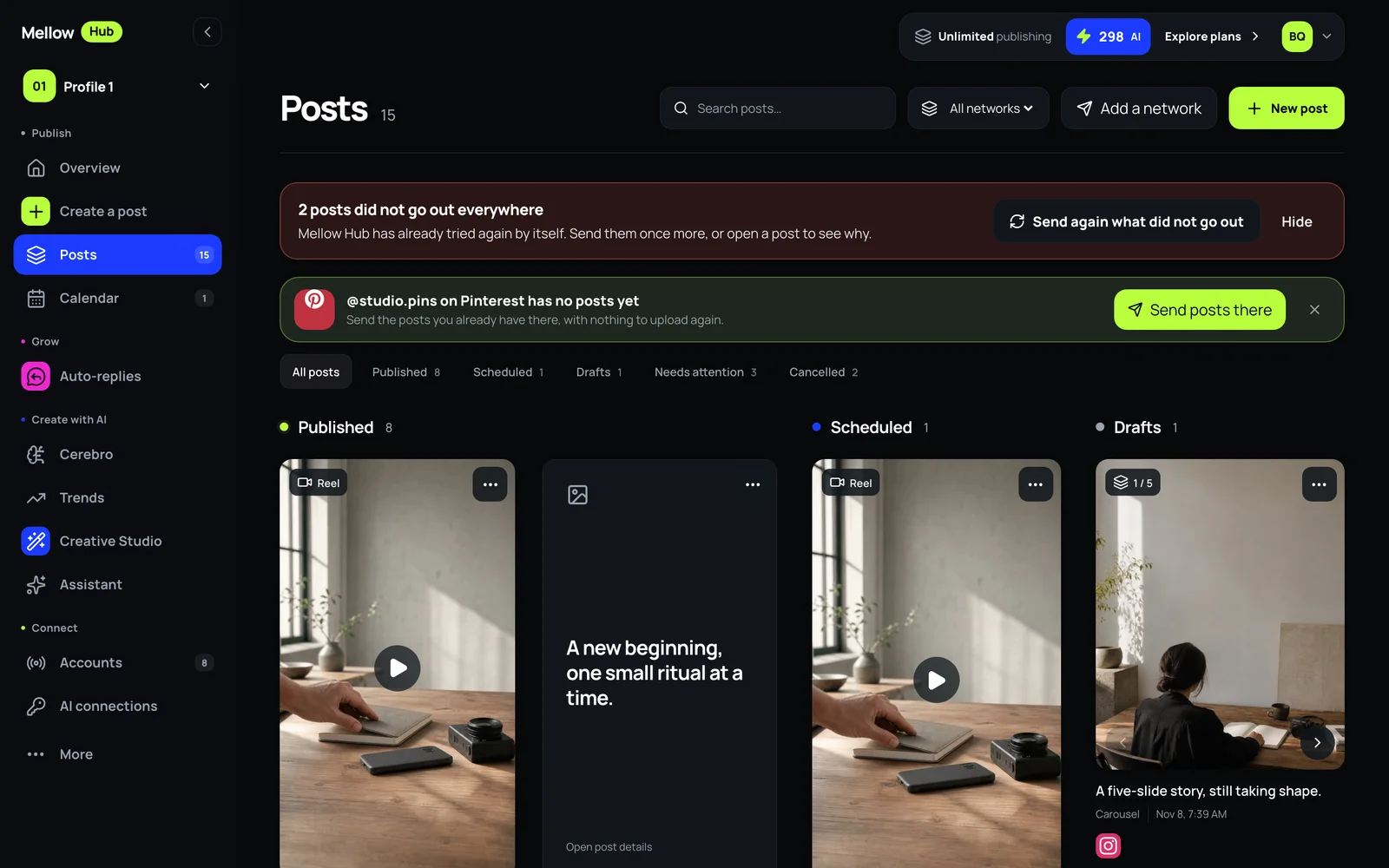
Mellow Hub’s Posts screen: a notice that two posts did not go out everywhere with Send again what did not go out, the tabs by state, and the posts as cards

A post goes to several networks, and each answers on its own. Posts, in the Publish group, is where you see what each one did.

Read the board

  • The tabs sort posts by state: All posts, Published, Scheduled, Drafts, Needs attention and Cancelled. All networks narrows the board to one network, and the search finds a post by its words.
  • Each card shows what the post is (Reel, Video, Photo, Carousel, Text post), its time, and once it is out, the figures its networks report.
  • A post that went out on part of its networks says so on its card, for example: published on 1 of 2, TikTok failed.
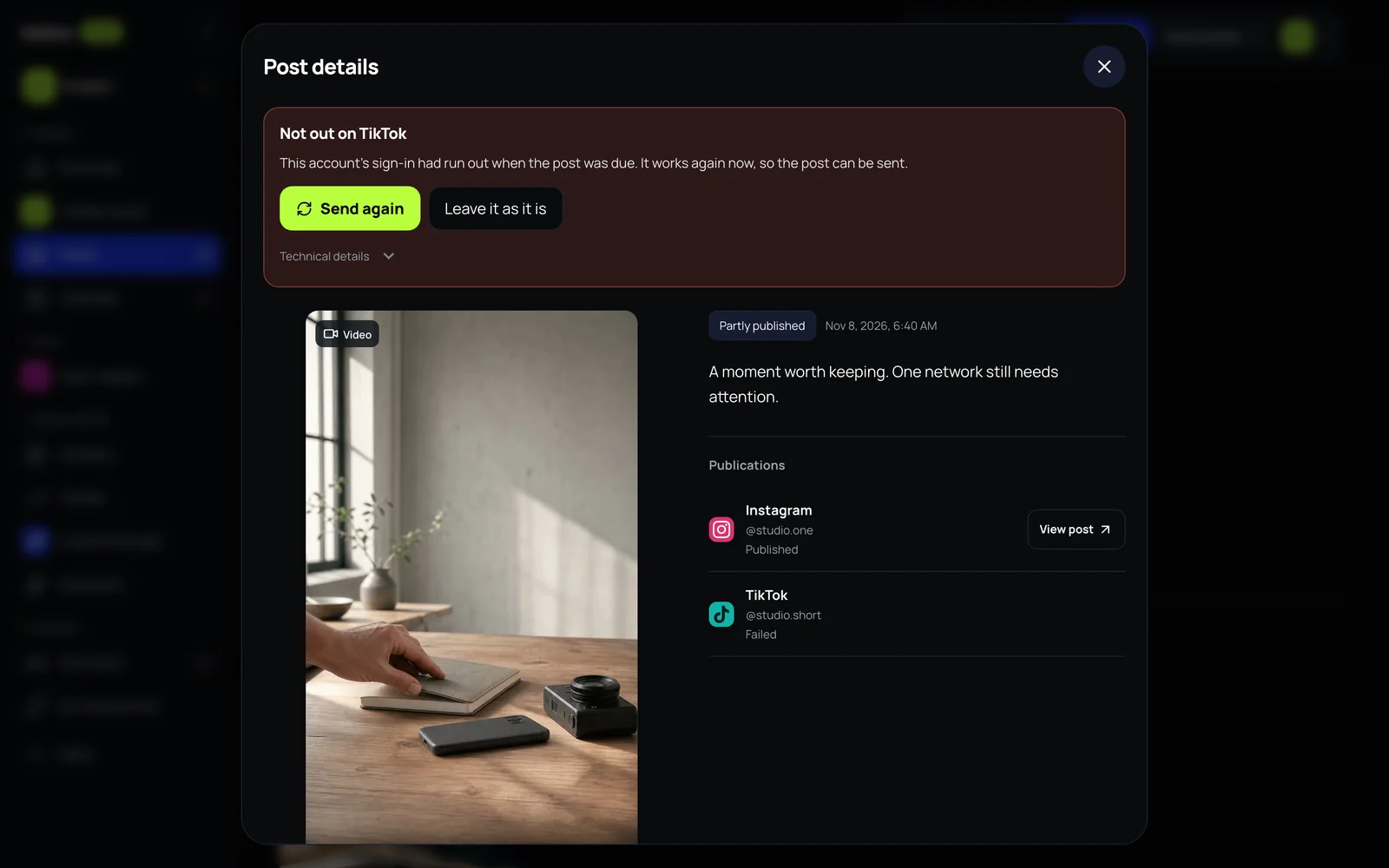
Post details: “Not out on TikTok”, the reason in plain words, Send again and Leave it as it is, and each network’s state with a link to the live post
A post that went out on one network and not on the other: the reason, the way out, and the link to the one that did.

When a network did not take it

  1. Hub has already tried again by itself. If it still did not go out, a notice at the top says how many posts did not go out everywhere.
  2. Send again what did not go out sends all of them once more. Or open one post to see why first.
  3. Post details names the network and the reason in plain words, for example, that the account’s sign-in had run out when the post was due and works again now. Press Send again, or Leave it as it is.
  4. Technical details under it shows the network’s own message, for when you need it.

Every network in the post is listed with its state, and View post opens the live post on that network.
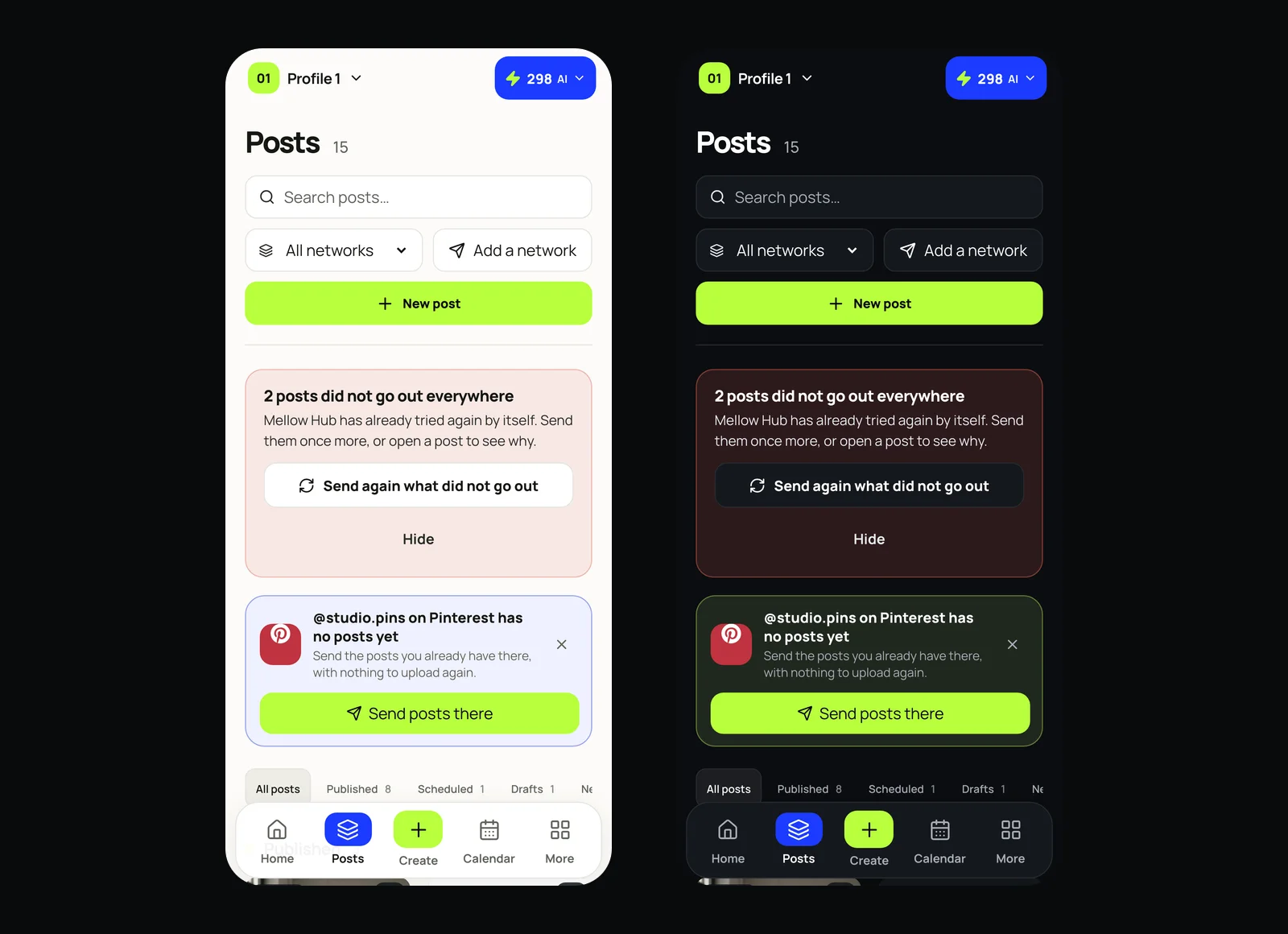
Two phone screens of Mellow Hub side by side, light and dark: the Posts screen
On a phone, in the light theme and the dark one. The theme follows your device.

Posts that wait for you

  • Needs review: a post an AI agent prepared with a key in review mode. It goes out only after you approve it.
  • Drafts: posts you saved without a time.
  • Cancelled: posts stopped before they went out, kept so you can see them.
Questions

What happens when a post fails on one network?

The other networks keep their posts. Hub tries the failed one again by itself, then tells you in Posts, says why in plain words and offers Send again or Leave it as it is.

Where do posts an AI agent prepared wait?

Posts made with a key in review mode wait in Posts as Needs review until you approve them. Nothing in review goes out on its own.

How do I see where a post was published?

Open the post: each network is listed with its state and, once it is out, View post opens it on that network.

Where to go next

More updates

All updates · Published November 8, 2026

Write to Hub's founder

Every message is read by the founder himself, so you are talking to him directly. Questions, bugs, a feature you miss: write about anything. We are glad to keep making Hub better.

What is it about?

We attach this page's address so we can see what you saw.