Instagram Reels scheduler: schedule Reels and trial reels from your computer
Schedule Instagram Reels and trial reels from a computer: one video, a caption and a time, with Instagram’s rules checked before anything is sent.
By Mellow · UpdatedHow do you schedule Instagram Reels from a computer?
Instagram schedules Reels itself in its phone app, and Meta Business Suite does it for free on a computer. Mellow Hub’s composer does it from any browser, and adds three things those leave out: a trial reel that Instagram shows first to people who don’t follow you, the same video sent to up to 10 networks at once, and a check of the file against Instagram’s API before anything is sent (3 seconds to 15 minutes, up to 300 MB, a caption of up to 2,200 characters).
Four ways to schedule a Reel
| Way | What it costs | Trial reels | Other networks |
|---|---|---|---|
| Instagram app | Free | A toggle on the share screen | No |
| Meta Business Suite | Free | Not on the Meta pages we read | |
| Buffer, Metricool | A free tier, then paid plans | Yes, on their help pages | Yes |
| Mellow Hub | Every plan, after a 7-day trial | Yes, both ways, refused when Instagram says no | Up to 10 networks in one post |
Instagram’s rules for its app are on its scheduling page: a public account, up to 30 days ahead, 25 posts a day. Buffer’s and Metricool’s help pages were read on 18 November 2026. Their free tiers, as their pricing pages gave them on 7 November: Buffer, 3 channels, 10 scheduled posts per channel at a time, 1 user. 14-day trial of paid plans, no card. Metricool, 1 brand, 20 scheduled posts a month, without LinkedIn or X.
Schedule a Reel, step by step
- Open the composer in Mellow Hub and tick your Instagram account. Tick any other account the same video should go to.
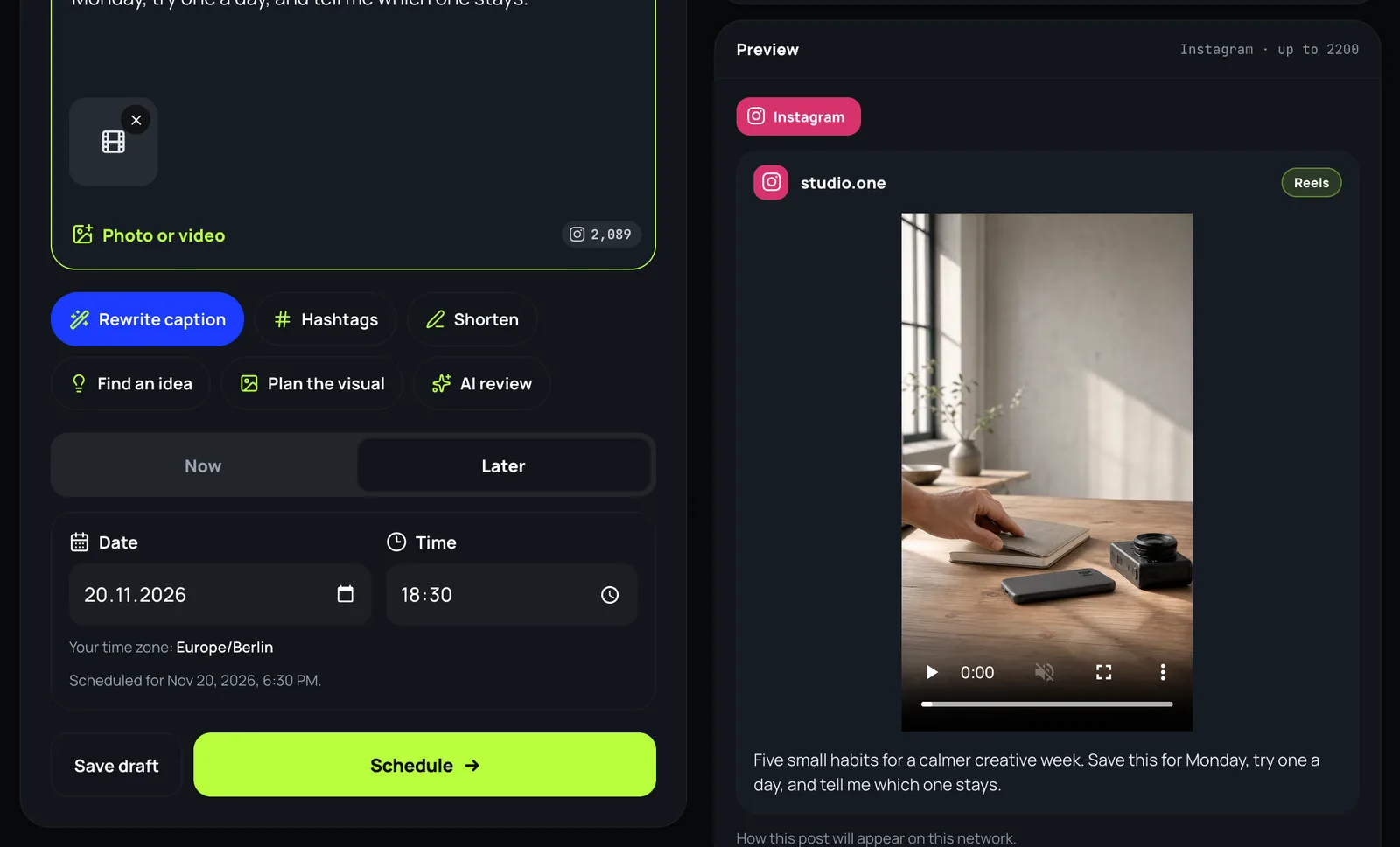
- Add one video and write the caption. The counter under it shows what is left for each network.
- On the Instagram card choose Reels.
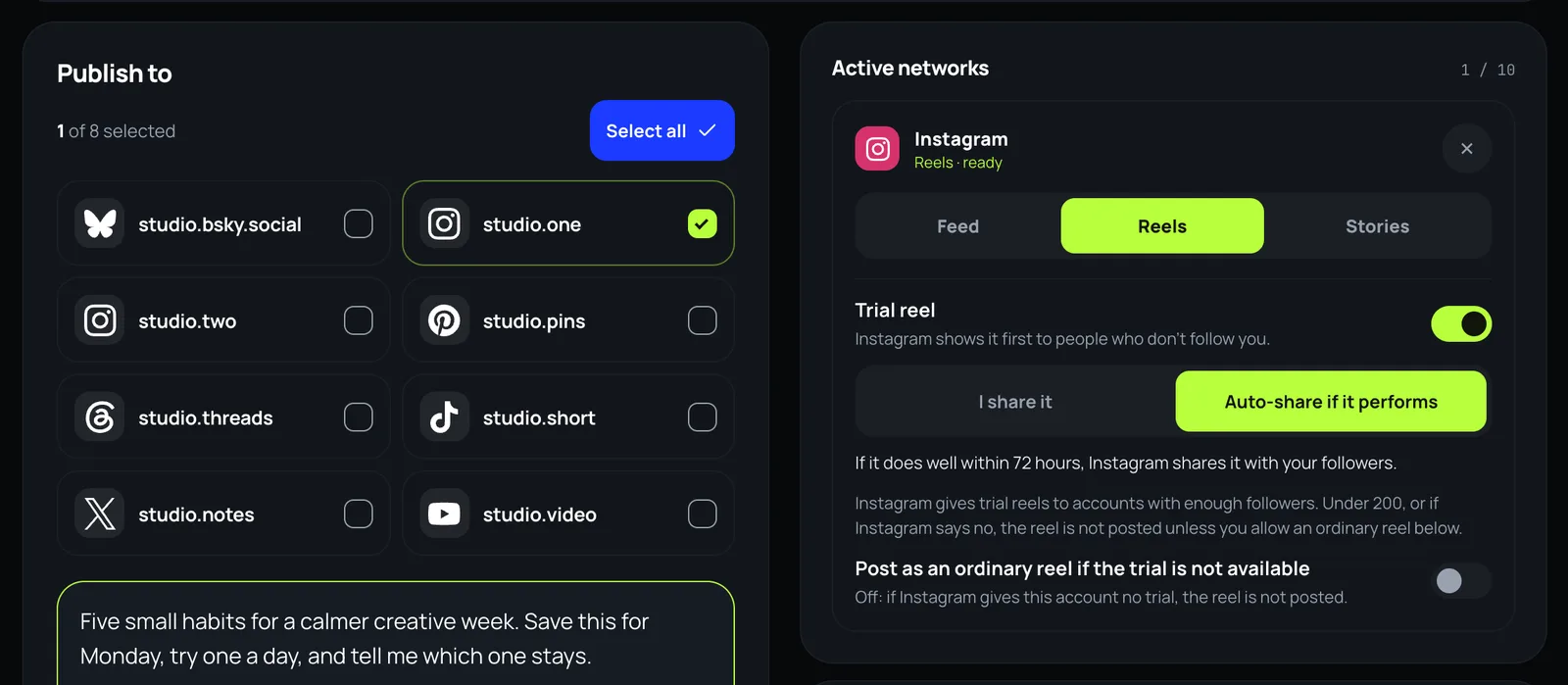
- For a trial reel, turn on Trial reel and choose I share it or Auto-share if it performs.
- Choose Later, pick the date and the time in your own time zone, and press Schedule.
Trial reels: what Hub does
- I share it keeps the reel with people who don’t follow you until you share it with your followers from the Instagram app. Auto-share if it performs lets Instagram share it with them by itself if it does well within 72 hours.
- A trial applies to one video posted as a reel. A story, a carousel or a picture with a trial is refused before sending, because Instagram would drop the trial and show the post to your followers.
- Instagram gives trial reels only to some accounts. Where Hub can read the count, an account under 200 followers is told before anything is sent; otherwise Instagram’s refusal is the answer, and it is taken as standing for 7 days.
- A refused trial is never posted as an ordinary reel by itself. Only the switch Post as an ordinary reel if the trial is not available, off unless you turn it on, lets it go to your followers instead.
What Hub checks before it sends
- The video’s length, frame and weight, read from the file, against Instagram’s API: 3 seconds to 15 minutes, up to 300 MB, MP4 / MOV (Meta’s reel specifications).
- The caption against Instagram’s 2,200 characters, and against every other network you ticked.
- The pace: Instagram takes 100 API-published posts from an account in a moving 24 hours (Meta’s content publishing page). Hub waits and sends again when a network refuses a post for its limit.
What it does not do
- It cannot add a sound from Instagram’s library: the API has no field for it. A reel that needs one is finished in the Instagram app.
- It cannot make Instagram give an account trial reels, and it does not promise reach. It sends the reel the way you set it, at the time you chose.
- It needs a professional (Business or Creator) Instagram account. A personal account cannot publish through any API.
What has gone out: from 19 October to 18 November 2026, 112 ordinary reels from 7 profiles and 70 trial reels from 1 profile went out through Hub, Mellow’s own profiles among them.
Schedule your next Reel
The composer is part of every Mellow Hub plan, with trial reels, Trends, Creative Studio and publishing to 10 networks. New accounts start with a 7-day trial.
Open the composerQuestions
How do I schedule Instagram Reels from my computer?
Instagram’s own scheduling is in its phone app. On a computer there are two ways: Meta Business Suite, which is free and schedules Reels for a business or creator account, or a tool that publishes through Instagram’s API. In Mellow Hub you add the video, choose Reels and Later, and Hub publishes it at that time.
Can I schedule a trial reel?
Yes, if Instagram gives your account trial reels. In Mellow Hub turn on Trial reel on the Instagram card: I share it keeps it with people who don’t follow you until you share it from the Instagram app, and Auto-share if it performs lets Instagram show it to your followers by itself if it does well within 72 hours.
Is there a tool that posts trial reels automatically?
Several do, through Instagram’s API. Mellow Hub does it for one video posted as a reel. Buffer’s and Metricool’s help pages, read on 18 November 2026, describe trial reels too. Instagram decides which accounts may use them, whichever tool sends the reel.
Why can’t I post trial reels?
Instagram gives trial reels only to some accounts: it needs a professional account and enough followers, and it answers “does not have permission” to the rest. Hub’s own bar is 200 followers where it can read the count. A refusal is taken as standing for 7 days, and the reel is not posted unless you allowed an ordinary reel instead.
Can I schedule a Reel with a trending sound?
Not through any API. Instagram’s publishing API takes the sound already in your file and has no field for a sound from its library. When an AI agent or Hub’s API asks for a reel to be finished in the app, Hub sends you the video, the caption and a link to the sound at its time, and you post it from the Instagram app.
Meta Business Suite is free. Why use anything else?
If you post only to Instagram and Facebook, Meta Business Suite may be all you need. Mellow Hub is for when the same video also goes to TikTok, YouTube Shorts and the rest, when you want a trial reel, or when an AI agent prepares your posts.
How far ahead can I schedule a Reel?
Instagram’s app allows up to 30 days ahead and 25 posts a day. Mellow Hub holds the post itself and sends it at the time you chose.
Related
- How do you schedule Instagram Reels? (the app and Meta Business Suite, step by step)
- What is a trial reel, and how do you post one?
- Instagram Story scheduler
- Viral video finder: what is taking off before you film