Viral video finder: trending Reels, TikTok trends today and Shorts that took off
Find trending Reels, TikToks and YouTube Shorts that took off in your topic, see why each one worked, and turn it into your own post in Mellow Hub.
By Mellow · UpdatedHow do you find trending Reels and TikTok trends today?
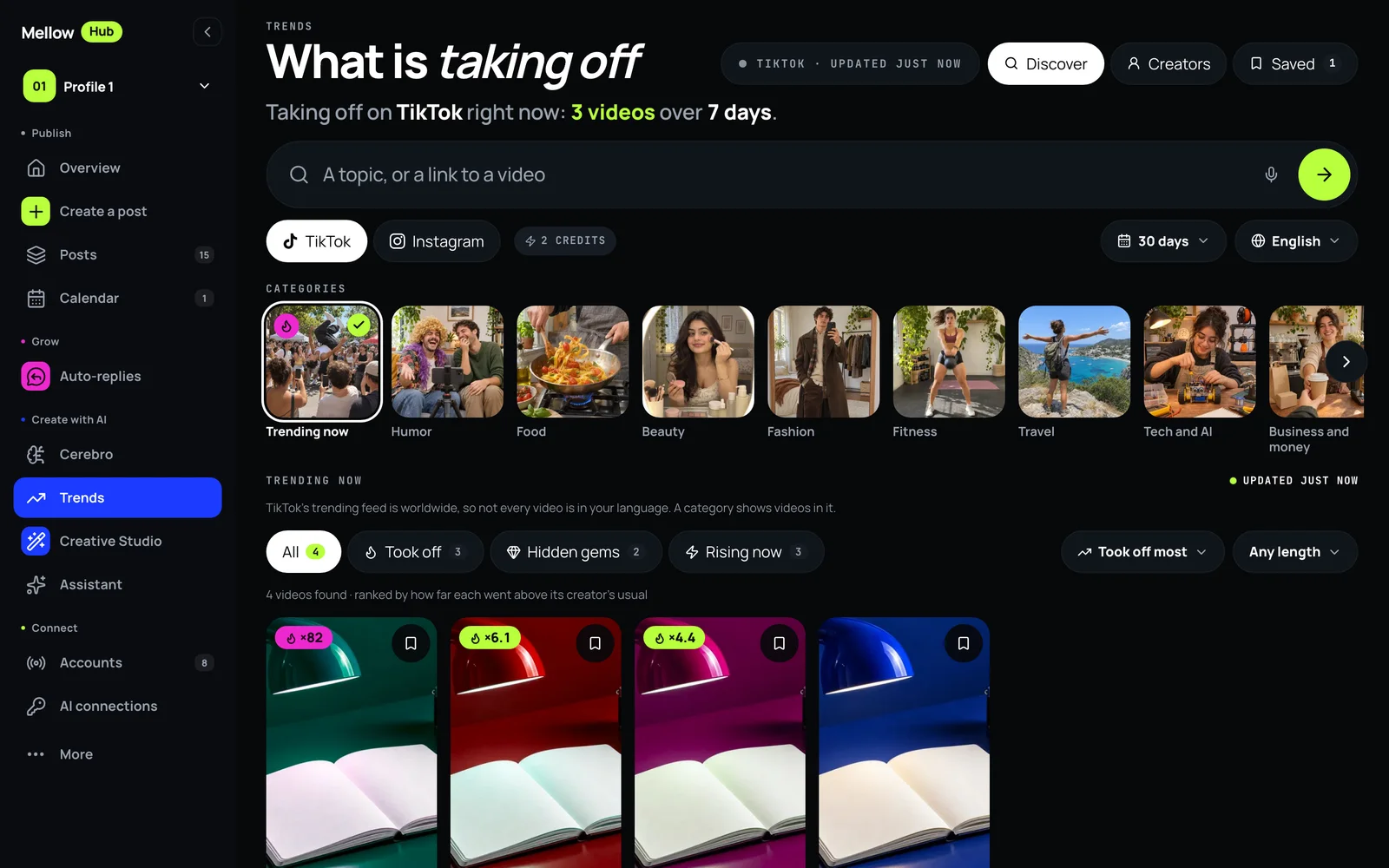
Look at videos that already took off instead of searching everything. Trends, in Mellow Hub, opens on Trending now for YouTube, TikTok or Instagram, has 15 topics and 22 formats to browse, and searches your own topic over the last 3, 7, 30 or 90 days in any of 10 languages. It shows a video only when it clearly beat its creator’s usual: at least ×2 their usual views and 10,000 views, or 100,000 views where the usual is not known. Break it down explains why a video worked and writes your version of the caption, and one more press takes it to a post for up to 10 networks.
What counts as a video that took off
| Network | Shown when | Figures on the card |
|---|---|---|
| TikTok, Instagram | At least ×2 the creator’s usual views and 10,000 views | Views, likes, comments, followers, and ×N against the creator’s usual |
| YouTube Shorts | 100,000 views, until Google approves the figures Mellow works out | YouTube’s own views, likes and comments |
The creator’s usual is what their other recent videos get. A small account whose video went far above it is the clearest sign that the idea works on its own.
Find a trend, step by step
- Open Trends in Mellow Hub. It opens on Trending now; pick YouTube, TikTok or Instagram.
- Browse one of 15 topics or 22 formats, or type your own topic, and choose the period (the last 3, 7, 30 or 90 days) and the language.
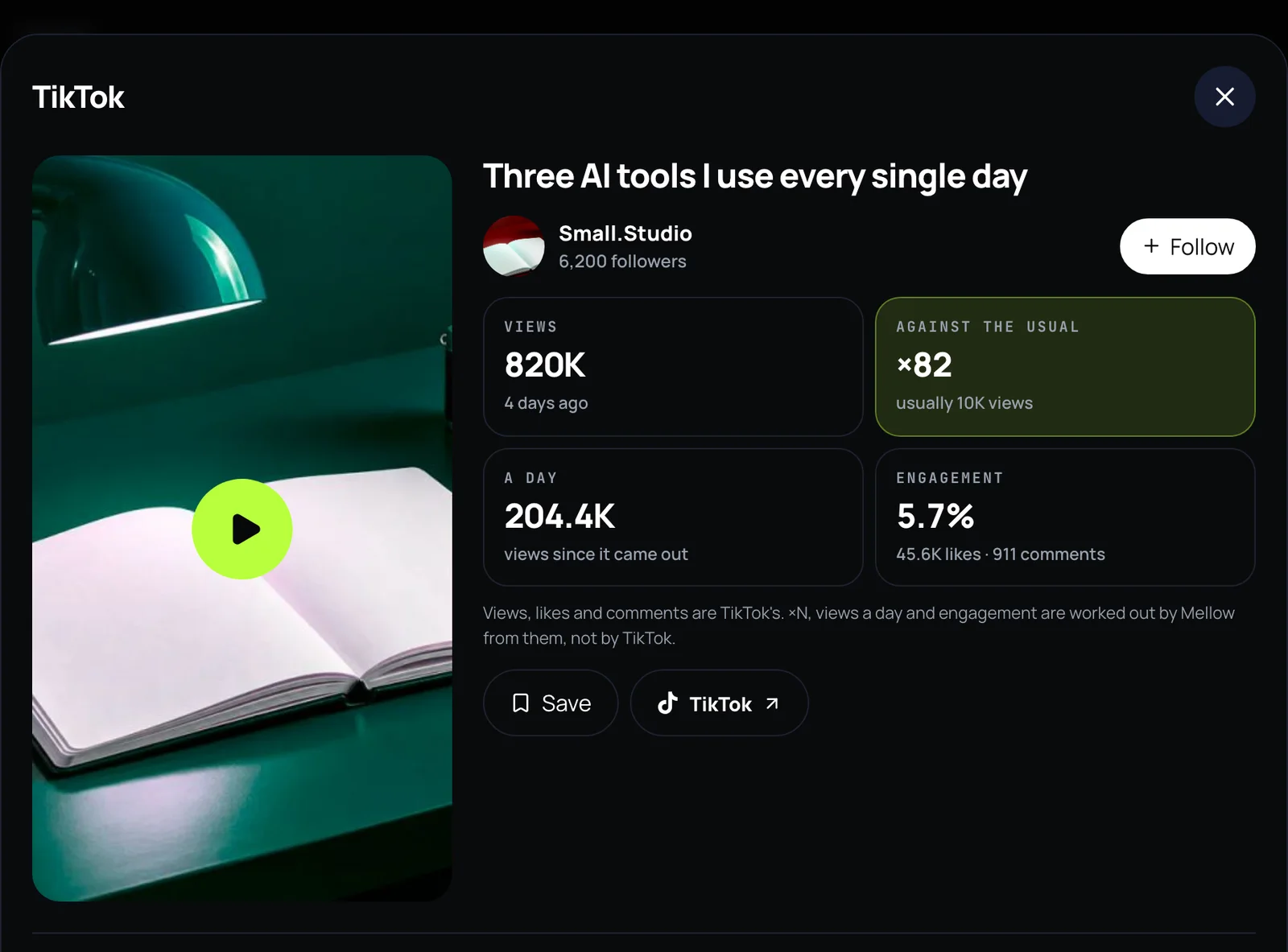
- Open a video to see its figures, and which of them are the network’s and which Mellow works out.
- Press Break it down: why it worked, its hook and steps, and your own version of the caption.
- Press Use in a post to take it to the composer, or Make one like this to cut your own clips the same way in Montage.
- Press Watch on Radar to have Hub check the same search every day and write to you when something new takes off.
From a trend to your own post
- Break it down reads the title, the description, the figures, the top comments and, on TikTok and Instagram, what is said in the video. It answers why it worked, how it is made, its hook, and your own version of the caption.
- What is working here sums up what a whole search has in common.
- Use in a post puts your caption in the composer, which checks each network’s rules and publishes to up to 10 networks now or at a time you choose.
- Make one like this opens Montage with the video as a reference, to cut your own clips into a vertical video with captions.
- Creators follows up to 30 creators per profile (10 of them on TikTok or Instagram) and shows their new videos.
Radar: a search that watches for you
Press Watch on Radar on any search. Hub checks it once a day and writes to you when new videos took off: by e-mail, at most once a day, and in Telegram if you connected a channel through Hub’s bot. A check that finds nothing costs nothing. A radar rests after 14 days without you opening Trends.
| Plan | Radars |
|---|---|
| Trial | 2 |
| Solo | 5 |
| Studio | 20 |
| Scale | 50 |
What it costs
| What | AI credits |
|---|---|
| Trending now, topics and formats | Free |
| A YouTube search, or any search somebody ran recently | Free |
| A new TikTok or Instagram search | 2 credits |
| Break it down | 2 credits |
| What is working here | 1 credit |
| Find more, past what Hub has already read | 1 credit |
| A TikTok or Instagram radar check that found new videos | 1 credit |
| Following creators, saving videos, Export CSV | Free |
Where the videos come from, and what it does not do
- YouTube is read through the YouTube Data API. TikTok and Instagram are read through a data provider that reads their public pages the way a visitor would. Only public videos are read, no account of yours is used, and nothing is posted.
- A breakdown watches the one video you ask about, picture and sound, and keeps no copy; when it cannot, it reads the words and figures and says so.
- On YouTube it shows YouTube’s own figures only, until Google approves Mellow’s request for the ones it works out.
- It does not promise that your version will take off. It shows what already did, and why that is likely.
See what is taking off in your topic
Trends is part of every Mellow Hub plan, with the composer, Creative Studio, Montage and publishing to 10 networks. New accounts start with a 7-day trial.
Open TrendsQuestions
How do I find trending Reels on Instagram?
Instagram has no single list of trending Reels: it shows what is popular in the Reels tab, under a reel’s audio or hashtag, in its Edits app and in Inspiration in the Professional dashboard, none of them by niche. In Mellow Hub, open Trends, choose Instagram and a topic, or type your own: it shows only Reels at least ×2 their creator’s usual views with at least 10,000 views.
Where can I see TikTok trends today?
TikTok shows trends in its Creative Center, in Trending Topics in TikTok Studio, in the Discover tab and search, and on the Sounds page. Trends in Mellow Hub shows the videos themselves: Trending now reads TikTok’s trending feed, and every topic and search shows only videos that clearly beat their creator’s usual views.
What is a viral video finder?
A tool that shows videos which did far better than their creator usually does, so you can see which ideas work on their own and not only for large accounts. Trends compares each TikTok and Instagram video with the creator’s other recent videos and marks how many times above their usual it went.
Does it work for YouTube Shorts?
Yes, with YouTube’s own figures only: views, likes and comments. Mellow has asked Google for permission to show figures it works out from YouTube’s data, such as ×N; until that is approved, a Short is shown once it reaches 100,000 views.
Is it free?
Trends is part of every Mellow Hub plan. Feeds, YouTube searches and any search somebody ran recently cost nothing; a new TikTok or Instagram search costs 2 credits and a breakdown 2 credits. New accounts start with a 7-day trial.
Does it download or repost other people’s videos?
No. It shows public videos with a link to the original, and a breakdown reads their words and figures. What you make from an idea is your own video, posted from your own accounts.
Can my AI agent use it?
Yes. Over Mellow Hub’s MCP server the same searches, breakdowns and radars are the tools trends_search, trends_breakdown and trends_radar. None of them publishes anything.