Auto captions for Reels in 34 styles: an auto video editor for Reels that cuts your clips and posts them
Montage in Mellow Hub cuts your clips into a vertical video, adds captions automatically in one of 34 styles, and posts it to Reels, TikTok or Shorts.
By Mellow · UpdatedHow do you add captions to Reels automatically?
Give an auto editor your clips and a few words, and let it choose the moments, cut them to length and put the words on screen. Montage, in Mellow Hub, takes up to 20 of your photos and clips, a format and what the video is about, and cuts one vertical video of up to 15, 30 or 60 seconds: shots with captions, quick cuts, or a talking head whose words appear as you say them. It sets the captions in one of 34 looks, can put your logo, colour, font and end card on it, and hands the finished video to the composer, which posts it to up to 10 networks.
Free apps caption a video too: Instagram’s Edits and CapCut, on a phone, posting one network at a time. Montage is for clips cut, captioned in your look and posted everywhere from one place.
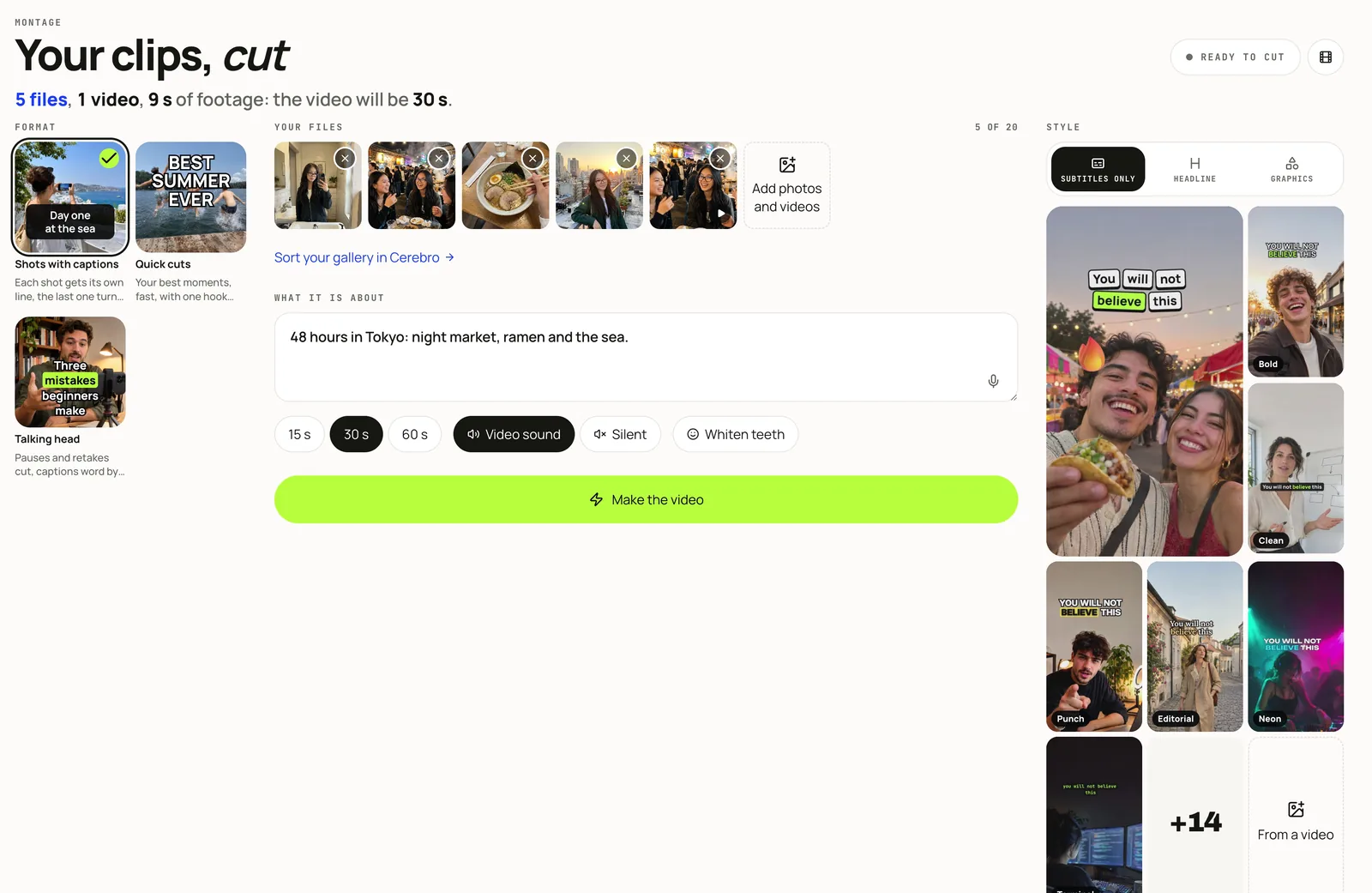
Three formats
| Format | What it makes |
|---|---|
| Captions | A few shots, each with its own line: the first line is the hook, the last shot the payoff. |
| Quick cuts | Many short shots with one hook line over the first seconds. |
| Talking head | What you say, cut into phrases at the pauses with retakes and filler left out, and captions that appear word by word as you speak. |
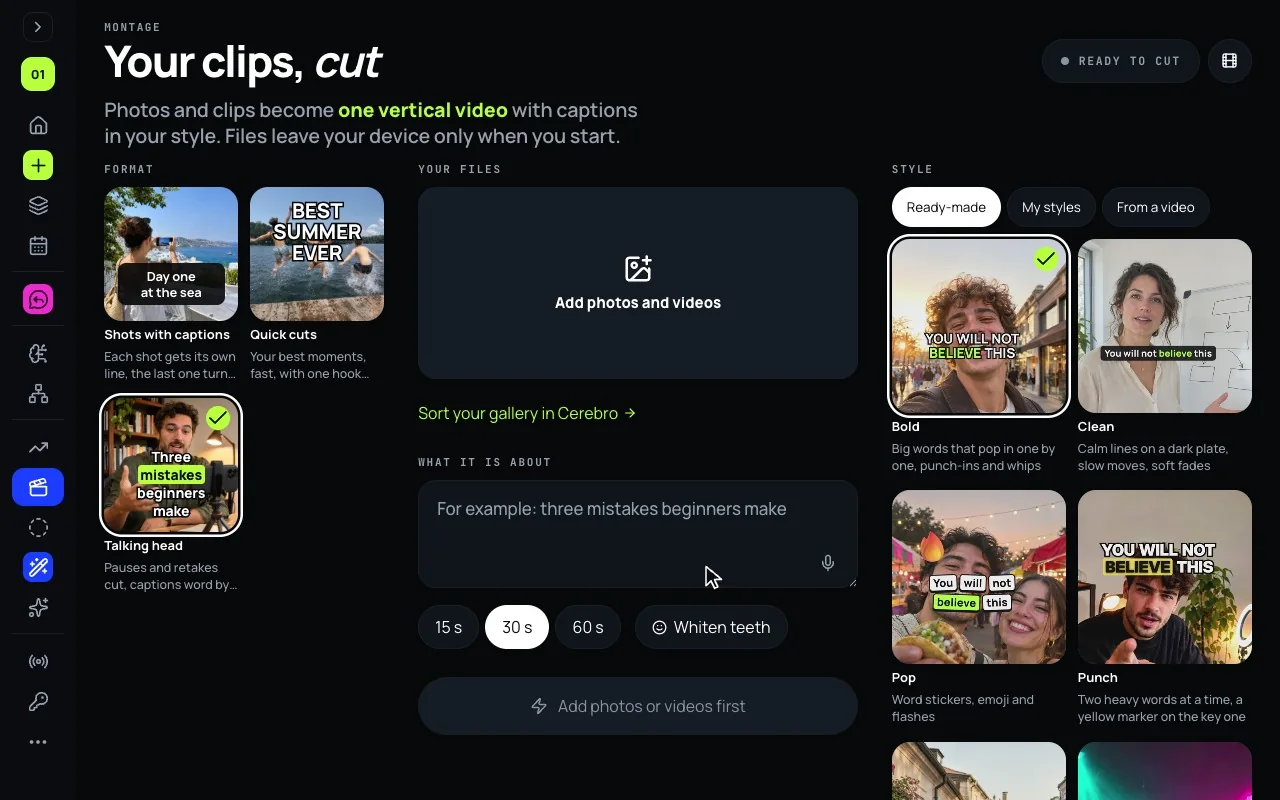
34 caption looks, in three families
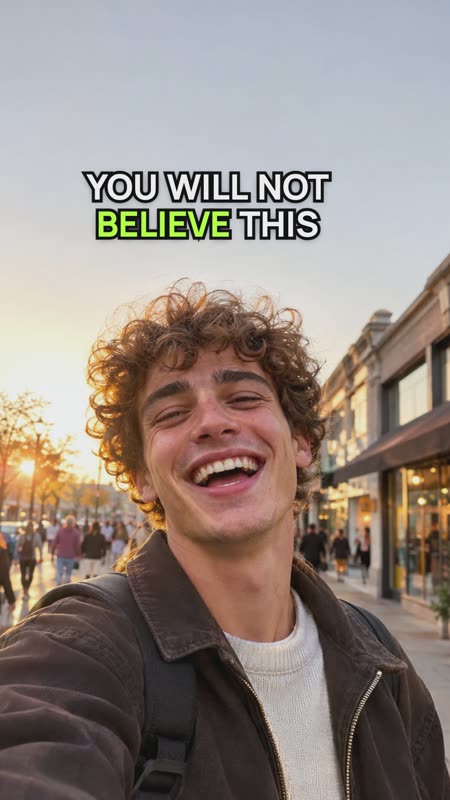
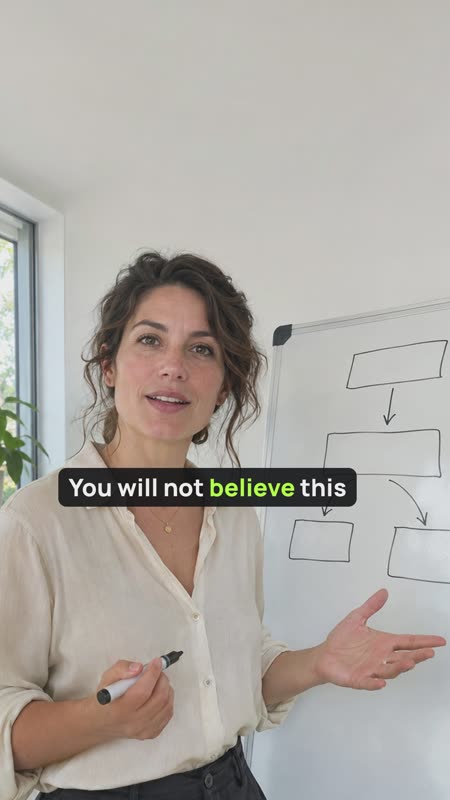
Every video gets its captions without typing them: from your speech in Talking head, from what the video is about in the other two formats. The look of the words, the moves of the camera and the cuts between shots come from the look you pick:
- Subtitles only, 21 looks: your words on screen as you say them, moving with the speech.
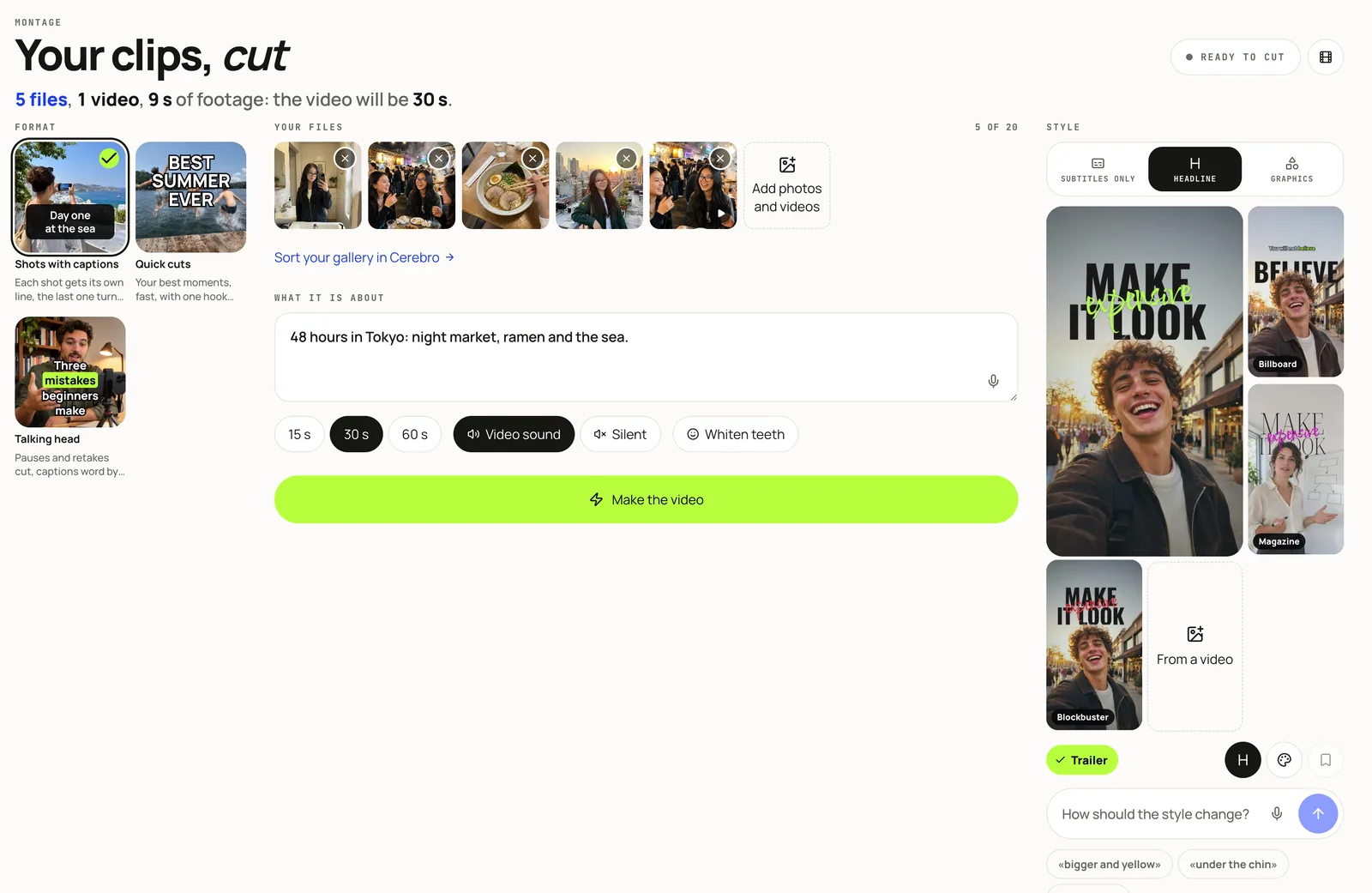
- Headline, 4 looks for a person talking to the camera (Billboard, Magazine, Blockbuster and Trailer): big words behind your head, small ones under it.
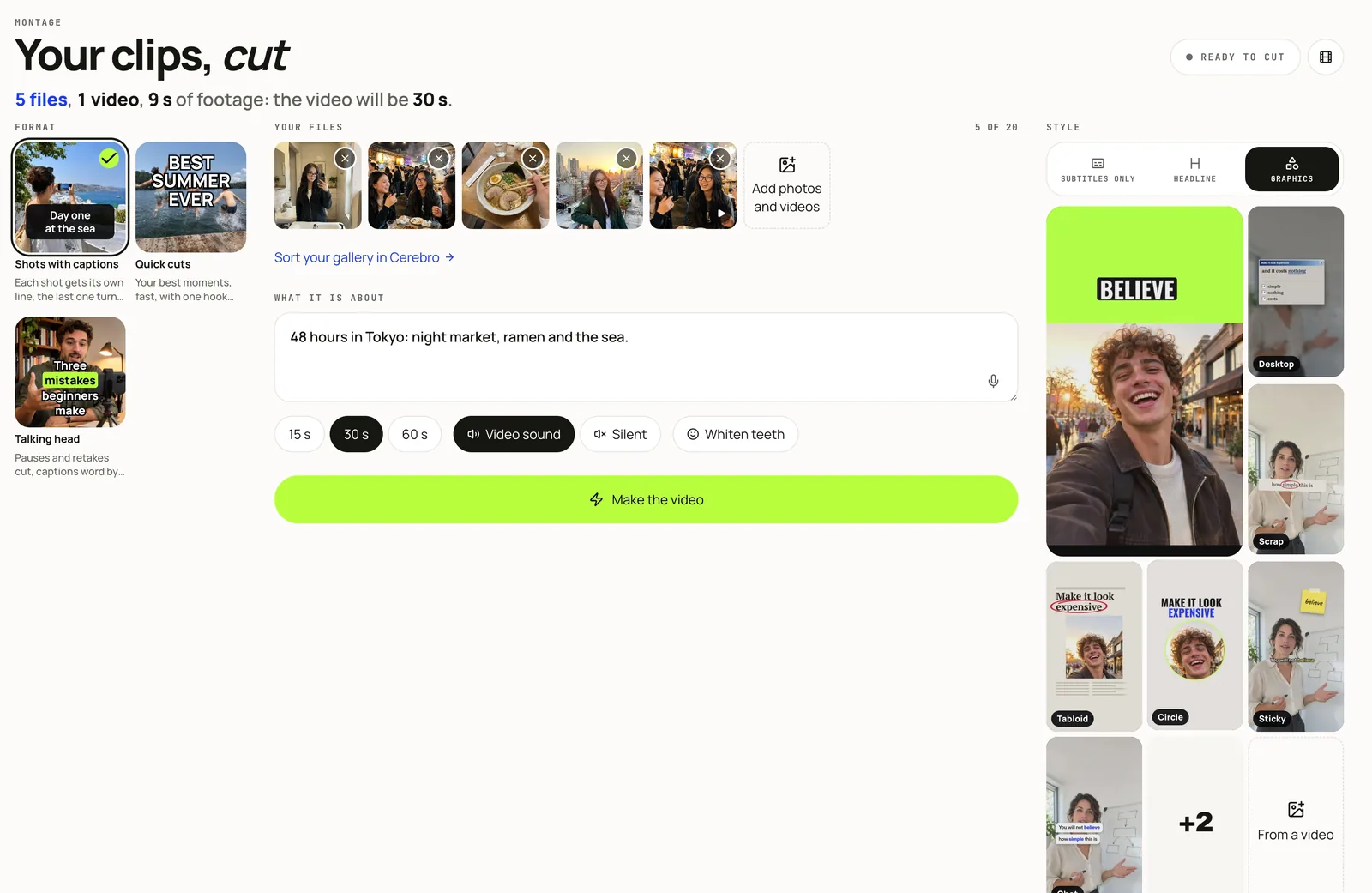
- Graphics, 9 looks (Desktop, Scrap, Tabloid, Halves, Circle, Sticky, Chat, Chalk and On Air): one designed moment over the footage.
To change a look, type or say how under How should the style change?, or pick one of 7 colour palettes. Every look, family by family: 34 caption styles for Reels.

Your brand, your face, another cut
- Your brand. A logo, a colour, a font and an end card, put on every video while Use my brand is on.
- Whiten teeth. An optional switch that retouches every face in every clip before the cut.
- Cut it again. Say what to change and the same files are cut again.
Make a video, step by step
- Open Montage in Mellow Hub.
- Choose the format: Captions, Quick cuts or Talking head.
- Add your clips and photos, up to 20 files.
- Pick a look on one of three tabs, or turn on your brand, then say in a few words what the video is about.
- Choose the length (15, 30 or 60 seconds) and the sound: the clips’ own, or silent. Press Make the video.
- Watch the result, read its caption and the cut shot by shot, then press Use in a post, or Cut it again with a note.
Where the clips come from
What it does not do
- It promises no turnaround time: videos are made in turn on Mellow’s render machine, and the screen shows how many are ahead.
- It adds no music for now, and no sound from a network’s own library.
- It has no timeline to edit by hand: you change a cut by saying what to change.
- It does not publish by itself: the video goes to the composer, and you post or schedule it there.
- It does not invent footage: every shot is one of your own photos or clips.
Caption your first video
Montage is part of every Mellow Hub plan, with Trends, Creative Studio, the composer and publishing to 10 networks. New accounts start with a 7-day trial.
Open MontageQuestions
How do I add auto captions to Reels?
On a phone, for free: Instagram’s Edits app has a caption generator, and CapCut’s auto captions are free to start; you then post from the app, one network at a time. Montage in Mellow Hub writes the captions from your speech or from what the video is about, sets them in one of 34 looks, and hands the video to the composer, which posts it to Reels and up to 10 networks now or at a time you choose.
Is there a CapCut alternative that posts for me?
If you mean cut, captioned and posted from one place, yes: Montage cuts your clips and adds the captions, and Use in a post sends the video to Hub’s composer, which publishes or schedules it to Instagram, TikTok, YouTube and the rest. CapCut is the fuller editor by hand, with a timeline, effects and music, and its page says it shares straight to TikTok. Montage has no timeline and adds no music.
Can I change how the captions look?
Yes. Pick one of 34 looks on three tabs: 21 that put your words on screen as you speak, 4 with big words behind your head, and 9 that add one designed moment over the footage. Then type or say the change under How should the style change?, for example “bigger and yellow” or “under the chin”, or pick one of 7 colour palettes. Saying the change is new: if a phrase does not land, put it another way.
Can it add captions to a video automatically?
Yes. In Talking head, Montage writes down what you say with the time of each word and puts the words on screen as you say them, a few at a time, with the key word in the style’s accent. In Captions and Quick cuts it writes the lines from what you said the video is about, the first one as the hook.
How long does a video take?
It depends on the files and on the queue: videos are made one after another on Mellow’s render machine, and the screen says how many are ahead of yours. You can leave the page; the finished video waits in Montage.
Does it add music?
Not for now. A video keeps the clips’ own sound, brought to one level, or is silent. A trending sound from the network’s own library is added in the network’s app; for Instagram, Hub can remind you at post time to finish the reel there.
Can it copy the style of a video I like?
Of its look, yes: from Trends, Make one like this sends a video that took off to Montage as a reference, and Montage follows its layout, colours and rhythm. It never copies the video’s content; the clips are yours.
Is it free?
Montage is part of every Mellow Hub plan and takes no AI credits. New accounts start with a 7-day trial.