Instagram story maker: your photo and a line of text, designed in your own style
Turn a photo or a clip and a line of text into a designed Instagram story in your own style, make a whole series with AI, and post it from Mellow Hub.
By Mellow · UpdatedWhat does an Instagram story maker do?
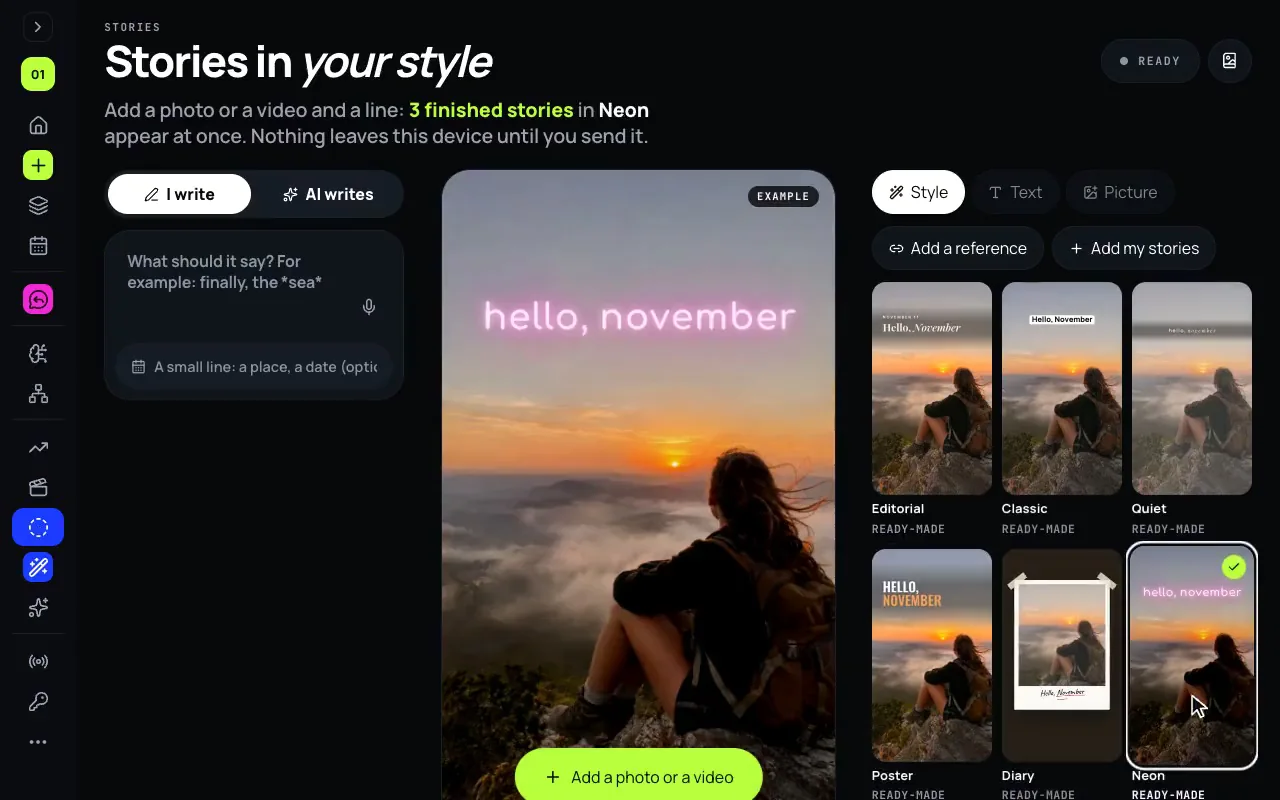
It turns a picture and a few words into a story that looks designed, without a template that looks like everyone else’s. Stories, in Mellow Hub, learns your look from screenshots of your own stories, or from a reference you like, and designs a photo or a clip and a line of text into a 1080 × 1920 story the same way. It makes series of up to 10, can write the words for you, and Post as a story sends each one to Instagram or Facebook.
Instagram’s own editor is free and is where link, poll and location stickers go; Canva has ready-made story templates. Stories is for a look of your own, repeated, made and posted from a computer.
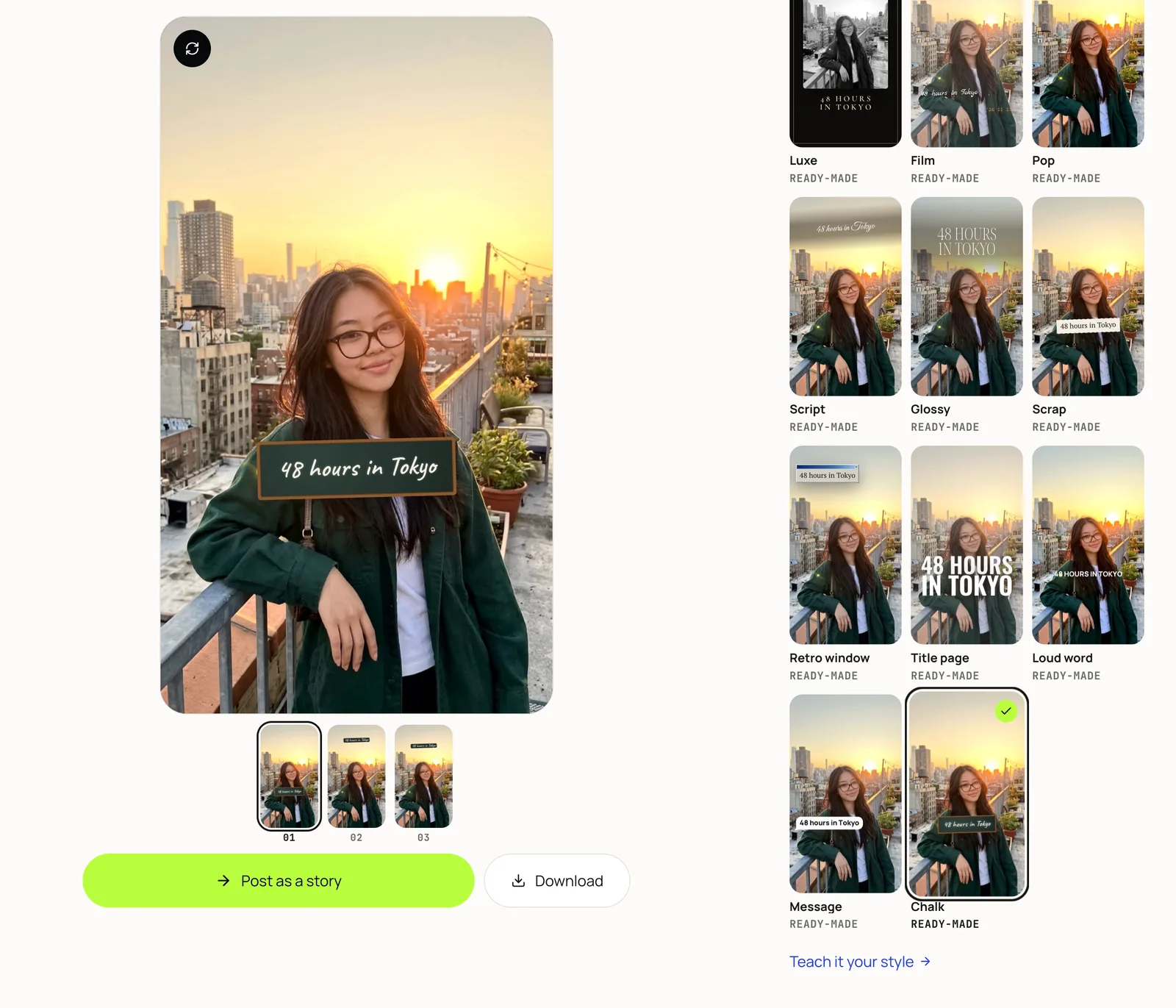
What it does
- Your style, not a template. Add my stories reads where you put the words, their size, case and colours, and the frame. Add a reference does the same from someone else’s look, never their content.
- Three designs per picture. Pick one, then drag, retype and recolour anything; there are 20 fonts, all with Cyrillic, and 17 ready-made looks to start from.
- A series with AI. AI writes puts several pictures in order and writes every story’s words in your manner, following your wishes, typed or spoken.
- Photos and clips. A photo story is designed and drawn in your browser; a clip of up to 60 seconds gets the same design over it.
- Whiten teeth. An optional switch in the Picture panel, for photos and clips.
Make a story, step by step
- Open Stories in Mellow Hub.
- Press Add my stories and add screenshots of a few of your own stories, or Add a reference with a link or a screenshot of a style you like.
- Add a photo or a clip, or several at once for a series of up to 10.
- Choose who writes the words: I write, or AI writes, with your wishes typed or spoken.
- Pick one of the designs, then drag, retype or recolour anything on it.
- Press Post as a story to send it to the composer for Instagram or Facebook, or download it.
What it does not do
- It does not add Instagram’s link, poll or location stickers: a story published through Instagram’s API cannot carry them, so add them in the Instagram app.
- It does not post a series in one go: Instagram takes one story at a time, so each goes out from the composer at a time you choose, as the Instagram Story scheduler guide shows.
- Making video stories has not yet been checked in Safari or on an iPhone; a desktop browser such as Chrome is the safe choice.
Make your first story
Stories is part of every Mellow Hub plan, with Trends, Creative Studio, Montage and publishing to every network Hub supports. New accounts start with a 7-day trial.
Open StoriesQuestions
How do I make an Instagram story look good?
In the Instagram app itself: pick a photo or a video, add text in one of its fonts, stickers and music, and share. It is free, and it is the only place for link, poll and location stickers. For a designed look, people start from templates: Canva has many Instagram story templates to fill in. Stories in Mellow Hub designs the story from your own look instead, read from screenshots of your stories, so a new one looks like yours rather than like a template.
Which app should I use to make Instagram stories?
It depends on the look you want. Instagram’s own editor is free and quick, and stickers go on there. Canva suits templates and a brand kit. Stories in Mellow Hub suits a look of your own, kept from story to story: it learns it from your stories, makes a series of up to 10, writes the words if you ask, and posts from a computer.
Can I make and post Instagram stories from my computer?
Instagram’s own help page says sharing a story isn’t available on computers. Meta Business Suite, on a computer, creates and schedules stories for business and creator accounts, links included. Stories in Mellow Hub designs the story in your browser, and Post as a story sends it to Hub’s composer, which publishes or schedules it to Instagram or Facebook through the official API, without link, poll or location stickers.
How does it learn my style?
From screenshots or screen recordings of 3 to 12 of your own stories. Mellow reads where you put the words, how big, in which case and colours, and the frame around the picture, and designs new stories the same way. The more alike your stories are, the clearer the style.
Can AI write the text?
Yes. In AI writes, it writes every story’s words in your manner, read from your own stories, and puts a series in an order that tells a small story: an opening, the middle and an ending, unless your wishes say otherwise. Every word stays editable.
Can I copy another account’s stories?
Its look, not its content. Add a reference with a link to an Instagram or TikTok account or post, a Pinterest pin, a YouTube video or a screenshot, and Mellow adapts the style to your picture and your words.
Can it add a link sticker?
No. Instagram’s API publishes a story without link, poll or location stickers; add those in the Instagram app. Hub posts the designed picture or clip as the story.
Does it post a whole series at once?
Instagram takes one picture or clip per story, so a series goes out one story at a time from the composer. Download the series saves every photo story in order.
Is it free?
Stories is part of every Mellow Hub plan and takes no AI credits; reading a TikTok or Instagram account from a link costs 1 credit. New accounts start with a 7-day trial.