Viral video analyzer: paste a TikTok, Reel or Short and see why it took off
Paste a TikTok, Reel or YouTube Short into Trends and see why it took off: its views against the creator’s usual, the first seconds, sound and pace.
By Mellow · UpdatedHow do you find out why a video went viral?
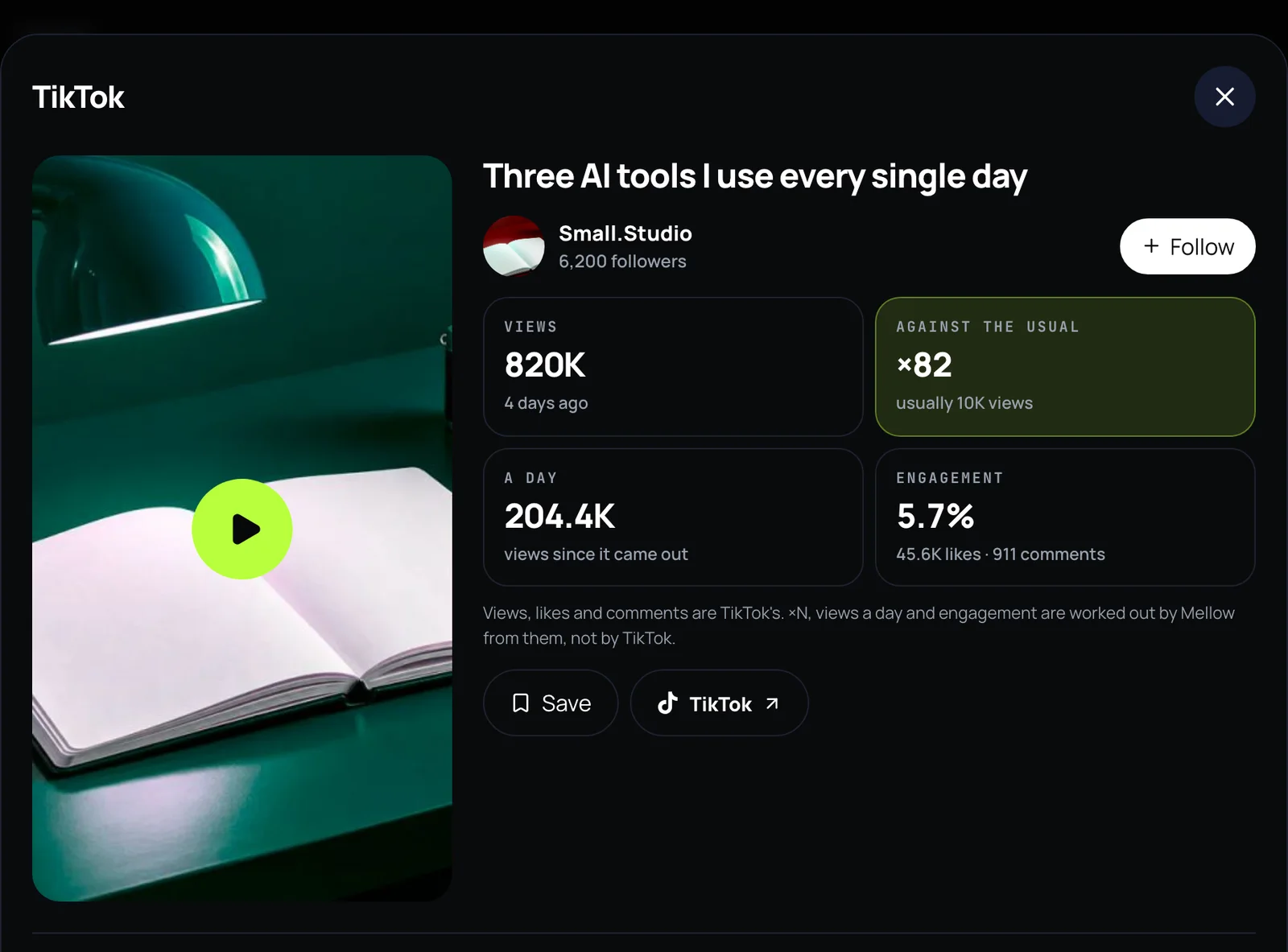
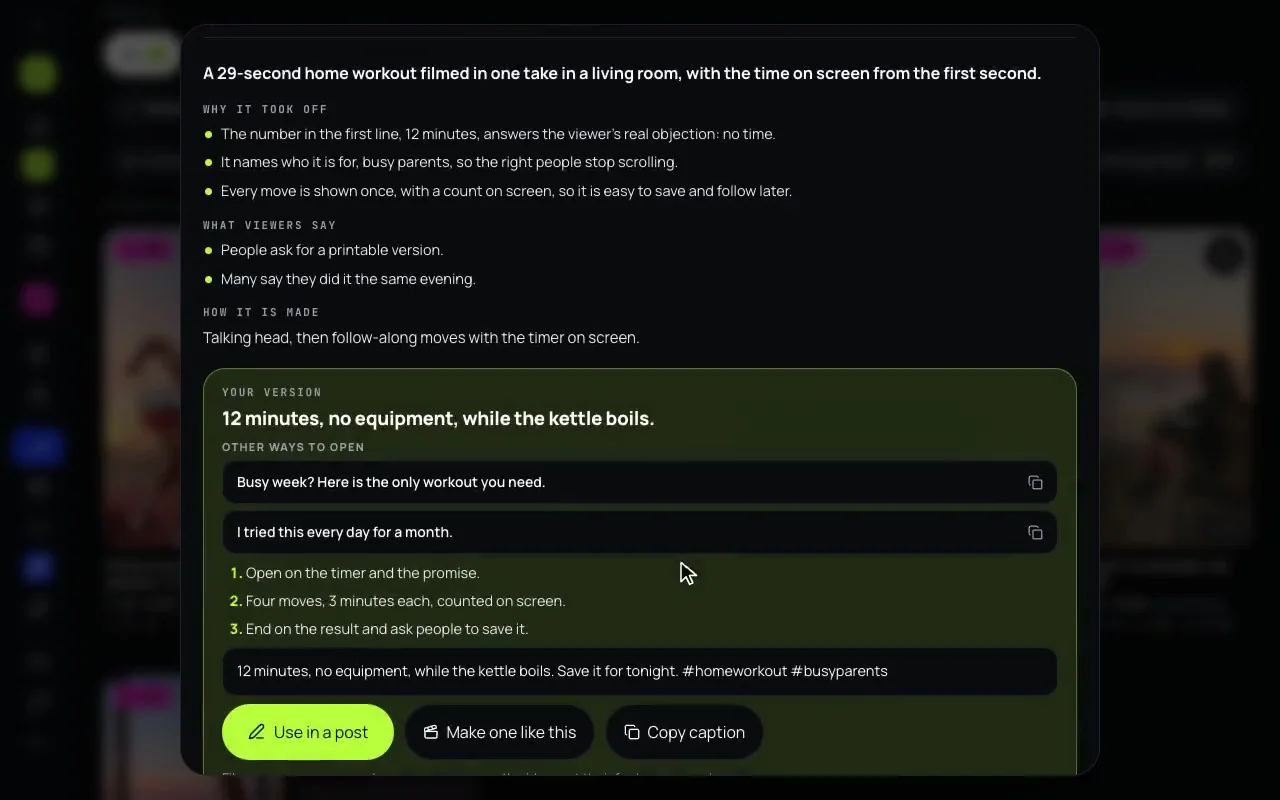
Compare it with what its creator usually gets, then look at how it opens, how it sounds and what viewers say. In Mellow Hub, paste the link into Trends: a TikTok or a Reel opens with its views against its creator’s usual for 1 AI credit, and Break it down, for 2 AI credits, watches the picture and the sound and says why it took off: the first seconds, shot by shot, the sound and the pace, what viewers say, how it is made, and your own version of it. A YouTube Short shows YouTube’s own figures only.
Find out why, step by step
- Copy the link of a TikTok, a Reel or a YouTube Short.
- Open Trends in Mellow Hub and paste the link into the search line. The round button becomes Break it down, with both prices.
- Press it. The video opens with its figures and, on TikTok and Instagram, how many times it beat its creator’s usual views; the breakdown follows.
- Read Why it took off, The first seconds, Shot by shot, Sound and pace, What viewers say and How it is made.
- Under Your version, copy an opening or press Use in a post; Make one like this cuts your own clips the same way in Montage.
What a breakdown tells you
- Why it took off: the reasons, in a few lines each.
- The first seconds: what the opening shows and says before anyone decides to scroll.
- Shot by shot: what happens on screen, in order.
- Sound and pace: the sound, the voice, the pace, how it ends and the text on screen.
- What viewers say: what the top comments have in common.
- How it is made and Your version: the format, and an opening, steps and a caption for your own take, never a copy of their footage, music or words.
On TikTok and Instagram the video is compared with its creator’s other recent videos: Trends shows a video in its searches only from ×2 their usual views and 10,000 views. A link you paste opens whatever its numbers are.
Other tools that look at short videos
| Tool | What it looks at | Free to try |
|---|---|---|
| vidIQ | YouTube, long videos and Shorts. Through its MCP, Instagram Reels, and TikTok for outlier research only. | Free: 150 AI credits a month, the MCP included; Outliers shows up to 6 videos a search. |
| Sandcastles | TikTok, Instagram and YouTube Shorts; it does not import long YouTube videos. | No free plan or trial listed. |
| Virlo | TikTok, YouTube Shorts and Instagram Reels, and the Meta Ad Library; its FAQ still calls Reels planned. | A free trial of unstated length on the pricing page; the FAQ calls it a free demo, no card. New API accounts get starter credits. |
| ViralMaxing | TikTok, Instagram Reels and YouTube Shorts in one search. | Its billing docs say there is no free trial now. |
| Mellow Hub Trends | YouTube, TikTok and Instagram: one pasted video, or what took off in a topic | A 7-day trial; opening a pasted video 1 AI credit, a breakdown 2 AI credits |
Each row is the tool’s own pages as we read them on 10 November 2026; the vidIQ alternatives guide compares them in full, prices and AI agents included.
What it does not do
- It watches the one video you ask about and keeps no copy. When it cannot watch, it reads the words and the figures and says so.
- It never names or identifies people from their faces, and never tells you to copy someone’s footage, music or words.
- On YouTube it shows YouTube’s own figures only, until Google approves the ones Mellow works out.
- It does not promise that your version will take off. It explains what already did.
Paste a link and see why it worked
Trends is part of every Mellow Hub plan, with Montage, the composer and publishing to 10 networks. New accounts start with a 7-day trial.
Open TrendsQuestions
Why did this TikTok go viral?
Start with how far it beat its creator’s usual: a small account whose video did ×2 or more of its usual views is the clearest sign the idea worked on its own. Then look at the first seconds, the sound and the pace, and what people say in the comments. Paste the link into Trends in Mellow Hub and Break it down does all of that for you.
Can you analyze a viral Reel for me?
Yes. Paste the Reel’s link into Trends: it opens with its views against the creator’s usual for 1 AI credit, and Break it down, for 2 AI credits, watches the picture and the sound and answers why it took off and how it is made, with your own version.
Is there a tool that tells you why a video went viral?
A few. vidIQ’s MCP analyzes a Reel or a Short, Sandcastles and Virlo search TikTok, Reels and Shorts for outliers, and Mellow Hub’s Trends breaks one video down and turns it into your post. The table above has what each one’s own pages said on 10 November 2026.
Can ChatGPT watch a TikTok?
ChatGPT’s web search reads pages, not the video itself: it does not play a TikTok’s picture and sound from a link. Connected to Mellow Hub over MCP, it can call trends_breakdown, which watches the video and answers.
Does it work for YouTube Shorts?
Yes, with YouTube’s own figures only: views, likes and comments, without ×N until Google approves the figures Mellow works out. The breakdown works the same, for 2 AI credits.
Is this the same as the viral video finder?
They are the same screen with two jobs. The viral video finder shows what is taking off in a topic before you have a video in mind; the analyzer is for one video you already have a link to.