TikTok trend finder: see which TikToks took off in your topic, and why
Find TikToks that took off in your topic against their creator’s usual views, see why one worked and write your own version in Mellow Hub.
By Mellow · UpdatedHow do you track TikTok trends in your topic?
Look at TikToks that already beat their own creator. Trends, in Mellow Hub, searches TikTok for your topic or opens on TikTok’s trending feed, and shows a video only when it reached at least ×2 its creator’s usual views and 10,000 views (or 100,000 views where the usual is not known). Each tile carries its views and ×N against the usual, a breakdown explains why one worked and writes your version of the caption, and a page holds 24 videos. TikTok’s own Creative Center and Trending Topics are free and come first below; they show what is popular overall, not which videos beat their own creator.
Start with TikTok’s own trend tools
They are free, and you should look at them first. We read them on 24.11.2026.
| Tool | What it shows | What it does not show |
|---|---|---|
| Creative Center, Trends | Trending hashtags with posts and views, and top videos by views, engagement or 6-second views. Signed out we saw three hashtags and four videos, and View more asked us to log in. | Videos that beat their creator in your topic; it is built for ads and filters by TikTok’s own industries. |
| TikTok Studio, Trending Topics | Up to 50 topics by video views, each with a trend graph and example videos. | Anything outside US, GB, DE, BR, JP, KR and ID: TikTok says the tab is only for creators there. |
| Trends in Mellow Hub | TikToks that took off in a topic you choose, each against its creator’s usual, with a breakdown. | A list of trending sounds, and TikTok’s own analytics. |
The answer How do you find trends on TikTok? walks through each of TikTok’s tools, with the countries and windows.
Find a TikTok trend with Trends, step by step
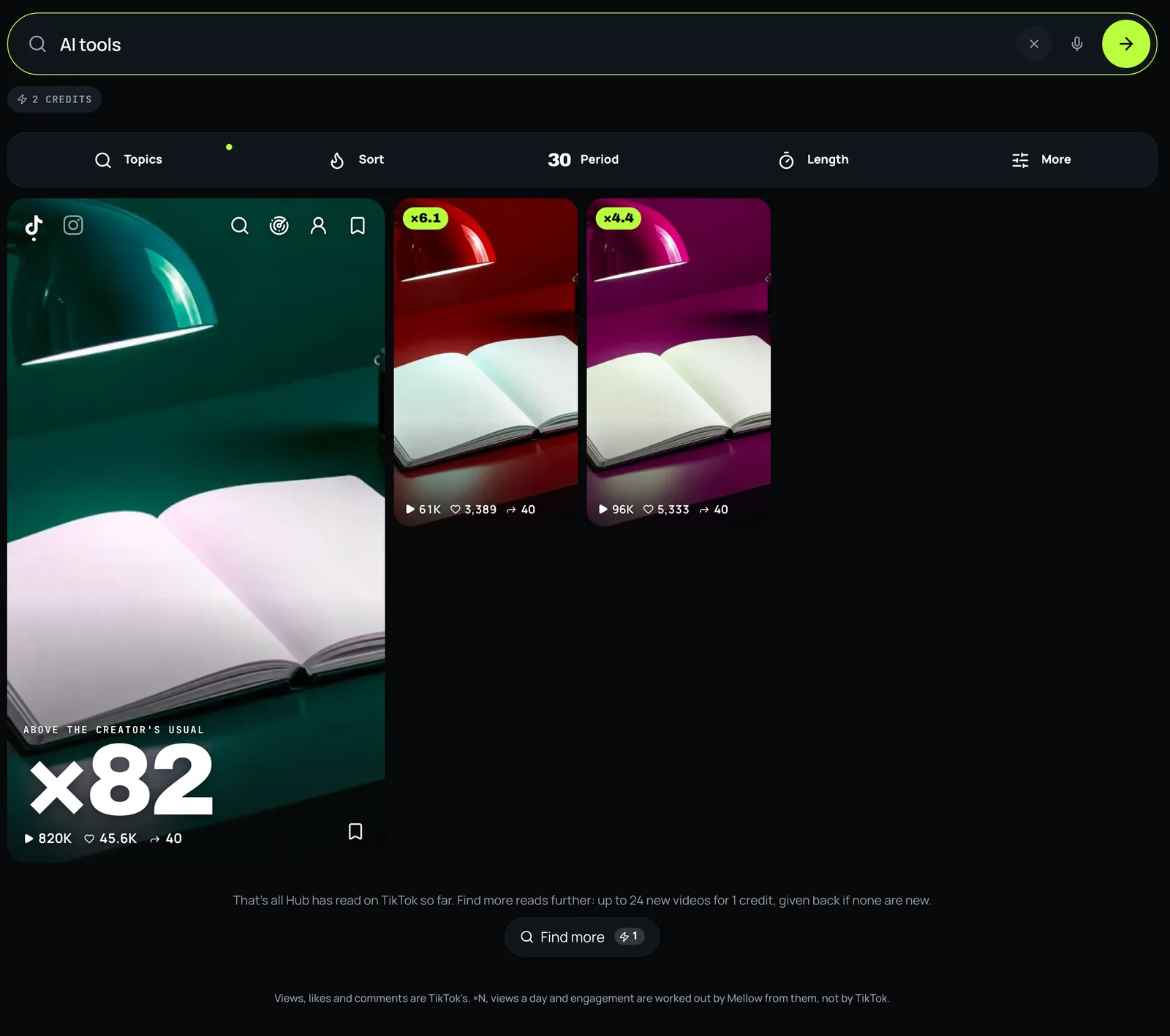
- Open Trends in Mellow Hub and choose TikTok. It opens on Trending now, TikTok’s own trending feed in your language.
- Pick one of 15 topics or 22 formats, or type your own topic, then choose the period (3, 7, 30, 90 days) and the language.
- Look at the tiles: each TikTok shows its views and how many times above its creator’s usual they are.
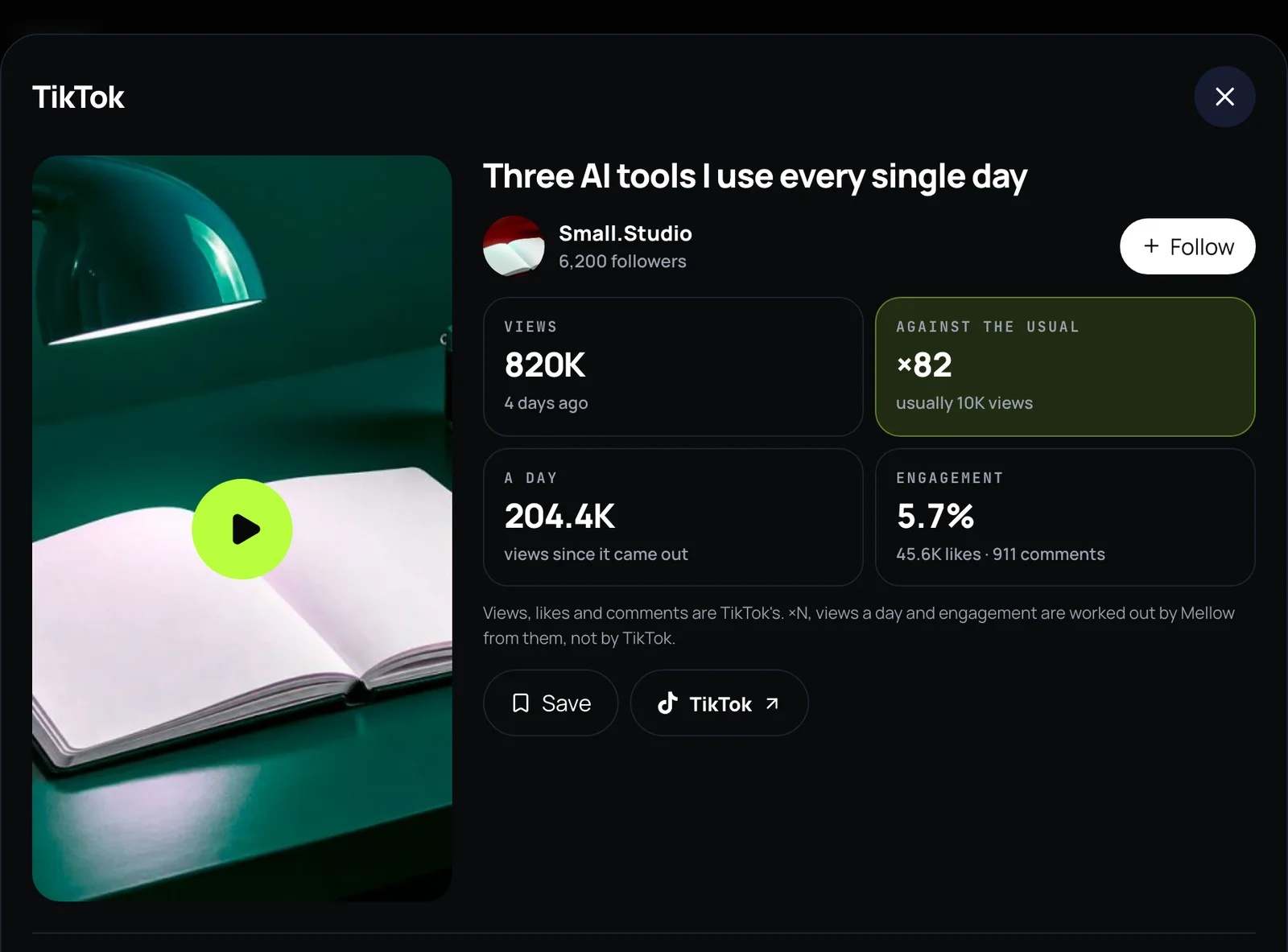
- Open one to see its four figures: views, against the usual, views a day and engagement, and which of them are TikTok’s and which Mellow works out.
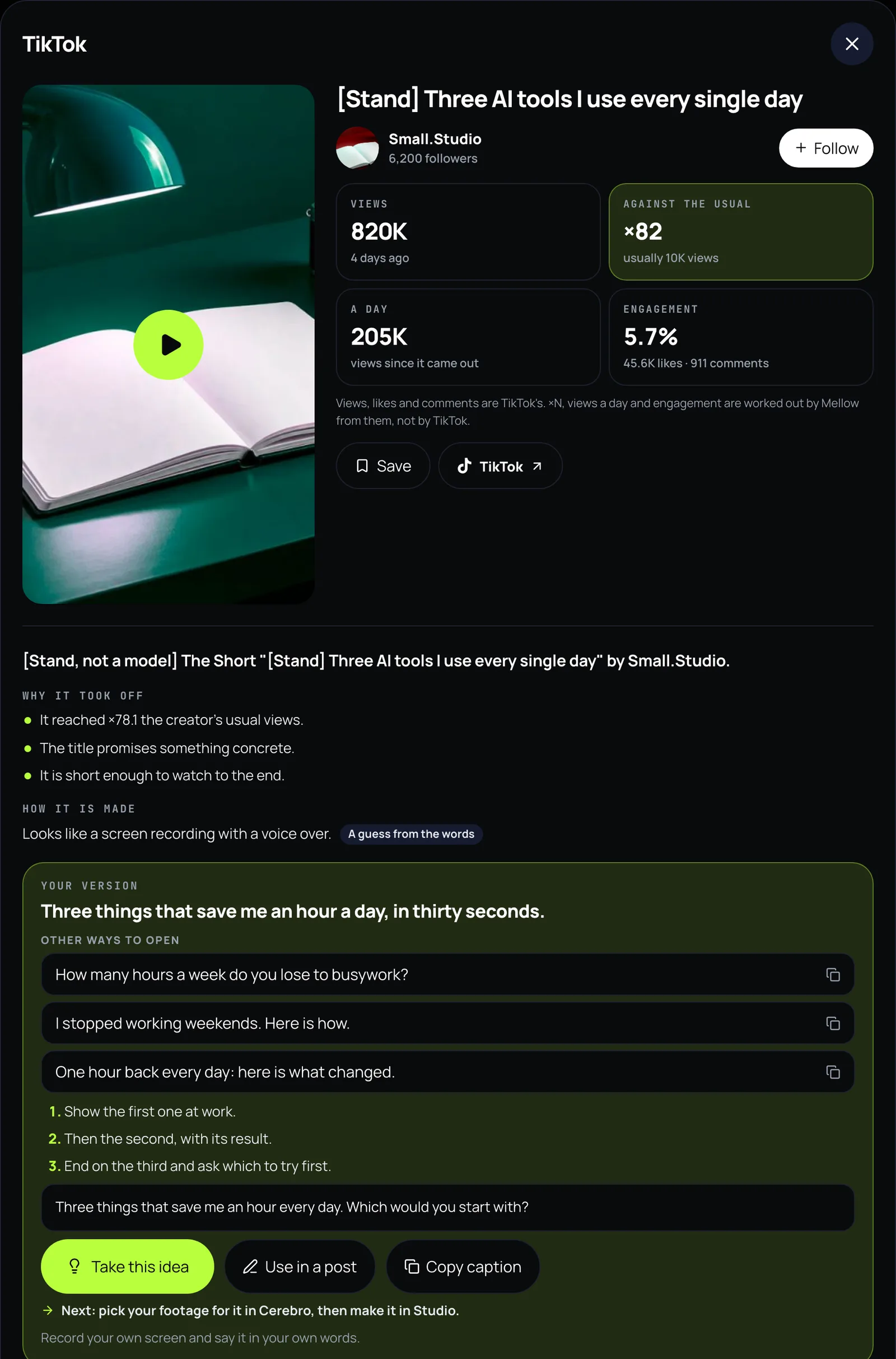
- Press Break it down: why it worked, how it is made, its hook and your own version of the caption.
- Press Use in a post to take the caption to the composer, or Make one like this to cut your own clips the same way in Montage.
A TikTok search is TikTok’s own keyword search, asked twice, by likes and by relevance, so a small creator’s video that took off sits next to the ones everybody saw. TikTok’s windows are this week, this month and the last three months, so the 3- and 7-day periods both read “this week”.
What counts as a TikTok that took off
| Shown when | Figures on the tile and the card |
|---|---|
| At least ×2 the creator’s usual views and 10,000 views | Views, likes, comments, followers, and ×N against the usual |
| 100,000 views, where the creator’s usual is not known | Views, likes and comments, without ×N |
The creator’s usual is what their other recent videos get. A small account whose video went far above it is the clearest sign that the idea works on its own. TikTok’s trending feed is worldwide, so when fewer than eight of its videos are in your language, Trends keeps them all and says so.
From a TikTok trend to your own post
- Break it down reads the title, the description, the figures, the top comments and what is said in the video. It answers why it worked, how it is made, its hook, and your own version of the caption.
- Use in a post puts your caption in the composer, which checks each network’s rules before anything is sent. Nothing is published until you send it or pick a time.
- Make one like this opens Montage with the video as a reference, to cut your own clips into a vertical video with captions.
The composer reaches up to 10 networks. In production, Instagram Reels and YouTube Shorts are the routes we have seen run; we do not promise the same for TikTok posting, so check your TikTok draft before you count on it.
What it costs
| What | AI credits |
|---|---|
| Trending now and topics | Free |
| Any search somebody ran recently | Free |
| A new TikTok search | 2 credits |
| Break it down | 2 credits |
Is it used?
From 25 October to 24 November 2026, 16 TikToks were broken down in Trends by 7 profiles: 12 breakdowns by 4 customers’ profiles and 4 by 3 of our own team’s. Trends ran 458 searches in the same 30 days across all networks: 255 from 5 customers’ profiles and 203 from our team’s. That says the route is used, not that your version will take off.
Where the videos come from, and what it does not do
- TikTok is read through a data provider that reads its public pages the way a visitor would. Only public videos are read, no account of yours is used, and nothing is posted.
- A breakdown watches the one video you ask about, picture and sound, and keeps no copy; when it cannot, it reads the words and figures and says so.
- It has no list of trending sounds, and it does not download or repost anyone’s video.
- It does not promise that your version will take off. It shows what already did, and why that is likely.
The same searches work across Instagram Reels and YouTube Shorts in the viral video finder.
See which TikToks are taking off in your topic
Trends is part of every Mellow Hub plan, with the composer, Creative Studio and Montage. New accounts start with a 7-day trial that takes a card.
Open TrendsQuestions
Is there a TikTok trend finder or tracker?
TikTok has its own free ones: the Creative Center lists trending hashtags and videos, and Trending Topics in TikTok Studio lists up to 50 topics. Mellow Hub’s Trends adds a different question: which TikToks in your topic beat their creator’s usual views. It is part of every Hub plan; a new TikTok search costs 2 credits.
How do I find trending TikTok videos in my niche?
In TikTok, search your topic and use Discover. In Mellow Hub, open Trends, choose TikTok and a topic or type your own: it shows a TikTok only when it has at least ×2 its creator’s usual views and 10,000 views, so a small account’s hit shows next to a big one’s.
Where is TikTok’s own trend data?
In the Creative Center’s Trends pages, which are built for ads and show only the top few rows signed out, and in Trending Topics in TikTok Studio, which is open to creators in US, GB, DE, BR, JP, KR and ID. The answer on how to find TikTok trends has the details.
Does it show trending TikTok sounds?
No. Trends has no list of trending sounds. TikTok’s Sounds page in the app is where TikTok says trending hits are. Trends shows videos, so you can see what a video that took off does, and a breakdown names what is said in it.
Is it free?
Trending now and topics you or somebody else searched recently cost nothing. A new TikTok search costs 2 credits and a breakdown 2 credits. Trends is part of every Mellow Hub plan, and a new account starts with a 7-day trial that takes a card.
Where do the figures come from?
Views, likes and comments are TikTok’s. Mellow reads TikTok’s public pages through a data provider, as a visitor would, with no account of yours. The creator’s usual, ×N, views a day and engagement are worked out by Mellow from those. TikTok may change its pages, and Hub says which network a figure is from.