Threads scheduler: schedule Threads posts from your computer, counted the way Threads counts
Schedule Threads posts and carousels from a computer, with the character limit counted the way Threads counts emoji, and what its own scheduler does.
By Mellow · UpdatedHow do you schedule Threads posts from a computer?
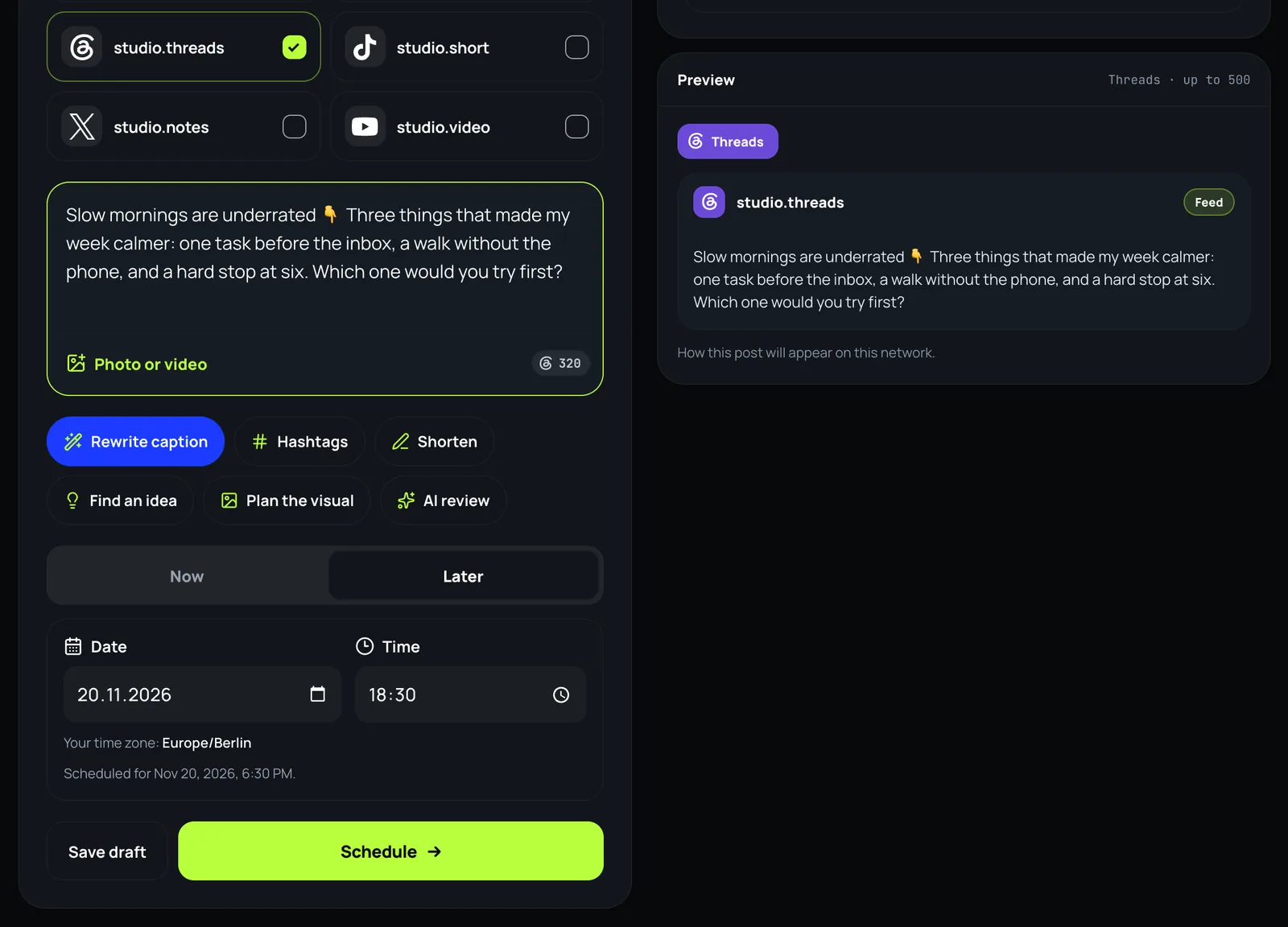
Threads’ own app schedules a post from the composer’s three-dot menu and keeps it in your drafts; its website showed no such option in Threads’ help steps. Mellow Hub’s composer schedules Threads posts from any browser: text alone, a photo or a video, or a carousel of up to 20, with a caption of up to 500 characters counted the way Threads counts: an emoji is its size in UTF-8, so 👇 is 4.
Three ways to schedule a Threads post
| Way | What it costs | From a computer | Other networks |
|---|---|---|---|
| Threads app | Free | No: the app’s composer | No |
| Meta Business Suite | Free | Yes, as a cross-post | Facebook, Instagram |
| Mellow Hub | Every plan, after a 7-day trial | Yes, any browser | Up to 10 networks in one post |
Threads announced its scheduler on 24 January 2025 and has no help page with its limits; scheduled posts wait in your drafts. Other scheduling tools that post to Threads use the same API as Hub, with the same limits.
Schedule a Threads post, step by step
- Open the composer in Mellow Hub and tick your Threads account, and any other account the post should go to.
- Write the post. The Threads counter shows what is left of its 500 characters, counted the way Threads counts.
- Add a photo or a video if you want one, or up to 20 for a carousel. Text on its own is fine.
- Choose Later, pick the date and the time in your own time zone, and press Schedule.
What Hub checks before it sends
- The caption against Threads’ 500 characters, counted the Threads way, and against every other network you ticked.
- Up to 20 items in a carousel, and a video of up to 5 minutes and 1 GB, by Threads’ API.
- The pace: Threads takes 250 API-published posts from a profile in a moving 24 hours (Meta’s Threads API overview). Hub waits and sends again when a network refuses a post for its limit.
- Links: since 22 December 2025 the API refuses a post with more than 5 unique links (Meta’s troubleshooting page).
What it does not do
- No self-reply chains yet: Meta’s review of them is still pending, so a Threads post from Hub is one post.
- It does not promise reach. It sends the post as you wrote it, at the time you chose.
What has gone out: from 19 October to 18 November 2026, 47 Threads posts from 3 profiles went out through Hub, Mellow’s own among them.
Schedule your next Threads post
The composer is part of every Mellow Hub plan, with Trends, Creative Studio and publishing to 10 networks. New accounts start with a 7-day trial.
Open the composerQuestions
How do I schedule Threads posts?
In the Threads app: open the composer, tap the three-dot menu, tap Schedule, choose the date and time and tap Schedule again; the post waits in your drafts. From a computer, a tool that publishes through Threads’ API does it: in Mellow Hub you write the post, choose Later and a time, and Hub publishes it then.
Can I schedule Threads posts from my PC?
Not on threads.com, by Threads’ own help steps, which list no schedule option there. Meta Business Suite on a computer cross-posts to Threads, and Mellow Hub schedules Threads posts from any browser.
My scheduled Threads post is not working. Why?
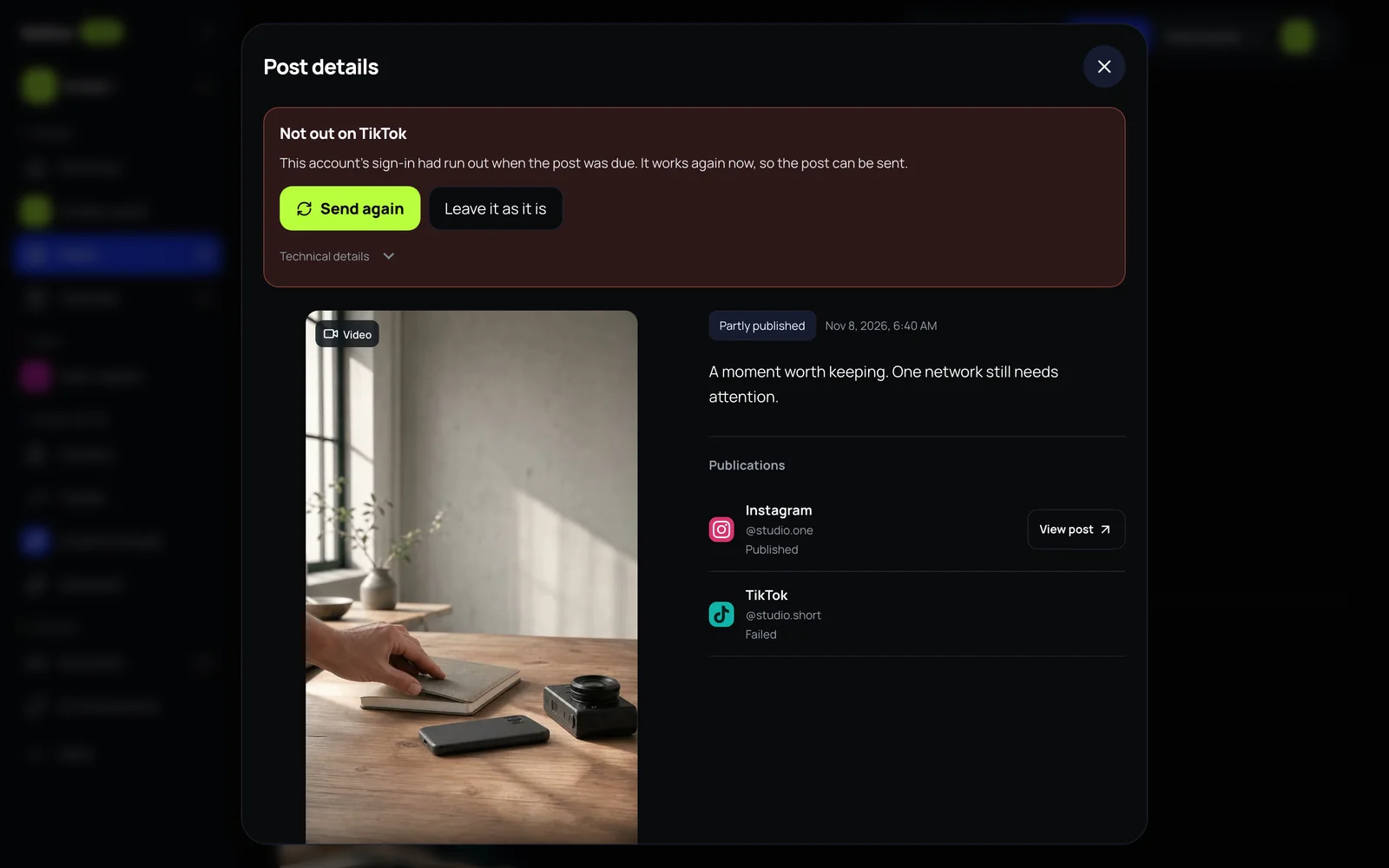
In the app, a scheduled post lives in your drafts, and Threads’ help says drafts open only where they were saved, the app or threads.com. Through the API, a post fails past 500 characters, past 5 unique links, or past 250 posts in 24 hours. Mellow Hub counts the first before sending, and when a post does not go out it says why and offers Send again.
Why does Threads count my emoji as more than one character?
Threads counts an emoji as the bytes it takes in UTF-8, so one emoji can use 4 of the 500 characters, where most counters say 2. Mellow Hub’s counter counts the Threads way.
How many Threads posts can I schedule a day?
Through the API, Threads takes 250 posts from a profile in a moving 24 hours, a carousel counting as one. Threads publishes no figure for its own app’s scheduler.
Can I post the same thing to Threads and Instagram at once?
Yes. Tick both accounts in the composer: the same words and pictures go to each, fitted to each network’s limits, among up to 10 networks.