YouTube Shorts scheduler: schedule Shorts from your computer, with the same video on Reels and TikTok
Schedule YouTube Shorts from a computer: add a vertical video, its title and a time, and send the same video to Instagram Reels and TikTok in one post.
By Mellow · UpdatedHow do you schedule YouTube Shorts from a computer?
To schedule YouTube Shorts from a computer, add the vertical video in Mellow Hub’s composer, tick your YouTube channel, write the title and choose Later: Hub uploads the Short at that time, and the same post can take the video to Instagram Reels and TikTok. YouTube Studio schedules Shorts too, for free, each one on its own and on YouTube alone. As a YouTube Shorts scheduler, Hub’s composer adds three things: it reads the file before you schedule and says whether YouTube will make it a Short (square or vertical, up to 3 minutes), it asks for the title YouTube requires (up to 100 characters), and it sends the same video to up to 10 networks in one post.
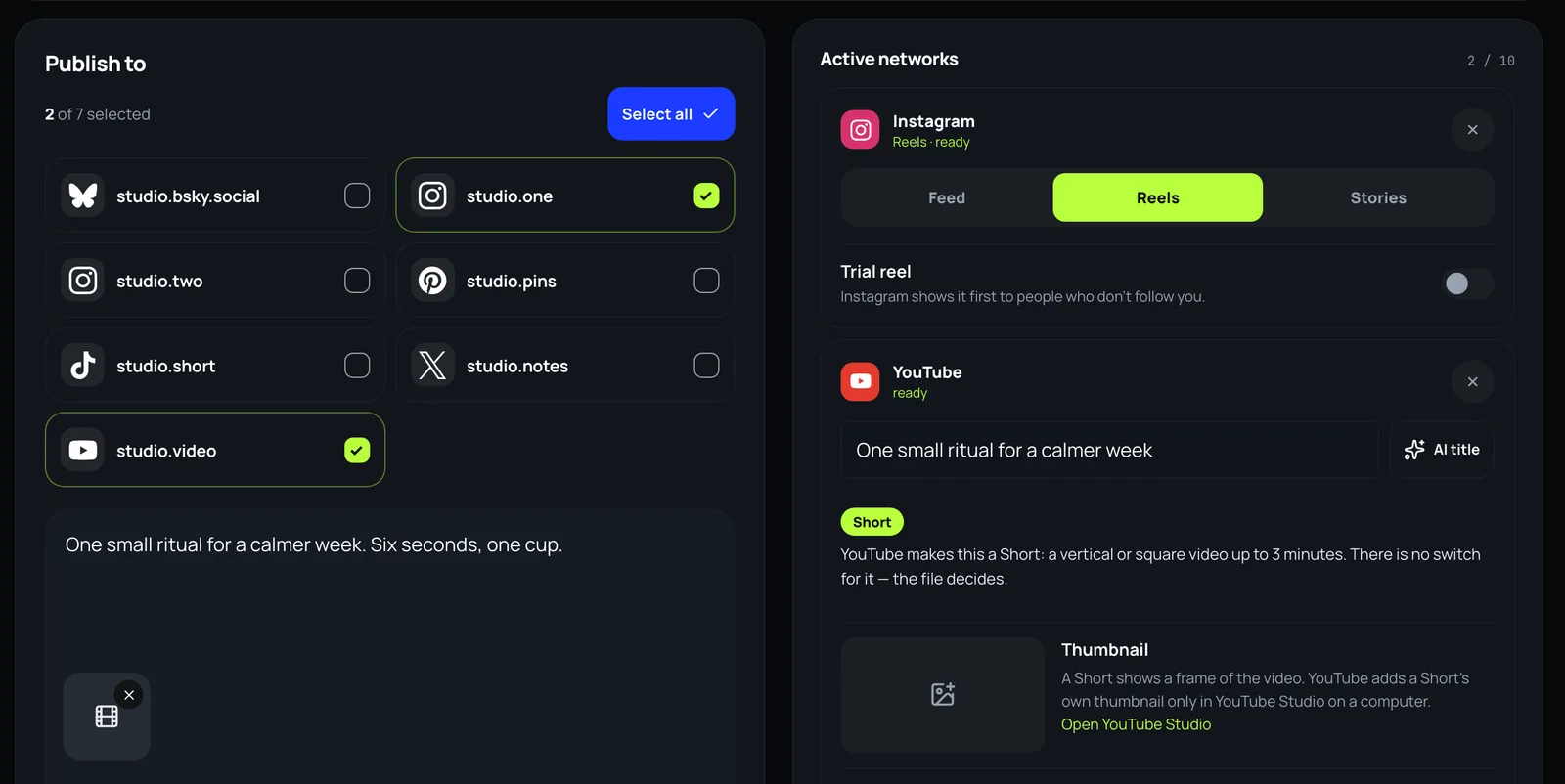
Three ways to schedule a Short
| Way | What it costs | How you schedule | Other networks |
|---|---|---|---|
| YouTube Studio, on a computer | Free | The Schedule card: a date, a time and a time zone. Up to 15 Shorts can be chosen at a time, each finished from its draft | No |
| YouTube app, on a phone | Free | Its Shorts upload steps list a title and privacy settings, and no schedule step | No |
| Mellow Hub | Every plan, after a 7-day trial | Later, a date and a time in your own time zone | Up to 10 networks in one post |
YouTube’s steps are on its scheduling page and its page on uploading Shorts, read on 24 November 2026. One difference matters for YouTube’s daily upload limit: in YouTube Studio the video is uploaded when you schedule it and waits as private, while Hub keeps the post and uploads the video at the time you chose, so the limit counts it on the day it goes out.
What one vertical video becomes on each network
| Network | It becomes | Title | Words with it |
|---|---|---|---|
| YouTube | A Short if it is square or vertical and up to 3 minutes; otherwise an ordinary video. YouTube decides by the file | Required, up to 100 characters | A description of up to 5,000 bytes; the post’s text if you write none |
| A reel, when you choose Reels on its card | None | A caption of up to 2,200 characters | |
| TikTok | A video, shown to others once TikTok has reviewed it | Optional, up to 90 characters | A caption of up to 2,200 characters |
These are the rules Hub’s composer and its checks read. YouTube counts its description in bytes, not characters: a letter outside the Latin alphabet takes two bytes or more, so a description in Russian or Japanese fits fewer letters. The rules for every network are in the cross-posting guide.
Schedule a Short, step by step
- Open the composer in Mellow Hub and tick your YouTube channel, and the Instagram or TikTok account the same video should go to.
- Add one vertical or square video of up to 3 minutes. Under YouTube’s title the composer says whether YouTube will make it a Short.
- Write the YouTube title, up to 100 characters, and the caption. On the Instagram card choose Reels.
- Choose Later, pick the date and the time in your own time zone, and press Schedule.
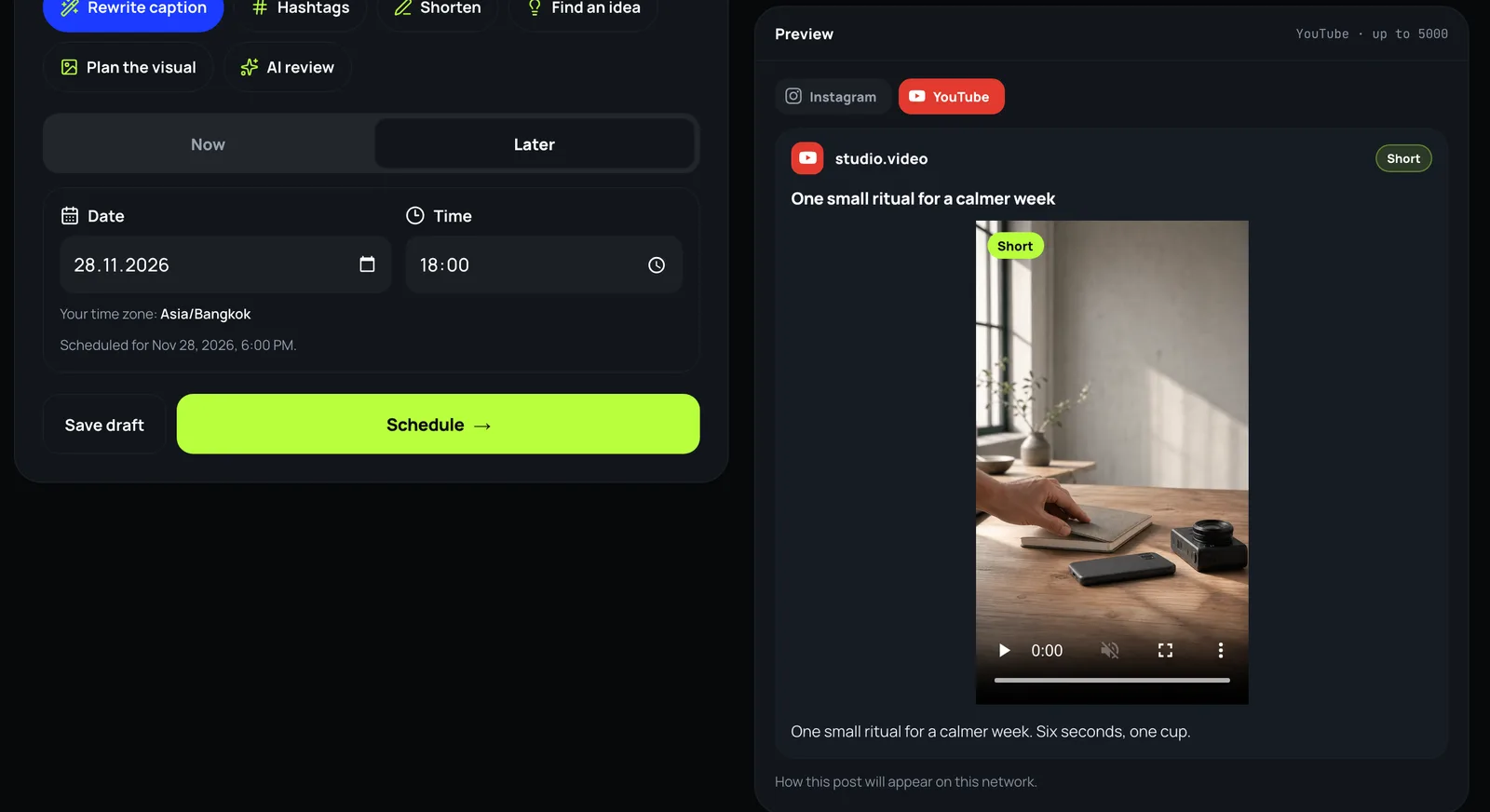
What Hub does on YouTube
- Says what YouTube will make of the file. The composer reads the video’s shape and length in your browser and says under YouTube’s title whether it will be a Short, an ordinary video, or a vertical video too long to be a Short. There is no Shorts switch, in Hub or in YouTube’s API.
- Uploads at your time. Hub keeps the post and uploads the video when it is due, public unless you choose otherwise under Advanced settings. For a channel connected since 10 November 2026 it uploads through Mellow Hub’s own Google app, in one resumable session, and never sends the same video twice; a channel connected earlier goes through the publishing service Hub has always used until you connect it again.
- Waits out a daily limit. YouTube limits how many videos a channel can upload in 24 hours, across the web, phones and its API, and names no number (YouTube Help). When YouTube refuses an upload for a daily limit, the post is not marked failed: Hub uploads it again after YouTube’s reset at midnight Pacific time, up to 3 times, and the post shows when it will go out.
- Leaves a Short’s thumbnail to YouTube Studio. A Short shows a frame of the video; YouTube adds a Short’s own thumbnail in YouTube Studio on a computer. A horizontal video can carry your own thumbnail from Hub, as the guide to publishing a YouTube video with its thumbnail shows.
- Lets an agent use YouTube’s own schedule. Through Hub’s API or its MCP server a video can go up now as private with a publish time: YouTube holds it and makes it public then, and Hub files it under Scheduled as “Scheduled on YouTube” until that time. The YouTube MCP guide covers Claude and ChatGPT.
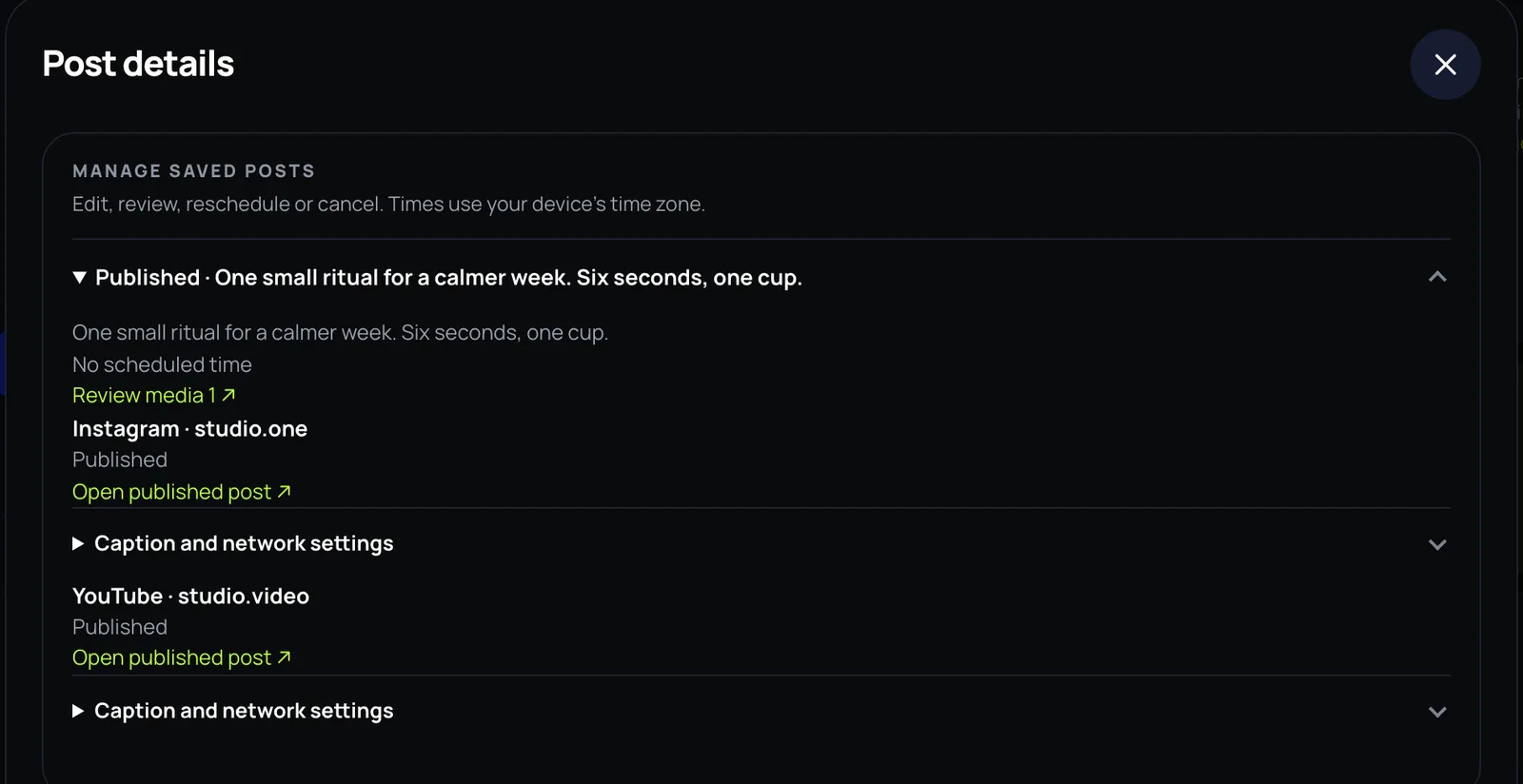
What it does not do
- It does not turn a horizontal video into a Short or cut a long one down: each network gets the file you uploaded, and YouTube decides what it is.
- It does not add a song from YouTube’s library. The sound already in your file is what goes out; YouTube’s app adds music in its own Shorts editor.
- It does not check music rights. YouTube’s page on three-minute Shorts says a Short over 1 minute with an active Content ID claim is blocked worldwide.
- TikTok reviews every video before others can see it, so Hub shows a TikTok as sent rather than live. A TikTok account whose region is Russia cannot publish through an app at all: TikTok blocks such a video.
- It does not promise views. It sends the video the way you set it, at the time you chose.
What has gone out: from 25 October to 24 November 2026, 159 videos went to YouTube through Hub from 8 profiles, Mellow’s own among them, and none failed. 63 of them went out in the same post as an Instagram reel. Of the 94 whose shape Hub recorded, 93 were vertical or square.
Schedule your next Short
The composer is part of every Mellow Hub plan, with Trends, Creative Studio and publishing to 10 networks. New accounts start with a 7-day trial.
Open the composerQuestions
How do I schedule Shorts on YouTube?
In YouTube Studio on a computer, for free: select Create, then Upload videos, choose a square or vertical file of up to 3 minutes, open the Schedule card and set a date, time and time zone. In Mellow Hub you add the same file in the composer, write its title, choose Later and a time, and Hub uploads it to YouTube then.
Can I upload Shorts from my PC?
Yes. YouTube Studio on a computer takes a square or vertical file of up to 3 minutes as a Short, and lets you choose up to 15 at a time, each finished from its draft. Mellow Hub uploads from any browser too, and the same post can carry the video to other networks.
Can I post my Reels to YouTube Shorts?
Yes, as a new upload: YouTube takes the video file, not a link to the reel. Upload your original export in YouTube Studio, or tick Instagram and YouTube in Mellow Hub’s composer, add the video once, choose Reels on the Instagram card and write a YouTube title, and both go out in one post.
Is there a YouTube Shorts scheduler that also posts to Reels and TikTok?
Several tools publish to all three through the networks’ APIs. Mellow Hub is one: one post carries the video to YouTube, Instagram Reels, TikTok and the rest of up to 10 networks, with each network’s rules checked before anything is sent. YouTube Studio is free and schedules YouTube alone.
Can I schedule a Short from the YouTube app?
YouTube’s scheduling page names its app as well as YouTube Studio, but its steps for uploading a Short from Android or iPhone list a title and privacy settings and no schedule step, as we read them on 24 November 2026. The steps YouTube gives in full are YouTube Studio’s, on a computer.
Is there a switch that makes a video a Short?
No, in Hub or anywhere else. YouTube decides by the file: since 15 October 2024 a square or vertical video of up to 3 minutes is a Short, and a wider one, such as 16:9, is an ordinary video. Hub’s composer reads the file and tells you which it will be before you schedule.
Can I set a thumbnail for a Short?
YouTube’s help describes a Short’s own thumbnail only in YouTube Studio on a computer, after the upload: Content, then Shorts, the Short, then Thumbnail. Through Hub a Short shows a frame of the video. For a horizontal video Hub can send your own thumbnail, which YouTube shows once the channel is verified.
What if YouTube’s daily upload limit is reached?
YouTube limits how many videos a channel can upload in 24 hours, across the web, phones and its API, and names no number. When it refuses a Hub upload for a daily limit, Hub keeps the post waiting and uploads it again after YouTube’s reset at midnight Pacific time, up to 3 times, and the post shows when it will go out.
How far ahead can I schedule a Short?
YouTube’s scheduling page asks for a date, a time and a time zone and names no maximum. In YouTube Studio the video is uploaded when you schedule it and waits as private. Hub keeps the post and uploads the video at the time you chose, so until then you can edit it, give it a new time or cancel it.
Related
- Can you schedule YouTube Shorts? (YouTube Studio, step by step)
- How long can a YouTube Short be?
- Instagram Reels scheduler with trial reels
- Cross-post one video to every network
- Publish a horizontal YouTube video with its thumbnail
- Upload YouTube videos and Shorts from Claude or ChatGPT
- AI YouTube thumbnail generator
- The YouTube upload quota is shared by every user of an app (our case)
- A faceless YouTube channel at near-zero cost (our case)