YouTube upload API: upload and schedule YouTube videos and Shorts with one request
Upload or schedule a YouTube video or Short with one REST request: the curl call, title, description, thumbnail and time, and what the API answers.
By Mellow · UpdatedHow do you upload or schedule a YouTube video with an API?
To upload or schedule a YouTube video with Mellow Hub’s API, send one POST to /api/hub/v1/posts with your Hub key, the YouTube channel’s id, a link to the video, a title of up to 100 characters, an optional description of up to 5,000 UTF-8 bytes, an optional thumbnail link, and scheduledAt to upload later. You need no Google Cloud project: Hub uploads through its own Google app. YouTube makes the upload a Short from the file itself (square or vertical, up to 3 minutes), so there is no Shorts field. A required Idempotency-Key means a retry can never upload the video twice.
Google’s own API first
The native route is the YouTube Data API: videos.insert. Read on 24 November 2026, Google’s pages say what it takes.
- A Cloud project and credentials. The upload guide starts with setting up a project, enabling the YouTube Data API and creating an OAuth 2.0 client ID, and the call needs an access token with the youtube.upload scope or a wider one.
- A daily allowance. By default a project has 100
videos.insertcalls a day and 10,000 units for everything else (overview). A thumbnail set costs 50 units (quota calculator). More quota is requested with an audit. - No audit for public uploads. Google’s revision history dates the change to 2 November 2026: videos from unverified projects are no longer restricted to private viewing, and its audit page says no audit is needed to upload public or unlisted videos within the default quota. Older write-ups, and YouTube’s Help page on videos locked as private, still describe the old rule.
- A refresh token that lasts. A project with an external consent screen in Testing gets a refresh token that expires in 7 days (Google Identity), which matters for a script that runs unattended.
You own the whole path, which suits uploads to your own channel from code you already run. Mellow Hub is for when you would rather not run the project, the consent screen and the token yourself, or when the same call should also send the video to other networks.
The request, step by step
Every command below is what Hub’s code accepts today, with $MELLOW_HUB_KEY standing for your key (never paste a real key into a script you publish). The base address is https://www.mellow.world/api/hub/v1. The general sequence (identity, channels, validate, create, read) is in the REST scheduling guide; this page is what is specific to YouTube.
1. A key and a channel
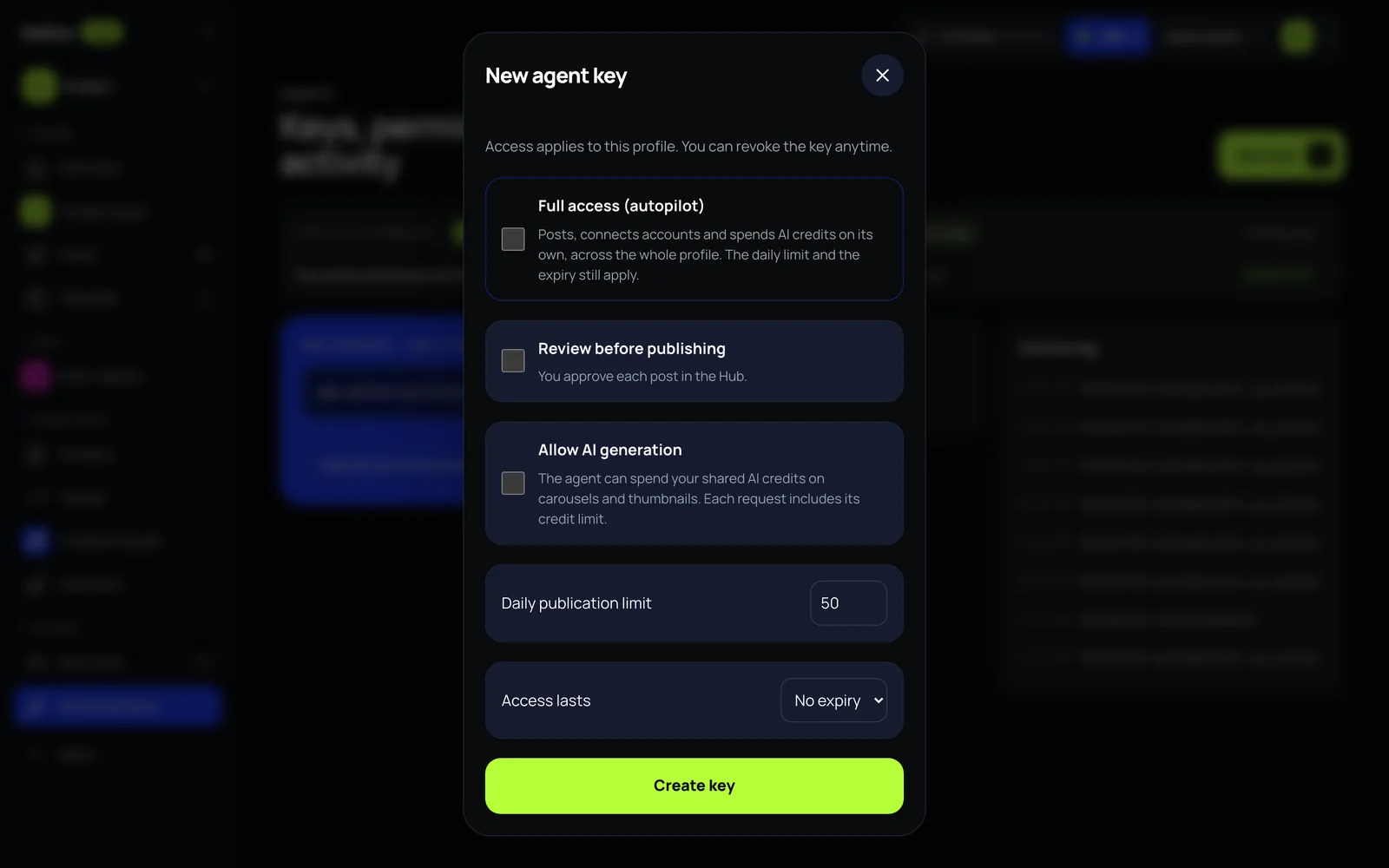
A person creates the key in the cabinet; a key cannot create another key. It carries the mode (autopilot publishes, review only prepares the post for a person to approve), a daily limit of posts (the form offers 50, up to 1,000) and an expiry, and revoking it takes effect on the next request. Channels are connected by a person too, signing in at Google. GET /api/hub/v1/channels lists them with their spc_ ids.
2. The file
Any public https link works, and nothing is copied: the link must still answer when the video is uploaded, so for a scheduled post keep the file there until it has gone out. For a file you hold, ask for an upload address and send the bytes to it:
# 1. Ask for an address to send the file to (scope media:write)
curl --fail-with-body -X POST https://www.mellow.world/api/hub/v1/media/upload-url \
  -H "Authorization: Bearer $MELLOW_HUB_KEY" \
  -H "Content-Type: application/json" \
  -d '{"contentType":"video/mp4"}'
# -> {"upload":{"uploadUrl":"https://…","mediaUrl":"https://…","instruction":"PUT the file bytes …"}}

# 2. Send the bytes there; the post will name mediaUrl
curl --fail-with-body -X PUT "$UPLOAD_URL" \
  -H "Content-Type: video/mp4" \
  --data-binary @video.mp4
3. The post
Save this as post.json, with your channel id, your links and a future time (the 2030 date is only an example):
{
  "channels": ["spc_your_youtube_channel"],
  "media": [
    {
      "url": "https://cdn.example.com/video.mp4",
      "thumbnailUrl": "https://cdn.example.com/thumbnail.jpg"
    }
  ],
  "scheduledAt": "2030-01-15T10:00:00Z",
  "options": {
    "youtube": {
      "title": "How this piece was made",
      "description": "The steps, the tools and the files.",
      "tags": ["behind the scenes"],
      "privacyStatus": "public"
    }
  }
}| Field | What it does | Limit |
|---|---|---|
options.youtube.title | The video’s title. Required: without one, and without a caption line to take it from, the check answers title_required | 100 characters |
options.youtube.description | The description. Without it, the post’s caption is used | 5,000 UTF-8 bytes (a Cyrillic letter takes 2); more is refused with description_too_long |
media[0].thumbnailUrl | A custom thumbnail, set after the upload; YouTube may refuse it, and then the video stays up with its own frame | An image up to 50 MB |
scheduledAt | When Hub uploads the video, public unless privacyStatus says otherwise. Omit it to upload now | ISO 8601; a past time answers schedule_in_past |
options.youtube.publishAt | YouTube’s own hold: with privacyStatus: "private" the video is uploaded at once and YouTube makes it public then. Hub shows it as scheduled on YouTube until that time | ISO 8601 |
| a Short | Nothing to set. The file decides: square or vertical, up to 3 minutes | One video per YouTube post |
The rest of the YouTube options (tags, categoryId, madeForKids, localizations and others) are in the Hub reference.
4. Check, then create
curl --fail-with-body https://www.mellow.world/api/hub/v1/validate \
  -H "Authorization: Bearer $MELLOW_HUB_KEY" \
  -H "Content-Type: application/json" \
  --data-binary @post.json
# -> {"ok":true,"issues":[],"notes":[]}   nothing is created or sent
A check can return HTTP 200 with ok: false, so read issues. Then create the post. The idempotency key is 8 to 120 characters of letters, digits and _ . : -, and it is required:
curl --fail-with-body https://www.mellow.world/api/hub/v1/posts \
  -H "Authorization: Bearer $MELLOW_HUB_KEY" \
  -H "Idempotency-Key: video-2030-01-15-how-it-was-made" \
  -H "Content-Type: application/json" \
  --data-binary @post.json
5. What the API answers
HTTP 201
{
  "post": {
    "id": "hp_…",
    "status": "scheduled",
    "mode": "autopilot",
    "scheduledAt": "2030-01-15T10:00:00.000Z",
    "targets": [
      { "channelId": "spc_your_youtube_channel", "platform": "youtube", "status": "scheduled",
        "url": null, "errorCode": null, "errorMessage": null, "publishedAt": null }
    ]
  }
}
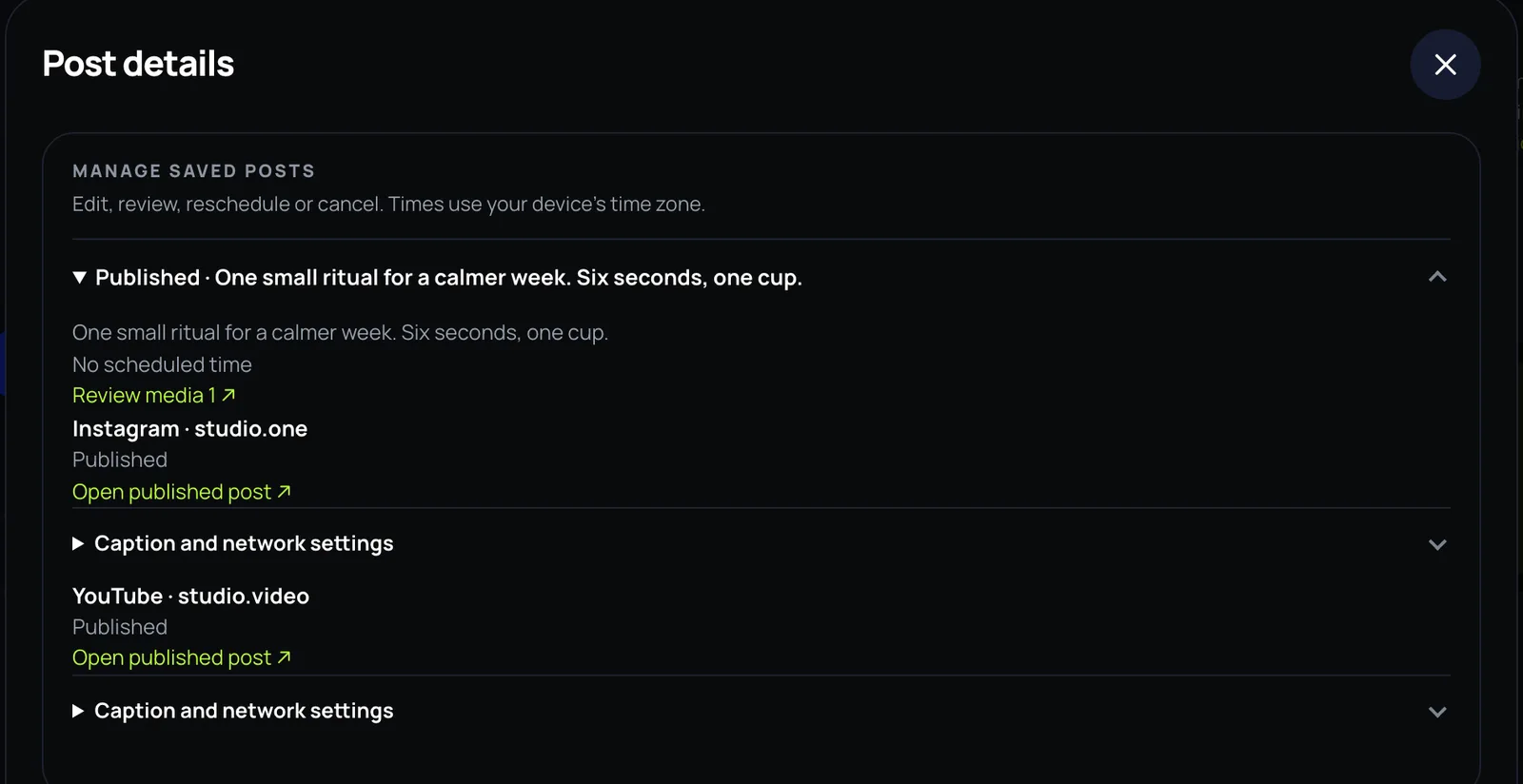
The post has an id and a status: scheduled or publishing for a key in autopilot, pending_review for a key in review mode, then published, partial (several networks, some failed) or failed. Each target has its own status, and once the video is up its url. HTTP 201 does not mean the video is on YouTube yet: read the post again.
curl --fail-with-body https://www.mellow.world/api/hub/v1/posts/hp_… \
  -H "Authorization: Bearer $MELLOW_HUB_KEY"
# once it has gone out: targets[0].status "published" and targets[0].url, the video's address on YouTube
If a request times out, send it again with the same key: Hub returns the first post, and the same key with a different post is refused with 409 idempotency_key_reused. A key whose day is full answers 429 daily_limit_reached.
When YouTube’s daily limit is reached
YouTube limits how many videos a project, and a channel, can upload in a day. When it refuses a Hub upload for that reason, the target does not fail: it goes back to scheduled and carries waiting, with the reason limit and the time. Hub uploads it again after YouTube’s reset (ten minutes after midnight in Los Angeles), up to 3 times, and only then shows the refusal. Do not send the video again yourself while a target is waiting. Channels connected to Hub since 10 November 2026 upload through Mellow’s one Google project, so its allowance is shared with everyone else on Hub. For a large batch, spread the times out over several days.
What is proven, and what is not
- The REST route is proven by Mellow’s own use. From 25 October to 24 November 2026, 159 videos went to YouTube through Hub from 8 profiles, and none failed. 129 of them were created with a REST key, from 6 profiles that are Mellow’s own, and a custom thumbnail was set on 60.
- No customer has used a REST key yet. The keys customers made have created no post so far. Treat the first integration as the first.
- A customer has uploaded through Claude. 28 videos in the same days were made by an assistant a customer connected, over MCP. That is the other door into the same upload; the YouTube MCP guide covers it.
What it does not do: it does not turn a horizontal video into a Short, add music, or promise views, and it publishes only to channels a person has connected. A Short’s own thumbnail is something YouTube describes only for YouTube Studio, and we have not shown it working through Hub, so do not rely on thumbnailUrl for Shorts. The composer’s route to the same upload is in the YouTube Shorts scheduler guide.
Create your first key
Keys are part of Mellow Hub, which also has Trends, Creative Studio and publishing to 10 networks. Hub is paid: every plan starts with a 7-day trial with a card.
Open AI connectionsQuestions
How do I upload a video to YouTube with an API?
With Google’s own YouTube Data API, a call to videos.insert: you create a project in the Google Cloud console, enable the API and make OAuth credentials, then send the file with an access token for the channel (24 November 2026). By default Google gives a project 100 videos.insert calls a day. In Mellow Hub the same job is one POST to /api/hub/v1/posts with a key from the cabinet, and Hub makes the upload.
Can I upload to YouTube through an API without a Google Cloud project?
Not with Google’s API: its own guides start from a project in the Cloud console. With Mellow Hub you do not create one, because the upload goes through Mellow’s Google app: the owner of the channel connects it once in Hub, signing in at Google, and your code only holds a Hub key. The project and its daily allowance are then Mellow’s, shared with everyone who uploads through Hub.
How do I upload a YouTube Short with the API?
There is no Shorts parameter, in Google’s API or in Hub’s. YouTube decides from the file: a square or vertical video of up to 3 minutes is a Short. You send the video and a title like any other upload.
How do I schedule a YouTube video through an API?
Google’s API has status.publishAt: the video is uploaded now as private and YouTube makes it public at that time. Hub takes the same field, options.youtube.publishAt, and also its own scheduledAt, which keeps the post in Hub and uploads the video at that time, public. Use scheduledAt when you want to change or cancel it before it goes out.
Do I need an audit to upload public videos with the YouTube API?
Not any more, according to Google’s pages read on 24 November 2026: videos from unverified projects are not restricted to private viewing, and no API Compliance Audit is needed to upload public or unlisted videos within the default quota. An audit is the route to more quota. Mellow’s own project went through verification of its Google sign-in screen, which is a separate step.
Does a YouTube API upload have a daily limit?
Yes. Google’s default is 100 videos.insert calls a day for a project. When YouTube refuses a Hub upload for a daily limit, the post is not marked failed: Hub uploads it again after YouTube’s reset at midnight Pacific time, up to 3 times, and the target shows when with a waiting field.