Create social media posts by voice: dictate the caption, schedule by speaking
Dictate a caption on your phone for free, or speak a whole post in Mellow Hub: it writes it, picks the accounts and a time, and asks before it goes out.
By Mellow · UpdatedHow do you create a social media post by voice?
The free way first: every phone keyboard takes dictation. On an iPhone, tap the microphone on the keyboard while you are in Instagram’s caption field: Apple says Dictation works “anywhere you can type it”. On Android, Gboard’s microphone works in any app where you can type. That gives you the words, in one app at a time; the accounts, the time and the Share button stay yours. Mellow Hub’s voice is for a computer, when speaking should leave a finished post: say what the post is about, where it goes and when, and Hub writes the caption in Create a post, ticks the accounts, sets the date and the time, and asks “yes?” before it publishes or schedules, on up to 10 networks. Speaking uses no AI credits: AI writing is part of every plan, up to 36 requests an hour.
Five ways to post by speaking
| Way | What it costs | What speaking gives you | Who posts it |
|---|---|---|---|
| iPhone keyboard, Gboard on Android | Free | The words, in the field you tapped: Instagram’s caption, a comment, a message | You, in each app |
| Mac Dictation, Windows voice typing | Free | The words, in any text box on a computer: Meta Business Suite’s, or the caption field of Hub’s composer | You |
| Vista Social | Its Professional, Advanced, Scale and Enterprise plans, by its help page | Dictation in its composer: post captions and comments, notes and inbox replies | You, in its composer |
| Draft AI, an app for iPhone | Free to download, with in-app purchases | A voice memo of 30 seconds to 2 minutes turned into a carousel, a reel script, hooks or a thread | You: its listing says export, then publish |
| Mellow Hub | Every plan, after a 7-day trial | A microphone in the Assistant, Creative Studio, Trends and Stories, and a voice that fills in the post, its accounts and its time | Hub, after your yes |
Apple’s, Google’s and Microsoft’s help pages, Vista Social’s help page and Draft AI’s own listing were read on 24 November 2026. Apple says iPhone Dictation is processed on the phone in many languages and stops by itself after 30 seconds of silence. Google says talk-to-text doesn’t work with all languages. Microsoft says voice typing starts with the Windows key and H, with the cursor in a text box, and needs an internet connection.
Post by voice in Mellow Hub, step by step
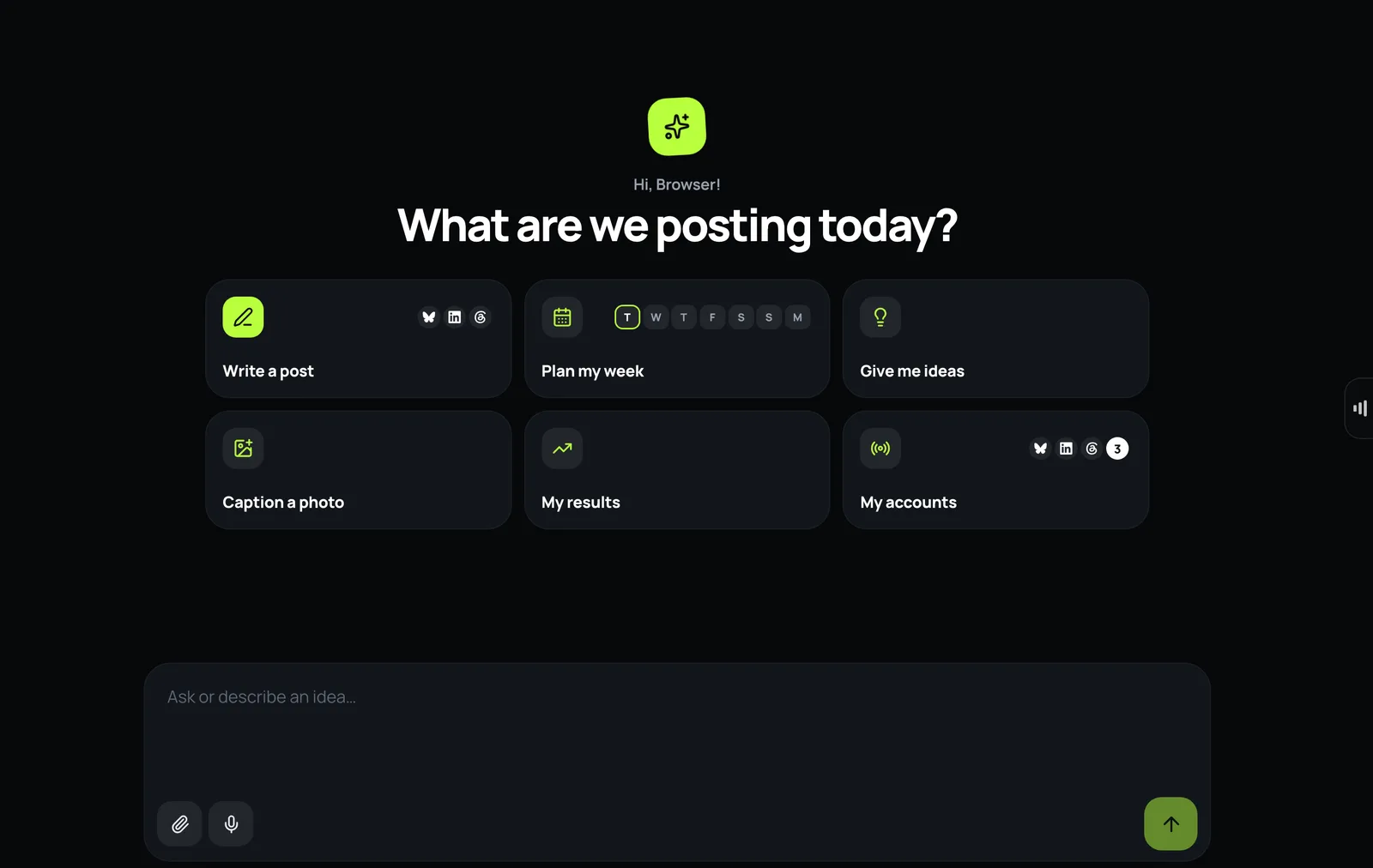
- Open Mellow Hub on a computer and press the small tab at the right edge of any screen, Talk to Hub. Allow the microphone when the browser asks.
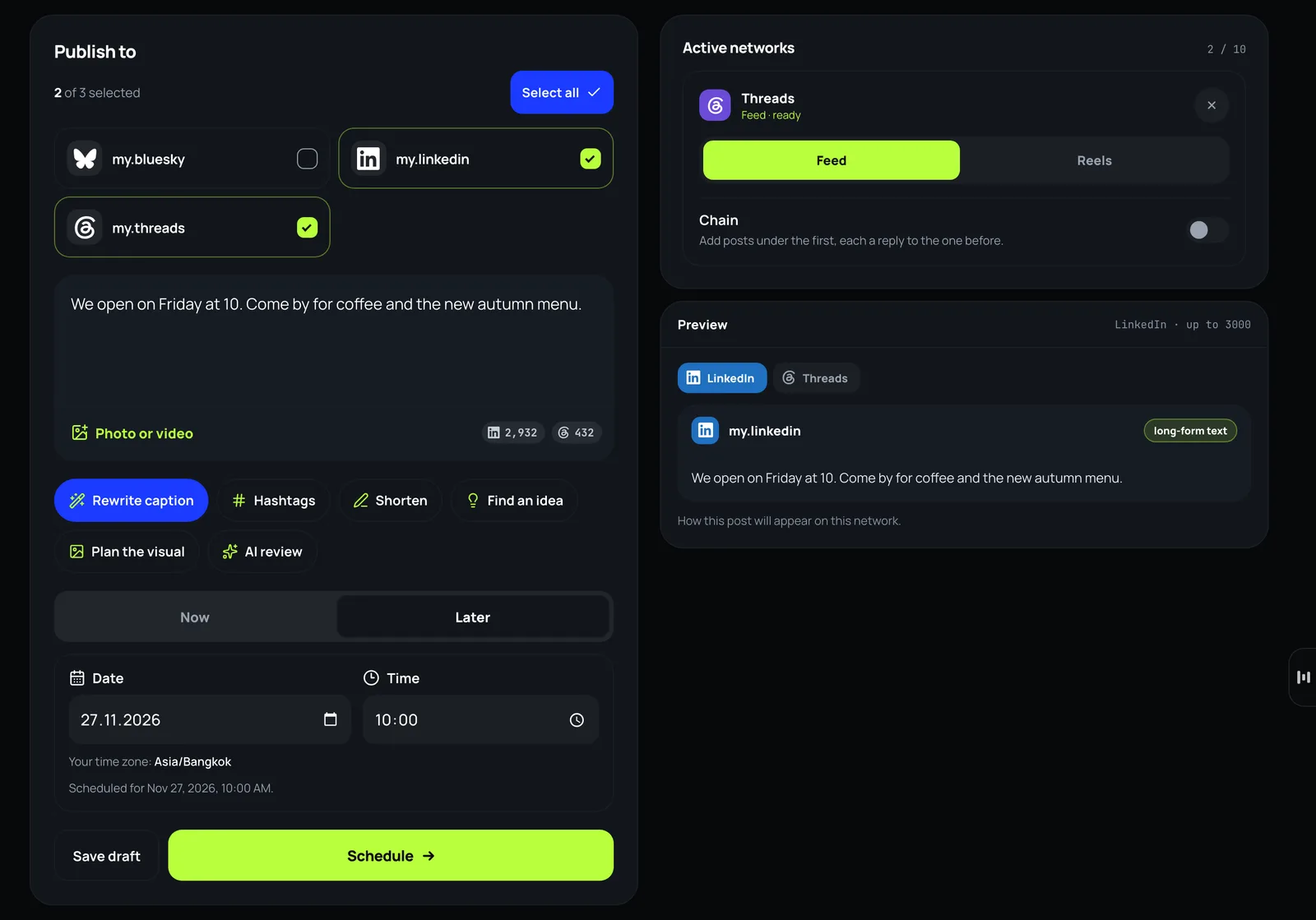
- Say the whole post in one request, for example: “Write a post about Friday’s opening for Threads and LinkedIn, and schedule it for tomorrow at ten.” Hub opens Create a post, writes the caption, ticks those accounts, chooses Later and fills in the date and the time in your own time zone.
- Hub asks before anything goes out: a question that ends in “yes?”, with the buttons Yes and No. Read what it filled in first.
- Say yes, or press Yes. Hub reads the screen again and tells you what it shows: scheduled, or what the post still needs.
- If something is off, say what to change instead of yes, for example “only LinkedIn”. Nothing is pressed, and you ask for the schedule again when the post is right.
- To dictate instead, press the microphone in the Assistant’s field, Say it instead of typing, speak, and press it again.
The voice asks before it acts
- Done without a question: opening a screen, writing into a field, ticking an account, choosing Later and a time, running a search. A lime pointer shows which control is being pressed or filled.
- Held for your yes: publishing, scheduling, moving a post to another time, deleting, connecting or disconnecting an account, sending a reply and approving a post. Hub asks one question that says what will happen and ends in “yes?”, and shows Yes and No. Only your own answer counts: your next words, or the button.
- Dropped if you don’t answer: a held press waits 90 seconds. Say no, say something else, or close the voice, and nothing is pressed.
- Never by voice: paying, plans and trials, signing out, keys and access given to an AI agent. The voice tells you which button to press.
- Said from the screen: after a yes Hub reads the screen again. It says a post is scheduled only when the screen says so; when Instagram wants a photo and the post was kept as a draft, it says that instead.
Dictation: the microphone in a field
- The Assistant’s message field, Creative Studio’s idea field, Trends’ search and the Stories editor have a microphone. Press it, speak, press it again: the words land after what is already typed.
- Create a post’s caption field has no microphone of its own. Put the caption there with the voice, with your computer’s own dictation (Mac, Windows), or by dictating to the Assistant and opening its draft with Review draft.
- Hub uses your browser’s own speech recognition where there is one, so the words appear while you speak. Where there is none, and on an iPhone or iPad, it records a note of up to 2 minutes and a speech model writes it down when you stop.
- It listens for the language you read Hub in, one of 12. When Hub is in English it follows your device’s first language.
- The Assistant prepares and proposes. Its draft opens in the composer with the caption and the accounts; the time and the Schedule button are yours, or the voice’s after your yes.
What it remembers
- Every conversation, typed or spoken, is kept in the Assistant’s History: the newest 50, up to 80 turns each. Open one and go on, typed or aloud.
- A lasting fact you state about your brand, your audience or your tone is kept as a short note, up to 120 of them, and read with later requests. The sheet Hub’s memory lists every note, and you can correct or delete each one.
What it does not do
- It cannot attach a file. Instagram, TikTok, YouTube and Pinterest take a post only with a photo or a video: add it by hand, then say the rest. X, LinkedIn, Threads, Bluesky, Facebook and Telegram take a post that is only words.
- It is a language model pressing the screen’s own controls. It can mishear a name or tick a different account than you meant, which is why it asks first: read Create a post before you say yes.
- It is built for a computer. A spoken yes on a real iPhone has not been checked yet, and the in-app browsers of Instagram and Telegram may refuse the microphone.
- A voice session closes itself after 10 minutes, when you leave the tab, or when you close it. Start it again with the same tab.
- It promises no speed and no reach. It connects, listens and works the screen one step after another, and it sends the post you agreed to at the time you chose.
What has been checked: on 19 November 2026, on our test stand in Chromium with the real voice model, requests typed into the voice’s own line wrote a caption, left one account ticked, set Later to the next day at 10:00, held Schedule and, after a yes, scheduled the post. An Instagram post without a photo was reported as kept in drafts, not as posted. Spoken requests were checked on the stand with recorded Russian speech as the microphone, on the Stories and Trends screens.
Say your next post
The Assistant, its microphone and the voice are part of every Mellow Hub plan and use no AI credits, with the composer, the Calendar and publishing to 10 networks. New accounts start with a 7-day trial.
Open the AssistantQuestions
How do I create social media posts by voice?
On a phone, tap the microphone on your keyboard in the app’s own caption field and speak: iPhone Dictation and Gboard are free and work wherever you can type. On a computer, Mac Dictation and Windows voice typing do the same in any text box. To have the whole post prepared, press the voice tab in Mellow Hub and say what to post, where and when: Hub fills in Create a post and asks before it publishes or schedules.
Can I dictate an Instagram caption?
Yes, and it costs nothing. In the Instagram app, tap the caption field, then the microphone on the keyboard: Dictation on an iPhone (Settings, General, Keyboard, Enable Dictation) or Gboard’s microphone on Android. In Mellow Hub on a computer you say the caption to the voice, which writes it into Create a post, or you use your computer’s own dictation in the caption field. Hub counts it against Instagram’s 2,200 characters either way.
Is there a tool that turns a voice note into a social media post?
Your phone’s keyboard turns speech into the caption’s words for free. Draft AI, an app for iPhone, turns a voice memo into a carousel, a script or a thread that you export and post yourself, by its own listing. In Mellow Hub you can dictate to the Assistant, which answers with a draft you open in the composer, or talk to the voice, which fills in the composer itself and asks before it posts.
Is there a voice post scheduler?
Instagram’s app and Meta Business Suite schedule posts for free: with your keyboard’s dictation you speak the caption there and set the time by hand. In Mellow Hub you can say the time as well, for example “schedule it for tomorrow at ten”. Hub knows your date, time and time zone, chooses Later, fills in the date and the time, and holds Schedule until you say yes.
Does the voice publish by itself?
No. Publishing, scheduling, moving a post to another time, deleting, connecting or disconnecting an account and sending a reply are held until you answer yes, aloud or with the Yes button, within 90 seconds. Anything else you say is taken as a new request, and nothing is pressed. Paying, changing the plan, signing out and making keys are never pressed by voice. After your yes, Hub reads the screen again and tells you what it shows.
Which languages does it understand?
Dictation listens for the language you read Hub in: English, Russian, Spanish, German, French, Portuguese, Italian, Turkish, Arabic, Hebrew, Korean or Indonesian. The voice is told to answer in the language you speak to it; if it does not catch your yes, the Yes button does the same. On our test stand it has been checked aloud in Russian; the other languages have not been checked aloud yet, and OpenAI publishes no list of languages for its voice model, so no language is promised.
Which browsers does it work in?
Dictation uses the browser’s own speech recognition where it has one. Where it has none (Firefox, the Hub for Mac window, the in-app browsers of Instagram and Telegram), and always on an iPhone or iPad, Hub records a note of up to 2 minutes and writes it down. The voice needs a browser that allows the microphone and a live audio connection. It has been checked in Chromium, the engine of Chrome, on a computer; a spoken yes on a real iPhone has not been checked, and an in-app browser may refuse the microphone.
What does it cost?
Your keyboard’s dictation is free. In Mellow Hub, speaking uses no AI credits: dictation, the Assistant and the voice count as AI writing, which is part of every plan, up to 36 requests an hour and 40 a day on a one-profile plan. A recorded note and a voice session are one request each, and so is each time the voice looks at the screen, up to 4 for one spoken request. A button that costs credits, such as a carousel in Creative Studio, costs the same when the voice presses it. Mellow Hub is paid: every plan starts with a 7-day trial with a card.
Is my voice recorded or stored?
Your keyboard’s dictation is your phone’s own: Apple says iPhone Dictation is processed on the phone in many languages. In Hub, dictation through the browser’s own recognition sends Hub only the words. A recorded note goes to a speech-to-text service to be written down; Hub keeps no recording, and the first service’s temporary copy is set to expire within 60 minutes. The voice’s sound goes from your browser to OpenAI’s voice model over a direct connection and does not pass through Mellow’s servers; what you said, as text, and the text the screen shows go to the AI model that carries out the request. Hub keeps the words of the conversation in the Assistant’s History, not the sound.
Can it attach my photo or video?
No. The voice cannot open your files: a photo or a video is added by hand. Instagram, TikTok, YouTube and Pinterest take a post only with one, so add it first and say the rest. X, LinkedIn, Threads, Bluesky, Facebook and Telegram take a post that is only words: that is the post a spoken request can prepare whole.
The phone’s keyboard is free. Why use anything else?
If you post to one network from your phone, the keyboard’s microphone may be all you need. Mellow Hub is for a computer and for more than one network: one spoken request becomes one post for every account you named, each caption counted against its network’s limit, with its time on one calendar.