
Running 10 networks alone usually means a handful of apps, a notes file of ideas and a camera roll nobody can search. Mellow Hub keeps the whole path in one place: from the video that is taking off today to the post on every network and the comments it brings back. Here is that path, stage by stage, with the screen that does each part and what it does not do.
The screens below are from our test stand: example videos, photos and channels, with made-up figures. None of them is anyone’s result.
1. Find: what is taking off, and Radar
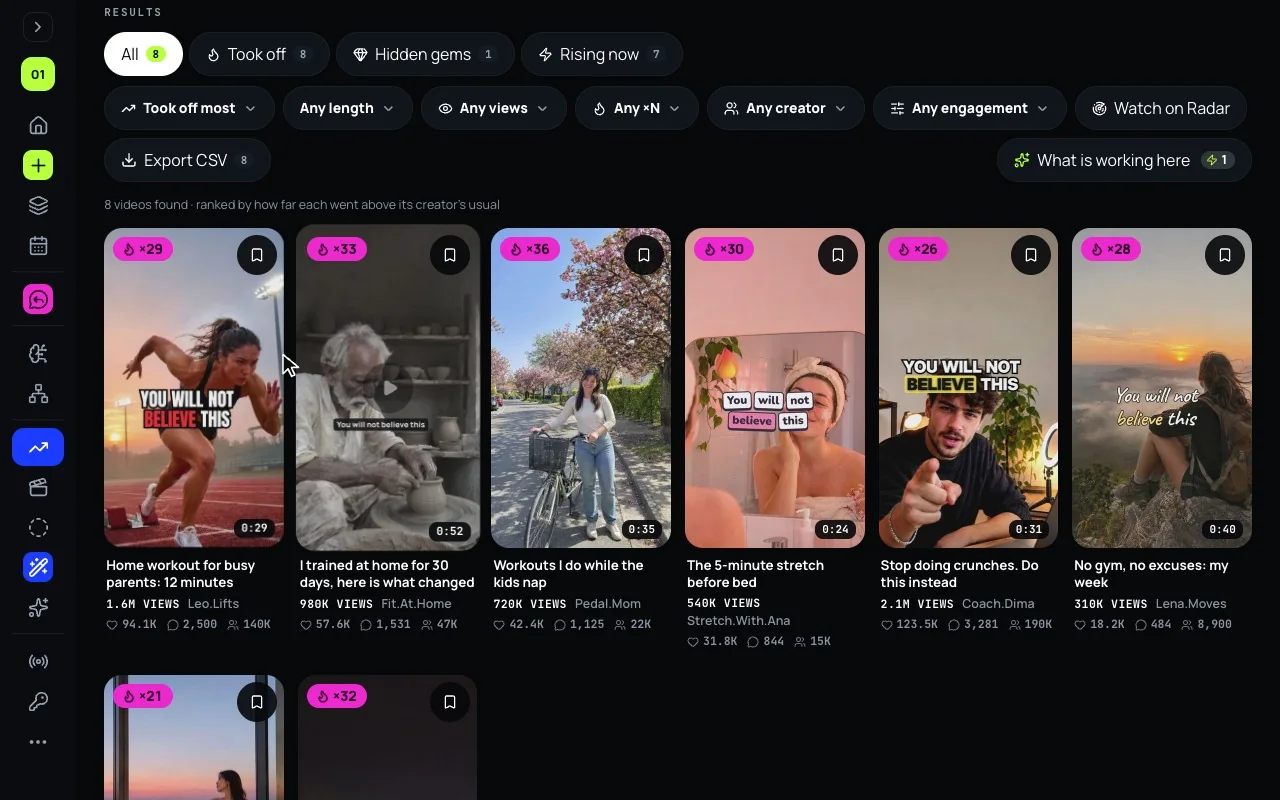
A post starts with an idea, and the best ideas are already working for someone. Trends shows short videos that took off on YouTube, TikTok and Instagram.
- It opens on Trending now and 15 categories; or search your own topic over 3, 7, 30 or 90 days.
- On TikTok and Instagram a video took off when it reached ×2 its creator’s usual views and at least 5,000 views. On YouTube, Trends shows YouTube’s own figures for now.
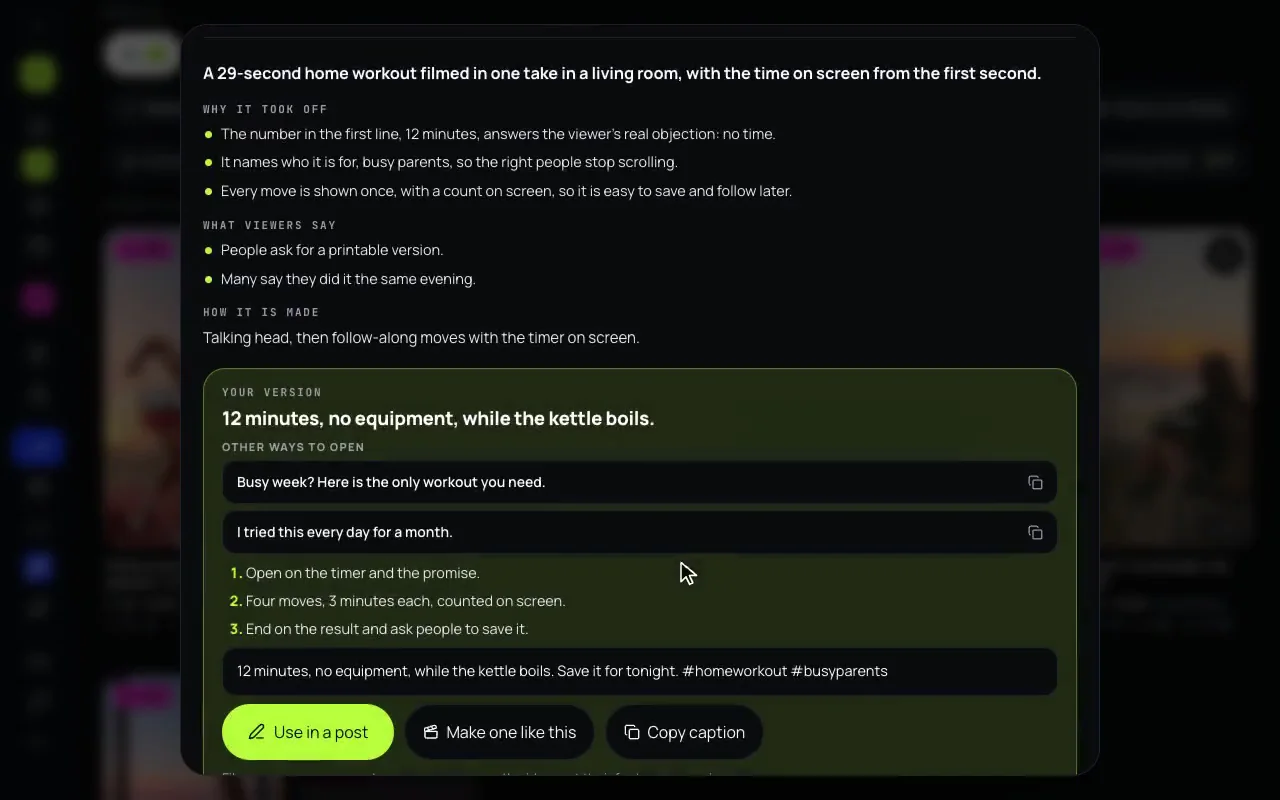
- Break it down says why a video worked and writes your version: an opening line, the steps and a caption. Use in a post sends the caption to the composer; Make one like this sends the idea to Montage.
- Watch on Radar keeps a search for you. Hub checks it once a day and a letter tells you when something new took off.
More: Trends and Radar, day to day.
2. Remember: Cerebro, your camera roll sorted
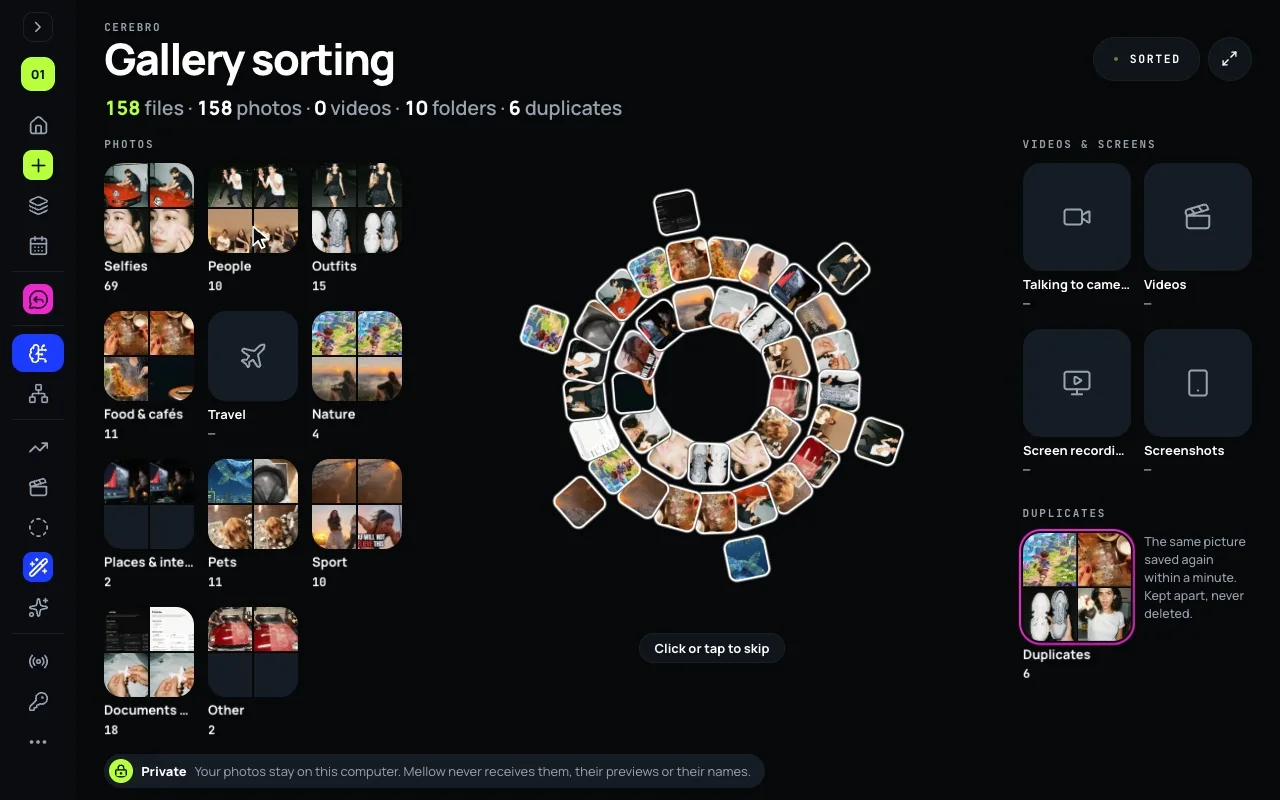
The pictures for a post are usually somewhere in your phone’s camera roll. Cerebro sorts a folder, or in Hub for Mac the whole Photos library, into albums: selfies, people, food, travel, screenshots, duplicates and more.
- Your photos stay on your device. Mellow never receives them, their previews or their names.
- Open an album and send up to 10 pictures to a new post or to a carousel in Creative Studio, or press Make a video to start a Montage from it.
More: from camera roll to post.
3. Make: Creative Studio, Montage and Stories
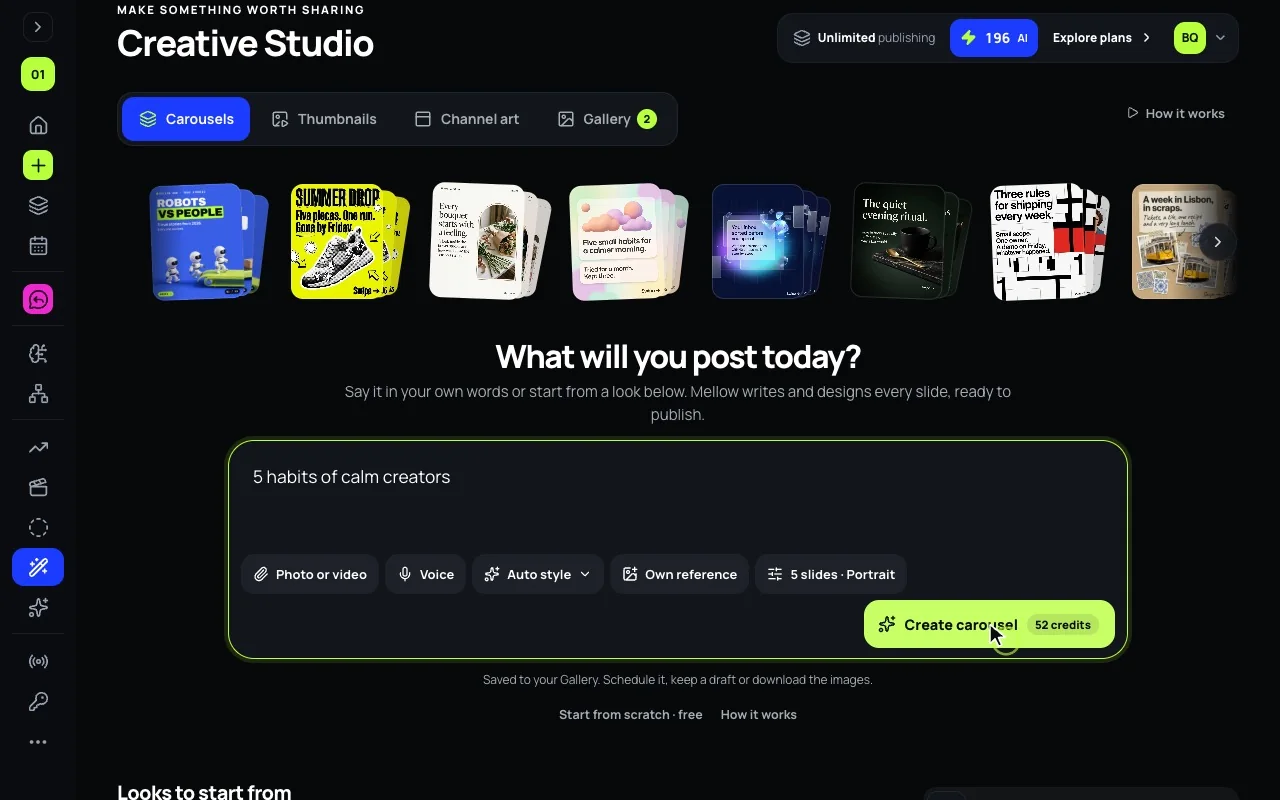
Creative Studio designs what a post shows.
- Carousels: describe the idea, or start from a look, and Studio writes and designs every slide. Five slides are 52 AI credits, and the button says so before you press it.
- YouTube thumbnails with your face: add a photo of your face once, and every thumbnail can have you in it, 10 credits a version. Every thumbnail can get a free design review against 24 points.
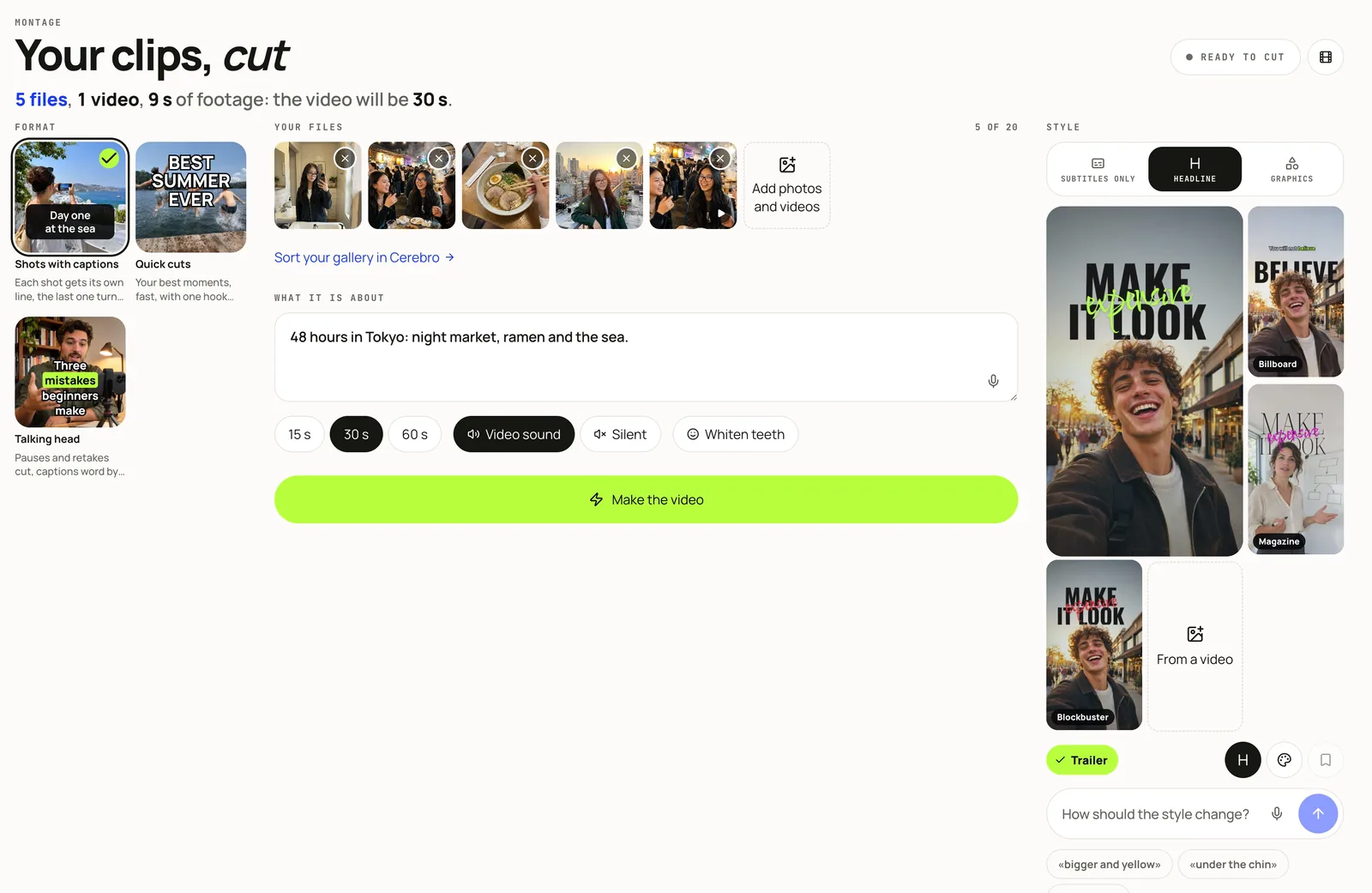
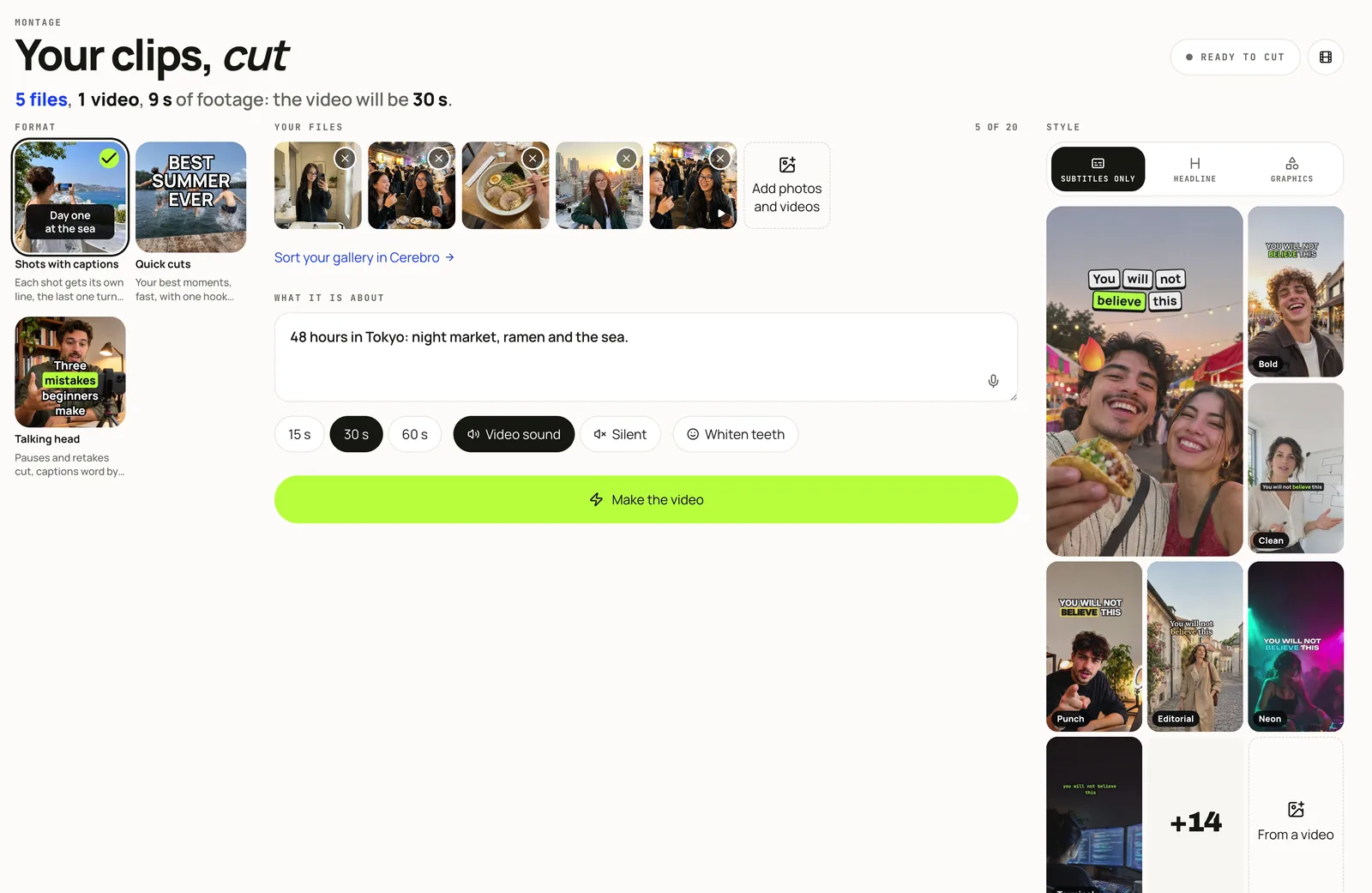
Montage cuts your photos and clips into one vertical video with captions: shots with captions, quick cuts, or a talking head with the pauses and retakes taken out. 34 caption looks in three families, Subtitles only, Headline and Graphics, your own brand, 15, 30 or 60 seconds. It renders on Mellow’s own render machine, one video after another, and the screen shows where yours stands.
Stories turns a photo or a video and a line of text into a designed story in your style, or in the style of stories you like. AI can write a whole series, up to 10 stories, and Post as a story sends each one to the composer.
Writing help in the composer (a caption, hashtags, a shorter version for one network) is included in every plan and uses no credits.
4. Publish: 10 networks, each one’s rules checked
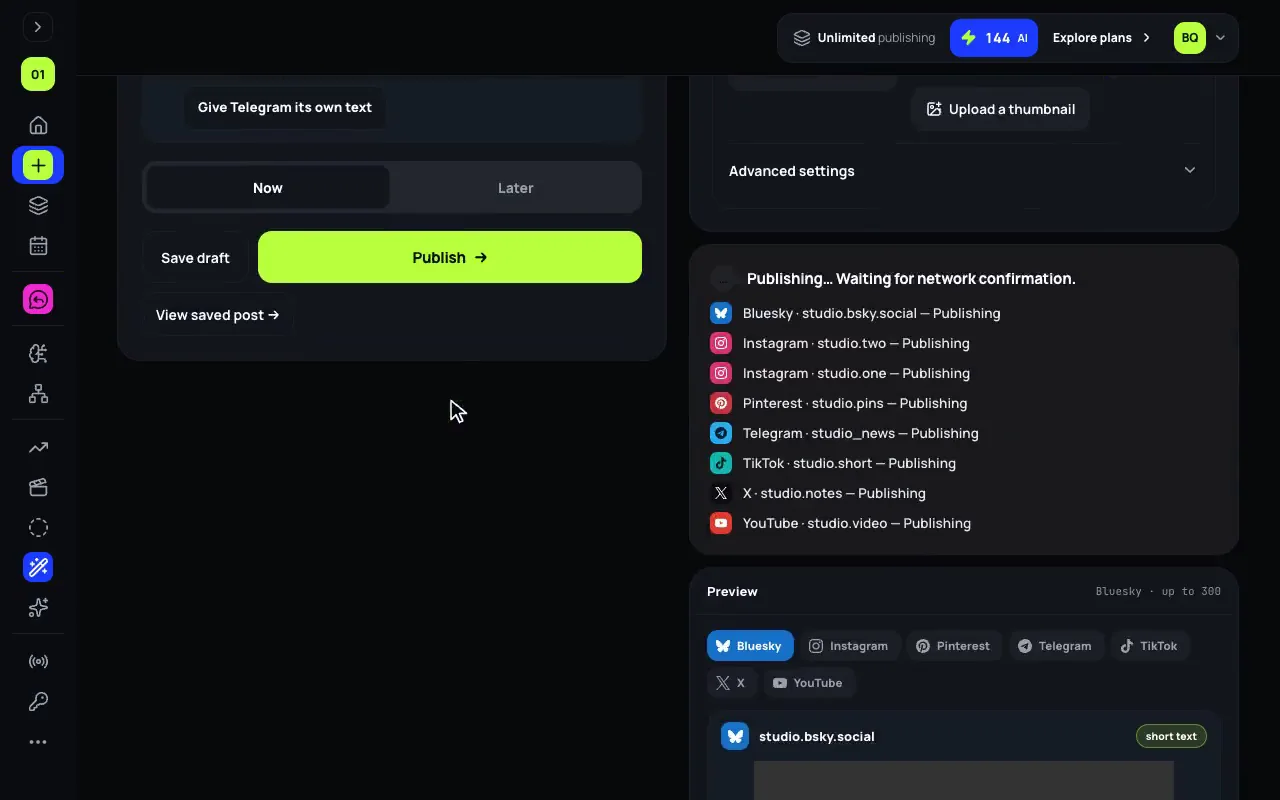
One post goes to every account you tick: Instagram, TikTok, YouTube, X, LinkedIn, Threads, Bluesky, Pinterest, Facebook and Telegram.
- Before anything is sent, Hub checks each network’s rules: the caption counted the way that network counts it, the cover, the title, the number of files. It lists every problem at once, and Rephrase rewrites a caption for the one network it is too long for.
- Now, or Later at a date and time. Hub’s servers send it, with your laptop closed.
- Each network succeeds or fails on its own. When one fails, the post says why, and passing failures are retried.
- For Instagram there are trial reels and finishing a reel in the Instagram app with a trending sound; for YouTube, a video uploaded now and made public at your time.
5. Grow: comment-to-DM and results
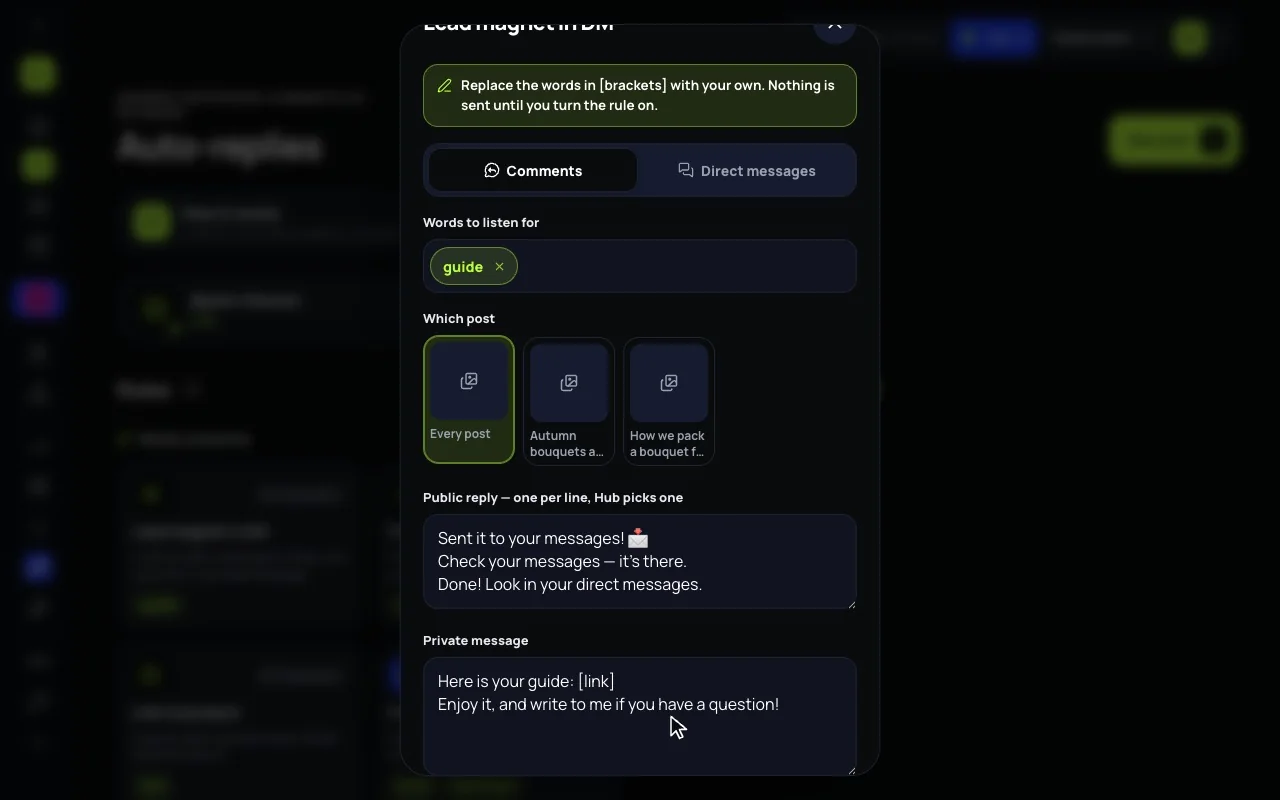
- Auto-replies: someone comments a word, say guide, under your Instagram post. Hub answers in public and sends one private message with your link, the way ManyChat does, in every plan (how to set it up). Instagram’s own rules apply: one private reply per comment within 7 days, and no broadcasts.
- Results: each post’s views, reach and the rest, network by network, as each network reports them, and the last 30 days on the Overview.
The agent on a leash
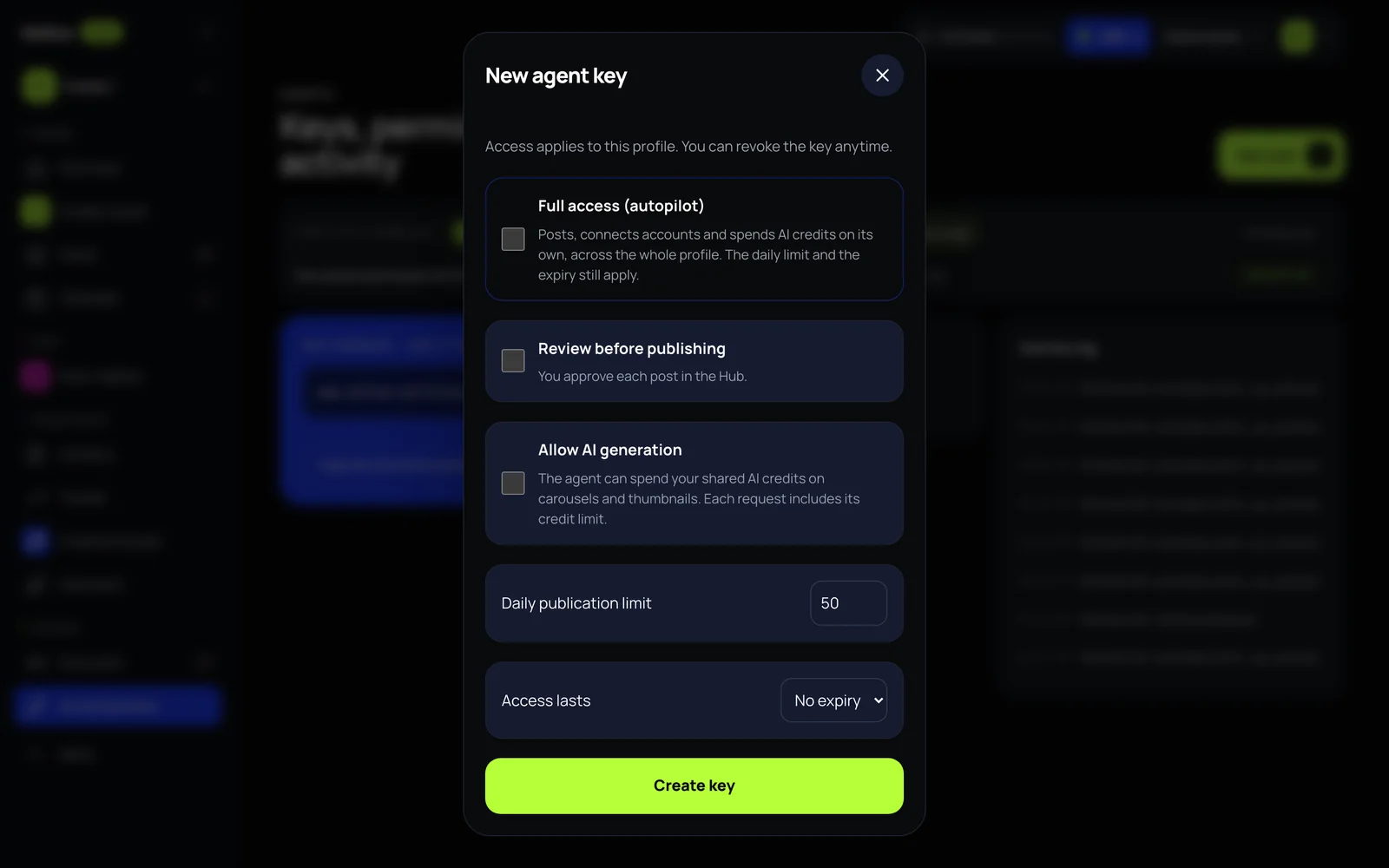
Most of the above can also be done by an AI agent: Claude, ChatGPT or your own. It connects to Hub’s MCP server, at www.mellow.world/mcp, and you approve it on Mellow’s own screen, or you create a key for it. Its tools cover Trends, Creative Studio, posts, auto-replies and results.
What makes it safe to let go is that you set the leash:
- which channels it may post to;
- review or autopilot: in review, every post waits for your yes;
- a daily post ceiling, an expiry, and a daily AI-credit ceiling when it may make pictures;
- a journal of everything it did, in AI connections;
- Revoke, which stops it on its next request. A key cannot create another key or approve its own post.
What it costs
Every tool and all 10 networks are in every plan, from $19 a month. A new account starts with a 7-day free trial of a monthly plan: starting it takes a card, and $0 is charged that day. AI credits pay for designed pictures and for the paid parts of Trends, such as a new TikTok or Instagram search (2 credits) or a breakdown (2 credits); YouTube searches, Cerebro, Stories and writing help use none.
What it does not do
- Auto-replies work on Instagram only, and there is no shared inbox screen.
- On YouTube, Trends shows YouTube’s own figures only, without ×N, until YouTube approves figures Mellow works out from its data.
- Montage adds no music for now: a video keeps its clips’ own sound or none.
- Hub has no team seats or client logins: one person, with a profile per brand.
The step-by-step guide goes through every screen in this order, with pictures.